
All help topics
Help topics
- Getting Started
- Sales & POS
- Products & Inventory
- Purchases & Suppliers
- Customers
- Staff & Permissions
- Reports
- Branches
- Hardware
- Payments
- Settings
- Troubleshooting
- Billing & Subscription
- Workshop
- Training
- Sales Agents
- Laundry
- Accounting
- HR & Payroll
- Hotel
- Services
- Communication Center
- Online Store
- CRM
- Restaurant
- F&B Manager
- Production
- Projects
- Asset Management
- Device Repair
- Bookings & appointments
- Set up for your industry
- All topics
On this page
How to Quote a Repair and Get the Customer's Approval
After diagnosis, add parts and labour to an estimate on the job and click Send to customer. The customer approves or declines from the link in their text, or you record their answer from the counter or a phone call. Offer Original, OEM and Copy as options.
Work starts only on what the customer agreed to pay for. A job cannot move to In repair without an approved estimate (warranty claims excepted), and only approved estimates are billed at handover.
Price the repair
- Open the job and write what you found under Diagnosis.
- Under Estimates, click New estimate.
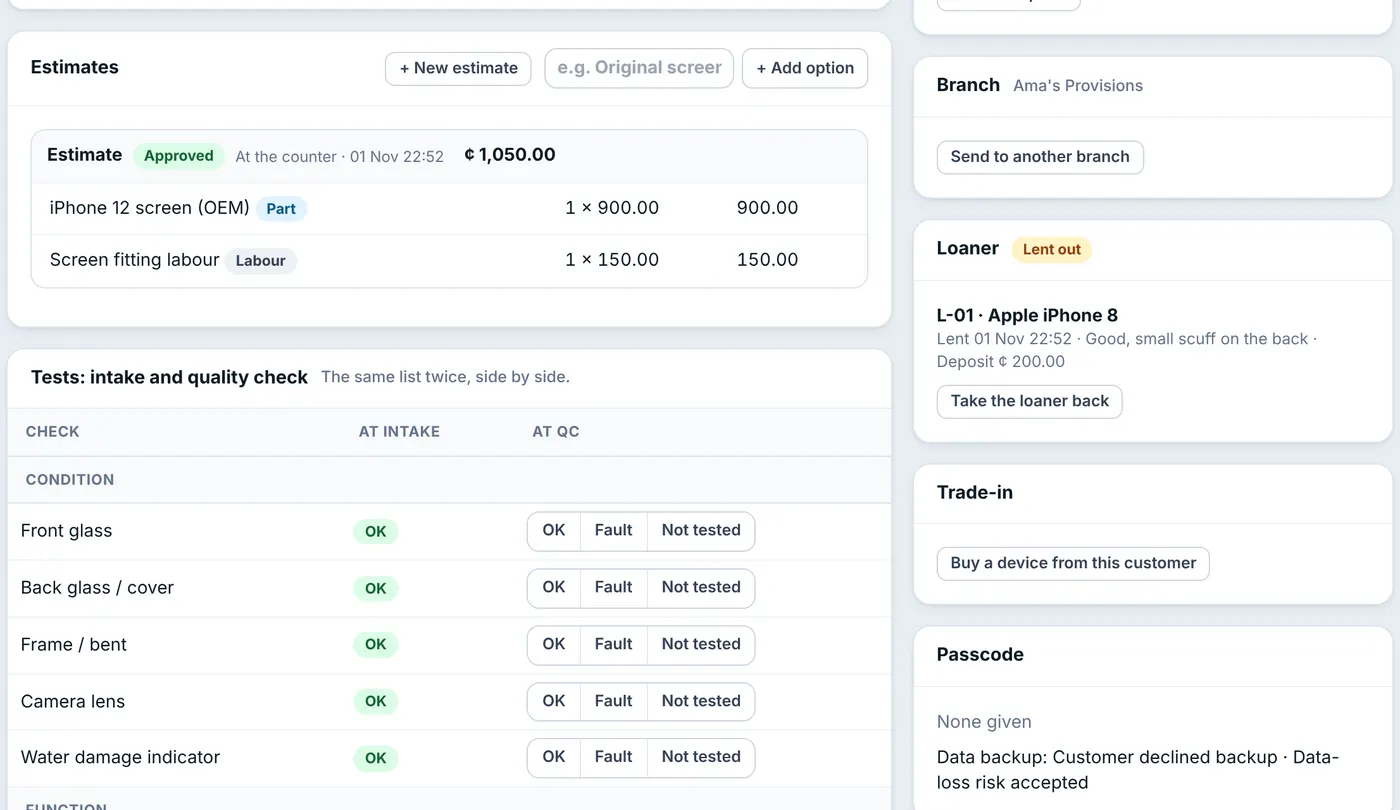
Each estimate lists its parts and labour and shows whether the customer approved it. - Search for a part or service. Parts linked to the device's model come first, marked Fits (see How to Link Parts to the Phone Models They Fit), then parts whose name matches the model, with the quantity in stock. To charge for something not in your catalogue, type it and choose Add "…" as a new service.
- Adjust quantities. Only staff with Change prices, give discounts, waive the diagnostic fee can change a list price or give a discount.
- Click Send to customer. The customer gets a text with the total and a link, and the job moves to Awaiting approval.
Offer options: Original, OEM, Copy
Type a name such as "Original screen" next to Add option and click it, then add that option's lines. Add the next option the same way. Click Send options to customer: the customer sees every option on one page and approves the one they want. The others are declined automatically, so nobody is billed for two screens.
Record the answer
- From the link: the customer taps Approve this repair or Decline. Nothing more to do.
- At the counter or by phone: on the estimate, choose At the counter or By phone, add a note, and click Customer approved or Customer declined. This needs Record a customer's approval or refusal.
After approval the job moves to In repair, or to Awaiting parts if the parts are not on your shelf.
More work found during the repair
An estimate the customer has seen cannot be changed. Click New estimate again: it is marked Additional work and needs its own approval. Until it is approved, it is not on the bill.
Common questions
How long is an estimate valid?
Does an estimate take parts out of stock?
Was this article helpful?
Thanks — your answer helps us improve this article.
Still need help?
Can’t find the answer you’re looking for? Our support team in Accra can help.