
All help topics
Help topics
- Getting Started
- Sales & POS
- Products & Inventory
- Purchases & Suppliers
- Customers
- Staff & Permissions
- Reports
- Branches
- Hardware
- Payments
- Settings
- Troubleshooting
- Billing & Subscription
- Workshop
- Training
- Sales Agents
- Laundry
- Accounting
- HR & Payroll
- Hotel
- Services
- Communication Center
- Online Store
- CRM
- Restaurant
- F&B Manager
- Production
- Projects
- Asset Management
- Device Repair
- Bookings & appointments
- Set up for your industry
- All topics
On this page
How to Link Parts to the Phone Models They Fit
Under Device Repair → Settings → Model catalogue, click Parts that fit beside a model and link the parts that fit it. Linked parts come first in the estimate search, marked Fits. A part fitted on a handed-back repair is linked automatically.
An iPhone 12 screen and an iPhone 12 Pro screen have nearly the same name and do not swap. Linking parts to the models they fit puts the right one first when you price a repair.
Link parts to a model
- Open Device Repair → Settings and open the Model catalogue for the device type.
- Click Parts that fit beside the model.
- Under Link a part, search your stocked parts and click the one that fits. Repeat for each part.
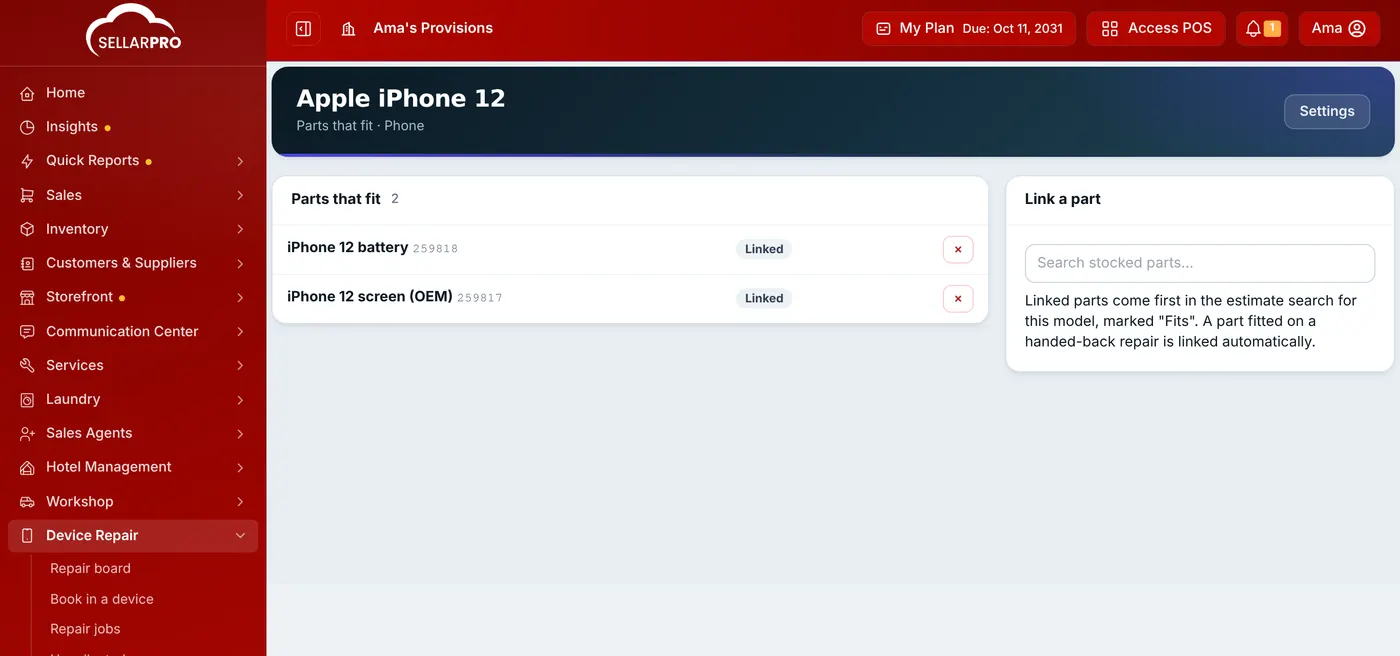
Link each stocked part to the models it fits.
Only stocked parts can be linked. Labour and services are not tied to a model.
What it changes
When you add a line to an estimate (or quote at the counter), parts linked to the device's model come first, marked Fits.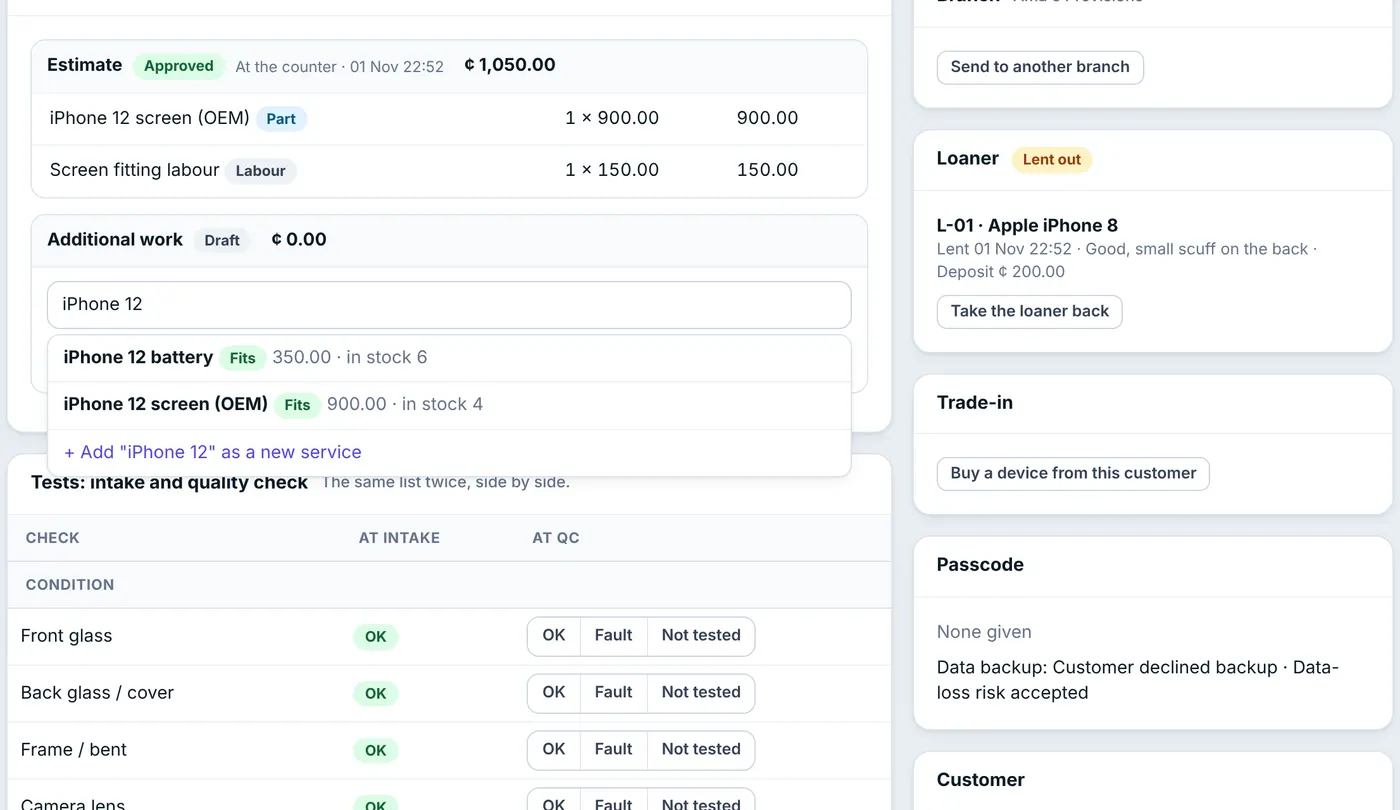
You do not have to link everything by hand: when a device is handed back, every stocked part on its invoice is linked to its model automatically (shown as Fitted on a repair). Remove a wrong link with the × beside it.
Common questions
What if a device's model is not in the catalogue?
Was this article helpful?
Thanks — your answer helps us improve this article.
Still need help?
Can’t find the answer you’re looking for? Our support team in Accra can help.