
All help topics
Help topics
- Getting Started
- Sales & POS
- Products & Inventory
- Purchases & Suppliers
- Customers
- Staff & Permissions
- Reports
- Branches
- Hardware
- Payments
- Settings
- Troubleshooting
- Billing & Subscription
- Workshop
- Training
- Sales Agents
- Laundry
- Accounting
- HR & Payroll
- Hotel
- Services
- Communication Center
- Online Store
- CRM
- Restaurant
- F&B Manager
- Production
- Projects
- Asset Management
- Device Repair
- Bookings & appointments
- Set up for your industry
- All topics
How to Return a Device Unrepaired and Charge a Diagnostic Fee
Short answer
When the customer declines, the device is beyond repair or the part cannot be found, click Return unrepaired, give the reason, and charge your diagnostic fee or waive it.
- On the job, click Return unrepaired under Next step.
- Write the reason (declined, beyond repair, part unavailable…).
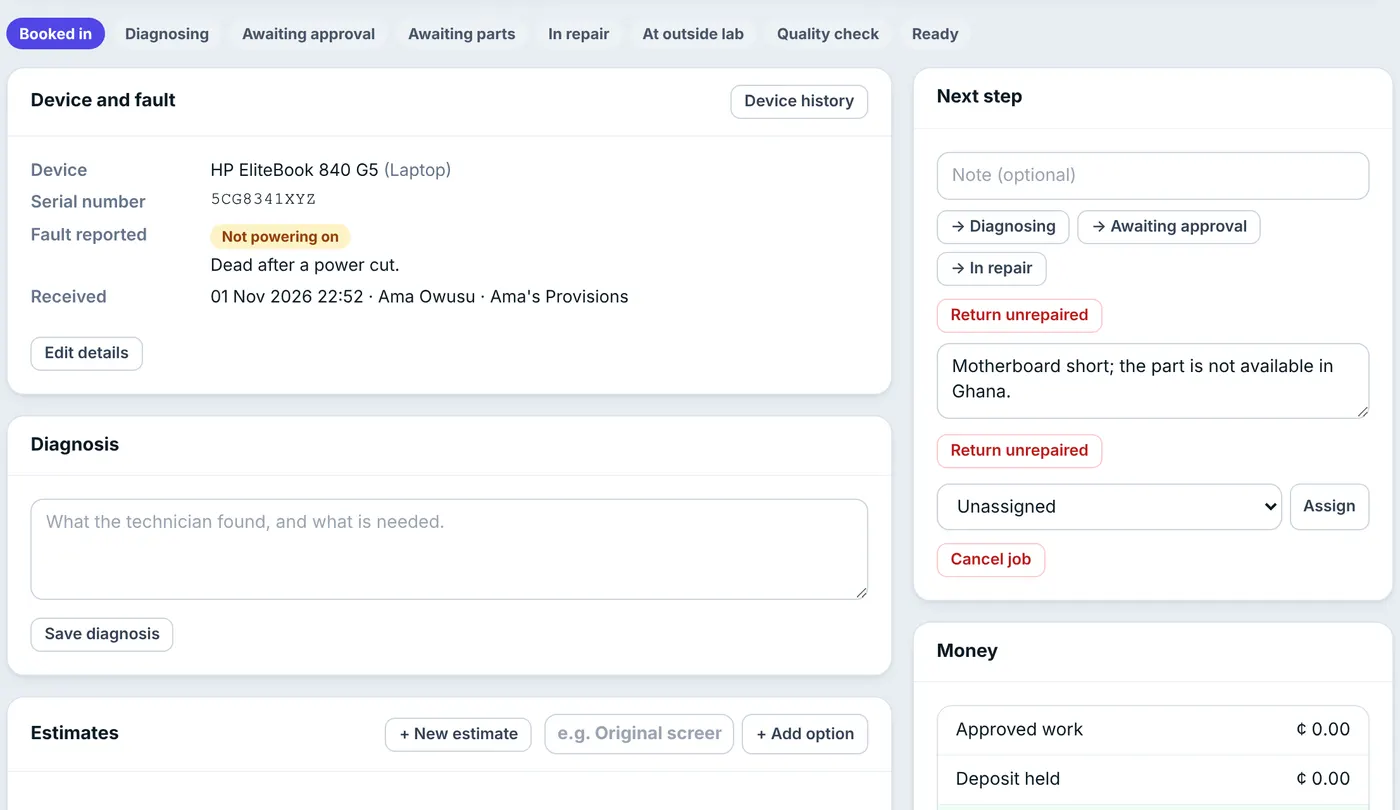
Say why it goes back unrepaired; the customer is told. - If you set a Diagnostic fee in Settings, it will be charged. Someone with Change prices, give discounts, waive the diagnostic fee can tick Waive the diagnostic fee.
- Confirm. Pending estimates are withdrawn, the job moves to Ready marked Unrepaired, and the customer gets a text to collect it.
At Hand over, the invoice is the diagnostic fee only. With the fee waived there is no invoice at all. Any deposit not needed can be refunded there. An unrepaired device gets no warranty.
Common questions
The customer changed their mind. Can we still repair it?
Yes. Move the job back to Diagnosing or In repair and quote again. The unrepaired mark is cleared.
Was this article helpful?
Thanks — your answer helps us improve this article.
Still need help?
Can’t find the answer you’re looking for? Our support team in Accra can help.