
All help topics
Help topics
- Getting Started
- Sales & POS
- Products & Inventory
- Purchases & Suppliers
- Customers
- Staff & Permissions
- Reports
- Branches
- Hardware
- Payments
- Settings
- Troubleshooting
- Billing & Subscription
- Workshop
- Training
- Sales Agents
- Laundry
- Accounting
- HR & Payroll
- Hotel
- Services
- Communication Center
- Online Store
- CRM
- Restaurant
- F&B Manager
- Production
- Projects
- Asset Management
- All topics
On this page
How to Text Laundry Customers and Chase Uncollected Clothes
Laundry texts customers automatically when clothes are received, ready, and out for delivery, and reminds them about clothes left uncollected. Turn each text on or off and edit its wording in Laundry → Settings. See every ready, uncollected ticket in Laundry → Uncollected and send a reminder from there.
The automatic texts
These are on for every laundry by default and are sent from your SMS balance:
- when clothes are received,
- when they are ready (one message for collection, another for delivery tickets),
- when they go out for delivery,
- a reminder when ready clothes are not collected.
Turn any of them off in Laundry → Settings → Customer SMS.
Edit the wording
- Open Laundry → Settings and scroll to Customer SMS.
- Each message is shown ready to edit. Click a placeholder chip to insert it: {business}, {customer}, {ticket}, {pieces}, {ready_date}, {balance_due} and, for reminders, {days_waiting}.
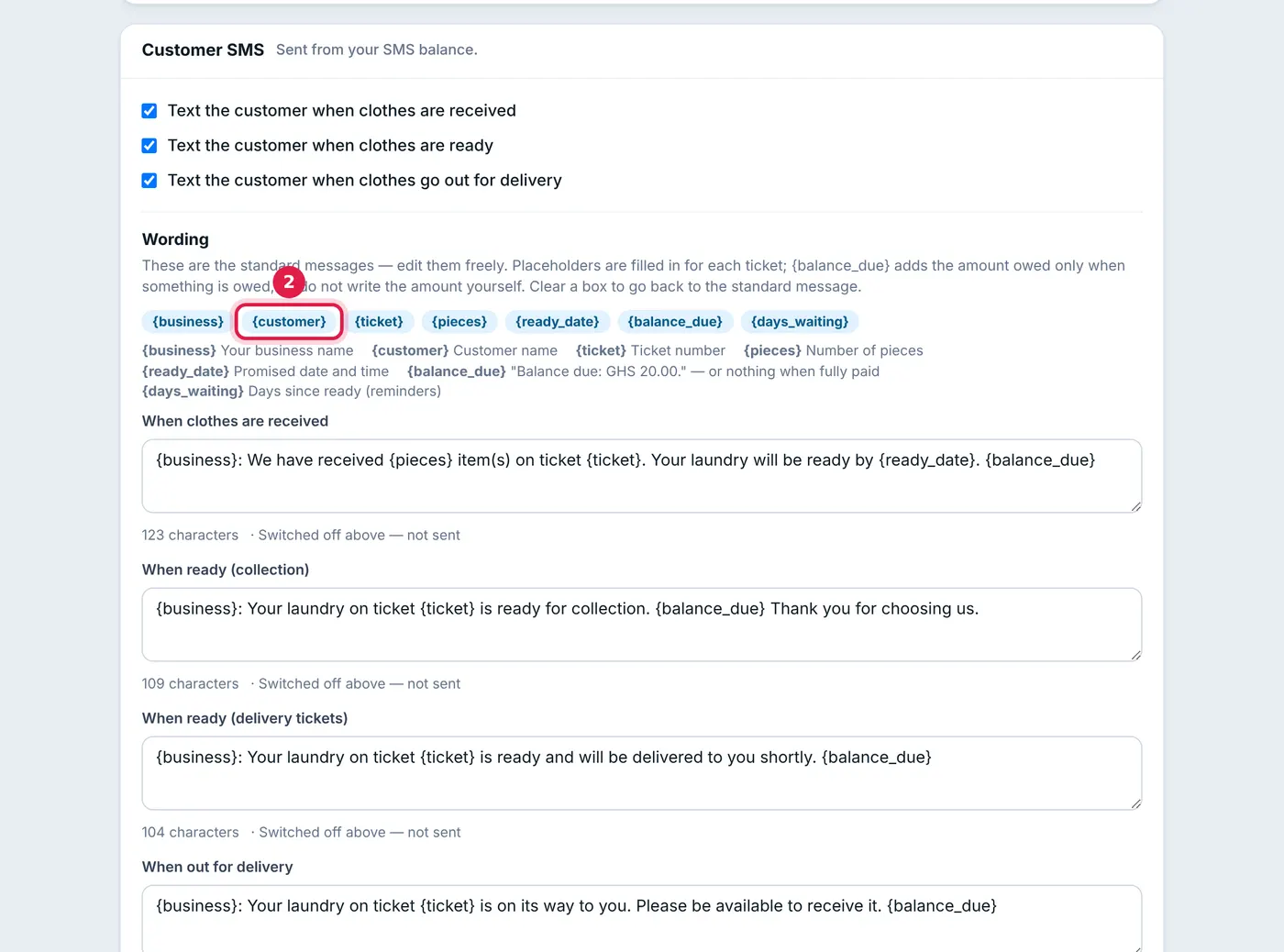
Click a chip to put a placeholder where the cursor is. - Save.
{balance_due} adds "Balance due: GHS 20.00." only when something is owed, and nothing when the ticket is paid, so do not type amounts yourself. Write amounts as GHS, not the cedi sign, which does not survive the SMS network. Up to 160 characters is one SMS; the counter under each message shows its length.
Uncollected clothes
Open Laundry → Uncollected to see every ticket that is ready but not collected, oldest first, with how long it has waited and what is owed. The totals at the top group them by age (0–7 days, 8–30, 31–60, over 60); click one to filter.
- Click Send reminder to text a customer now.
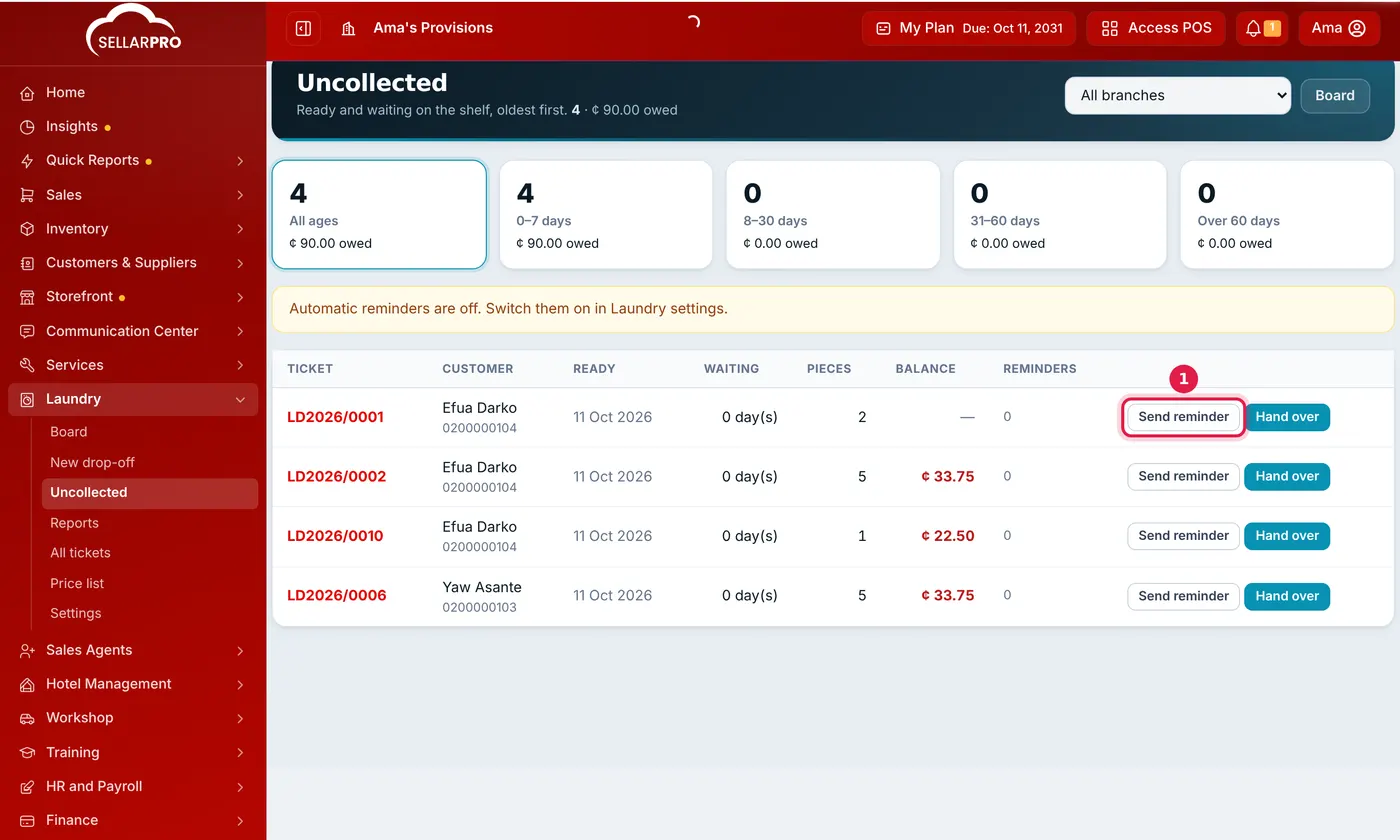
Ready but not collected, oldest first, with what each customer owes. - Or let reminders go out automatically: under Laundry → Settings → Uncollected reminders, set when the first is sent, how often after that, and how many at most. They are sent once a day, mid-morning.
A reminder only counts if the text was actually sent, so an empty SMS balance does not use up a customer's reminders. Delivery tickets are never reminded; delivering them is your job.
Common questions
A customer did not get the ready text. Why?
Can I state how long we keep uncollected clothes?
Was this article helpful?
Thanks — your answer helps us improve this article.
Still need help?
Can’t find the answer you’re looking for? Our support team in Accra can help.