
All help topics
Help topics
- Getting Started
- Sales & POS
- Products & Inventory
- Purchases & Suppliers
- Customers
- Staff & Permissions
- Reports
- Branches
- Hardware
- Payments
- Settings
- Troubleshooting
- Billing & Subscription
- Workshop
- Training
- Sales Agents
- Laundry
- Accounting
- HR & Payroll
- Hotel
- Services
- Communication Center
- Online Store
- CRM
- Restaurant
- F&B Manager
- Production
- Projects
- Asset Management
- Device Repair
- Bookings & appointments
- Set up for your industry
- All topics
On this page
How to Take, Use and Refund Repair Deposits
Take a deposit at intake or later from the job page. It is held for that job in the customer's advance, used automatically at handover, and can be refunded if the job does not go ahead.
A deposit is money taken before there is a bill. SellarPro keeps it as the customer's advance, earmarked for that job, and shows it as Deposit held under Money on the job.
Take a deposit
- At intake: fill in Deposit paid before Book in and print ticket.
- Later: on the job, click Take deposit (for example once the estimate is approved). This needs Take and refund deposits.
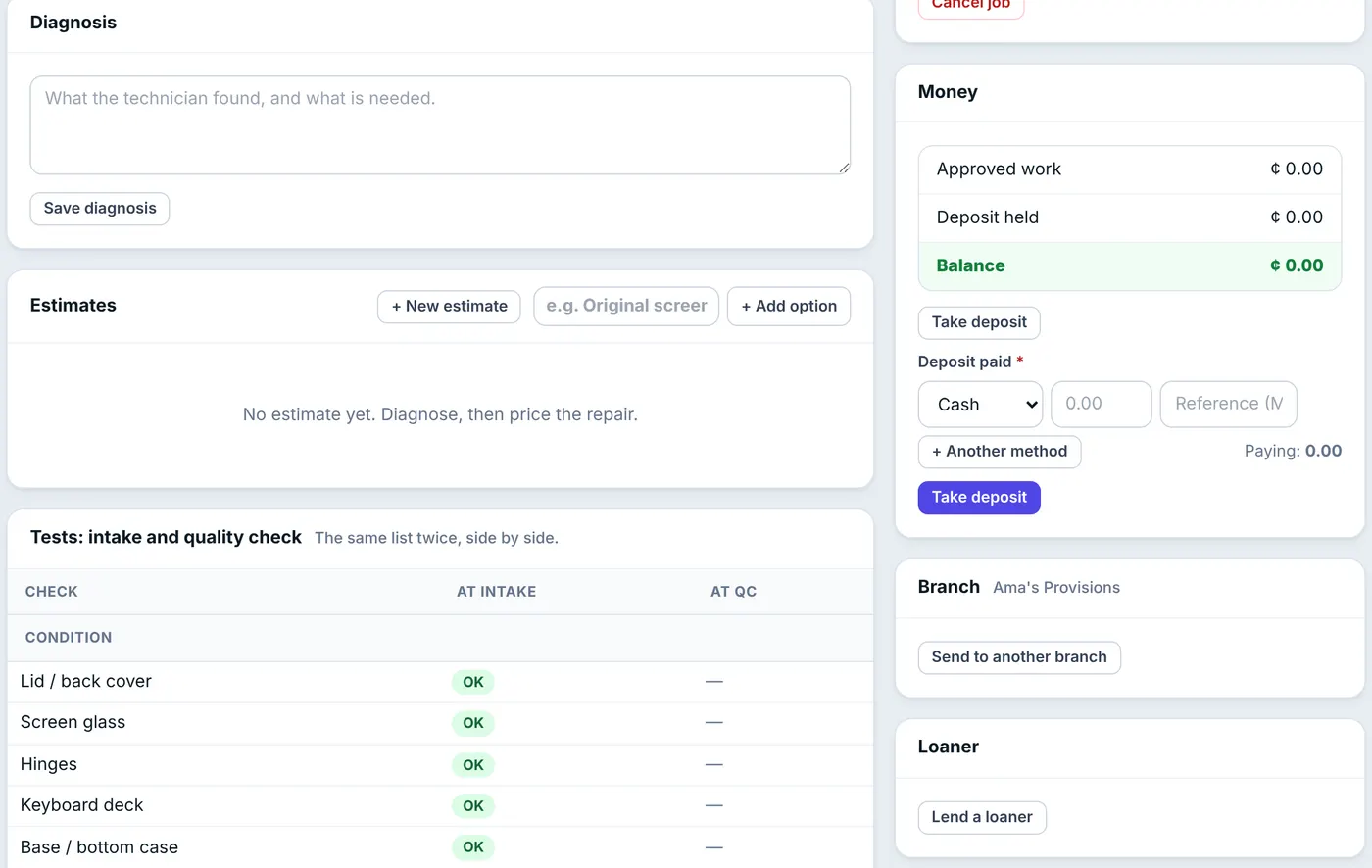
Take a deposit in one or more payment methods.
A deposit never pays off the customer's older unpaid sales; it stays with the repair.
Require a minimum
Deposits are optional until you tick Require a minimum deposit at intake in Settings. Choose a percentage of the price quoted at the counter, or a fixed amount. A percentage applies only when a price is quoted at the counter.
Use and refund
At handover the deposit is applied to the invoice automatically. If the job is cancelled, or the device goes back unrepaired with nothing to pay, click Refund deposit on the job and choose how the money is given back. A job holding a deposit cannot be cancelled or deleted until it is refunded.
Was this article helpful?
Thanks — your answer helps us improve this article.
Still need help?
Can’t find the answer you’re looking for? Our support team in Accra can help.