
All help topics
Help topics
- Getting Started
- Sales & POS
- Products & Inventory
- Purchases & Suppliers
- Customers
- Staff & Permissions
- Reports
- Branches
- Hardware
- Payments
- Settings
- Troubleshooting
- Billing & Subscription
- Workshop
- Training
- Sales Agents
- Laundry
- Accounting
- HR & Payroll
- Hotel
- Services
- Communication Center
- Online Store
- CRM
- Restaurant
- F&B Manager
- Production
- Projects
- Asset Management
- All topics
On this page
How to Take Mobile Money, Card or Split Payments
At the POS, use the one-tap Cash, Card or MOMO buttons, or click Multiple Pay to take part cash and part MoMo. If the customer pays too much, tick Keep change as customer advance to keep the change on their account.
Every sale can be paid with one method or several. The buttons along the bottom of the POS screen cover the common cases, and Multiple Pay covers everything else.
One method, one tap
- Cash marks the sale fully paid in cash and checks out.
- Card does the same for a card payment.
- Your first custom payment method has its own button too. It is called MOMO unless you have renamed it.
Split a payment (part cash, part MoMo)
- Click Multiple Pay.
- In the first row, choose the Payment Method and type the Amount.
- Click Add Payment Row for the next method and type its amount.
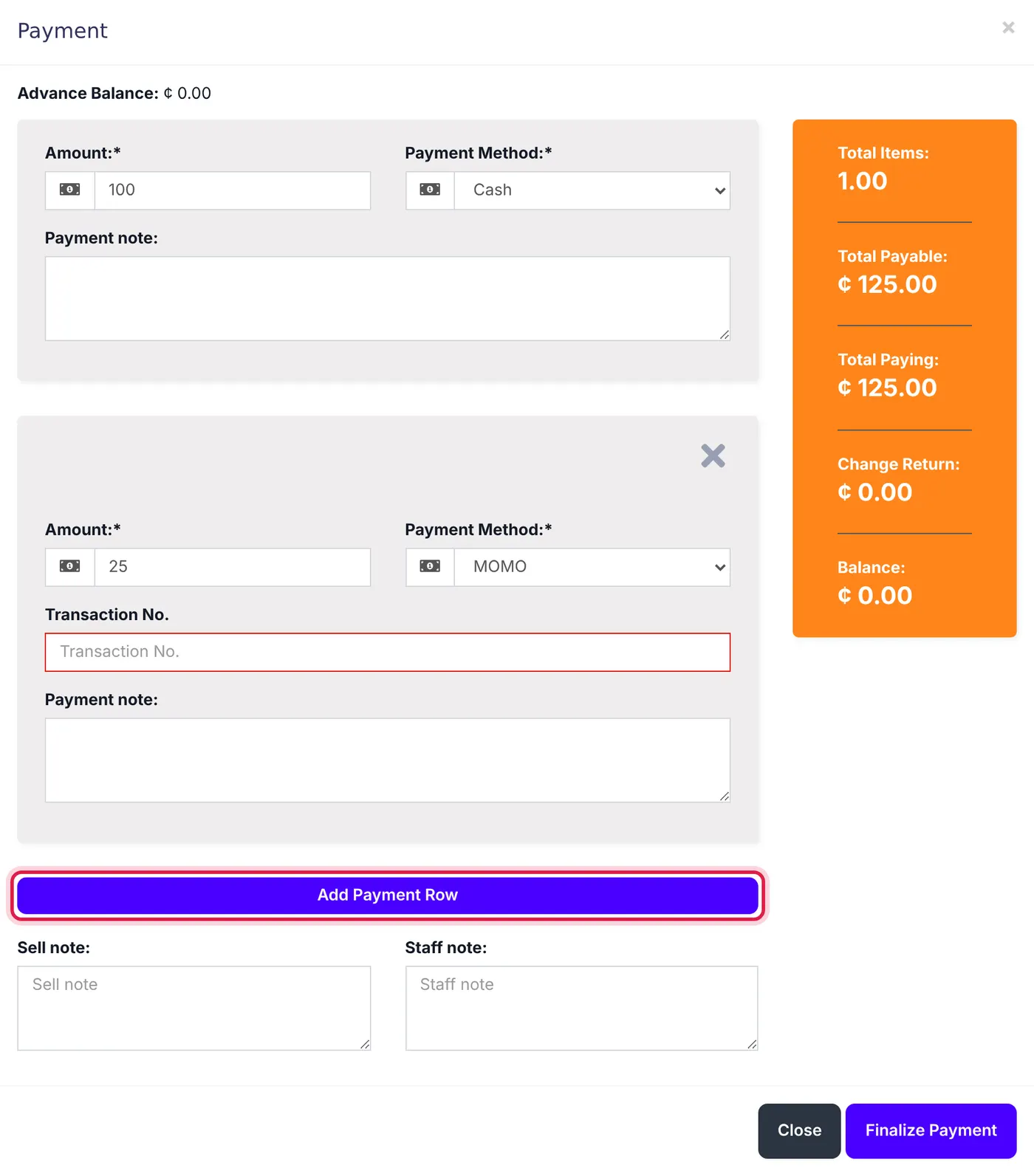
A 125.00 sale paid 100.00 in cash and 25.00 by MoMo. - Check Total Paying and Balance, then click Finalize Payment.
For mobile money or card, type the transaction reference in the field that appears, so you can match it to your statement later.
When the customer pays too much
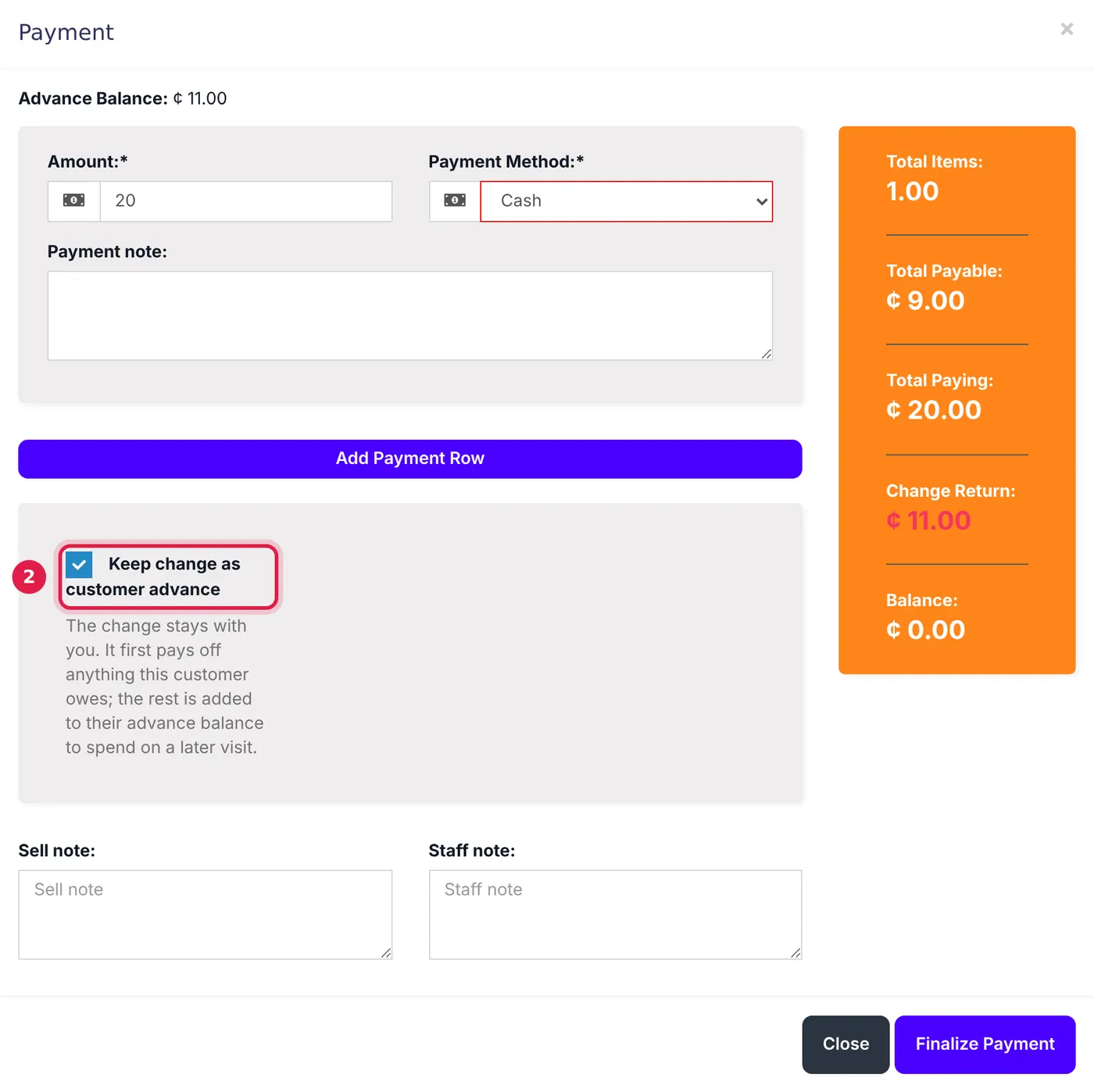
The extra shows as Change Return. Hand it back as usual, or, for a named customer, tick Keep change as customer advance. The change first pays off anything they owe, and the rest becomes their advance balance to spend next time with the Advance payment method. A walk-in customer cannot keep change, because there is no account to hold it.
Rename or switch off payment methods
- To rename a custom method (for example to "Mobile Money"), open Settings → Business Settings → Custom Labels and edit Labels for custom payments.
- To choose which methods a branch offers, open Settings → Business Locations, edit the location and use Payment Options. You can also pick the Default Account each method's money goes into.
Common questions
The customer paid less than the total. What happens?
How does the customer spend their advance later?
Does a MoMo payment go into the cash register?
Was this article helpful?
Thanks — your answer helps us improve this article.
Still need help?
Can’t find the answer you’re looking for? Our support team in Accra can help.