
All help topics
Help topics
- Getting Started
- Sales & POS
- Products & Inventory
- Purchases & Suppliers
- Customers
- Staff & Permissions
- Reports
- Branches
- Hardware
- Payments
- Settings
- Troubleshooting
- Billing & Subscription
- Workshop
- Training
- Sales Agents
- Laundry
- Accounting
- HR & Payroll
- Hotel
- Services
- Communication Center
- Online Store
- CRM
- Restaurant
- F&B Manager
- Production
- Projects
- Asset Management
- All topics
On this page
How to Use a Customer's Advance Balance
A customer builds an advance balance when they pay ahead, overpay a debt, or keep their change at the POS. To spend it, choose Advance as the payment method on their next sale. Their Advance Balance shows on their customer page.
An advance is money a customer has paid you before buying. SellarPro keeps it on their account until they spend it.
How a customer gets an advance
- They pay ahead. Open Customers & Suppliers → Customers, click Actions → Pay and enter the amount. Whatever is not needed for their debts becomes advance.
- They overpay a debt. The extra becomes advance automatically.
- They leave their change. At the POS, tick Keep change as customer advance.
Spend it
- At the POS, select the customer and add the items.
- Choose Advance as the payment method, alone or with another method in Multiple Pay.
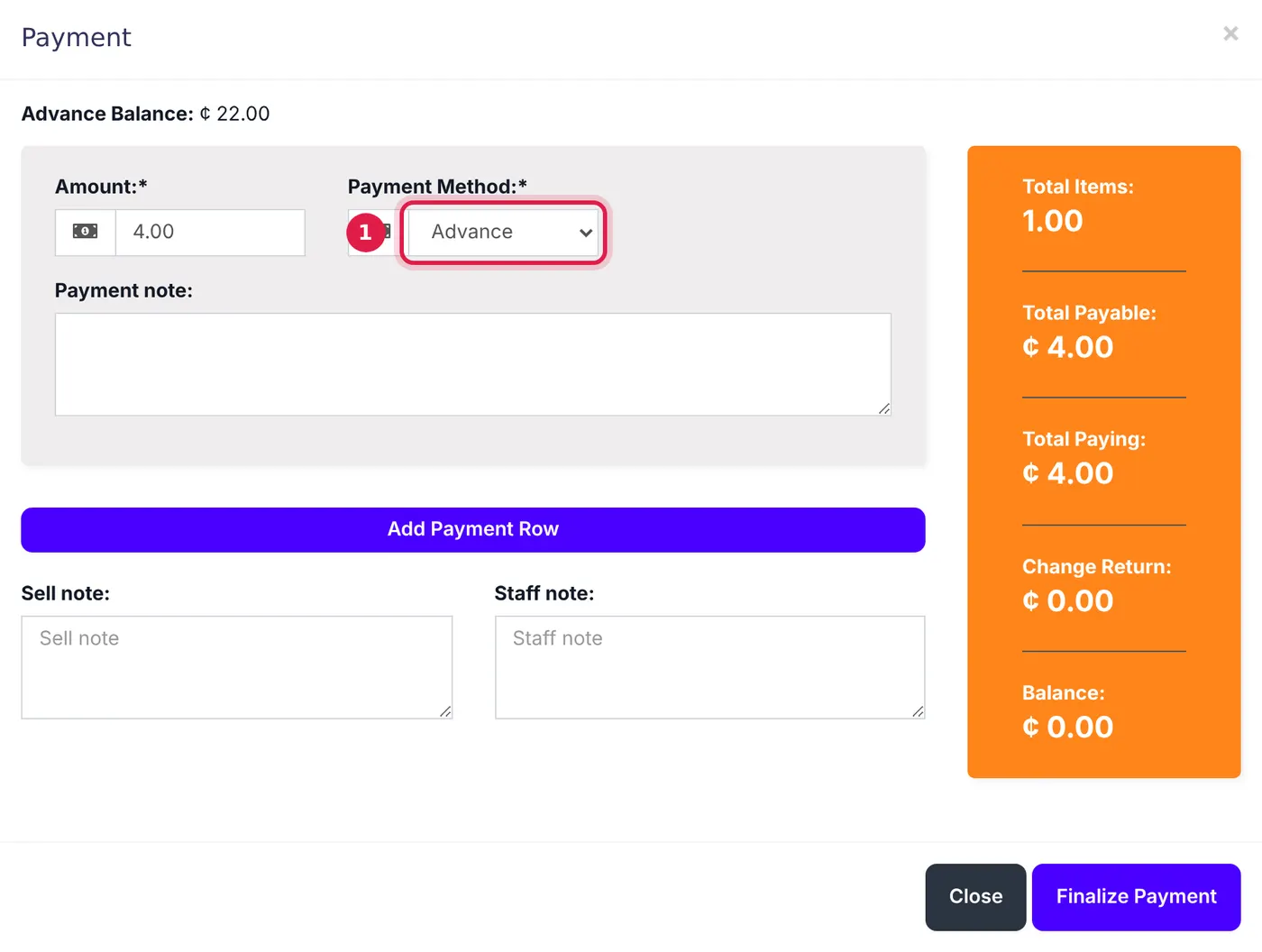
The customer's advance balance shows at the top of the Payment window. - Finish the sale. The amount comes off their advance.
If the sale is more than their advance, SellarPro says Required advance balance not available. Pay the rest with another method.
See their balance
The customer's page shows their Advance Balance. On the customer list, tick Advance Balance in the filters to see only customers who have one.
Common questions
Can a walk-in customer have an advance?
Is an advance counted as a sale?
Was this article helpful?
Thanks — your answer helps us improve this article.
Still need help?
Can’t find the answer you’re looking for? Our support team in Accra can help.