
All help topics
Help topics
- Getting Started
- Sales & POS
- Products & Inventory
- Purchases & Suppliers
- Customers
- Staff & Permissions
- Reports
- Branches
- Hardware
- Payments
- Settings
- Troubleshooting
- Billing & Subscription
- Workshop
- Training
- Sales Agents
- Laundry
- Accounting
- HR & Payroll
- Hotel
- Services
- Communication Center
- Online Store
- CRM
- Restaurant
- F&B Manager
- Production
- Projects
- Asset Management
- All topics
On this page
How to Take Bookings and Check Guests In
Open Hotel Management → Bookings and click Add Bookings. Choose the customer, status and dates, click Add Rooms to pick the room and guests, take the payment and click Save. When the guest arrives, click Check-In on the booking; when they leave, Check-Out.
Make a booking
- Open Hotel Management → Bookings and click Add Bookings.
- Choose the Customer, or add them with the + button. Set the Status: Pending, Confirmed or Cancelled.
- Choose the Arrival date, Arrival time, Departure date and Departure time. Pick a Price Group for corporate rates.
- Under Rooms and extras, click Add Rooms, choose the Accomodation Type, Room number, No of Adults and No of Childs, and save. Add any extras beside it.
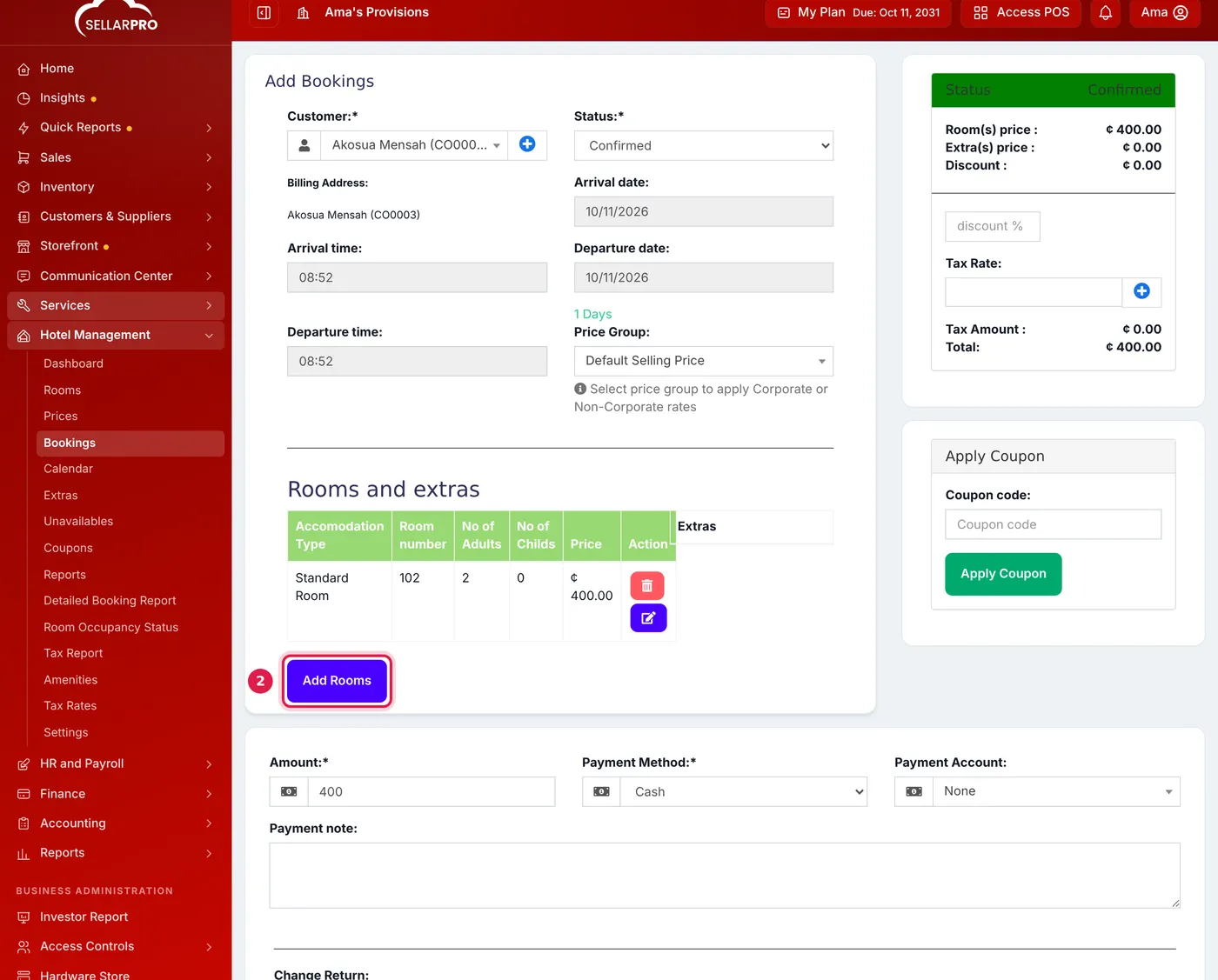
The room's price comes from your price list; discount, tax and coupons are on the right. - Enter the Amount paid, the Payment Method and Payment Account, and click Save.
See and manage bookings
The Bookings list shows today's occupancy, arrivals, departures, who is in house and what is outstanding, with every booking, its stay, rooms, status and payment.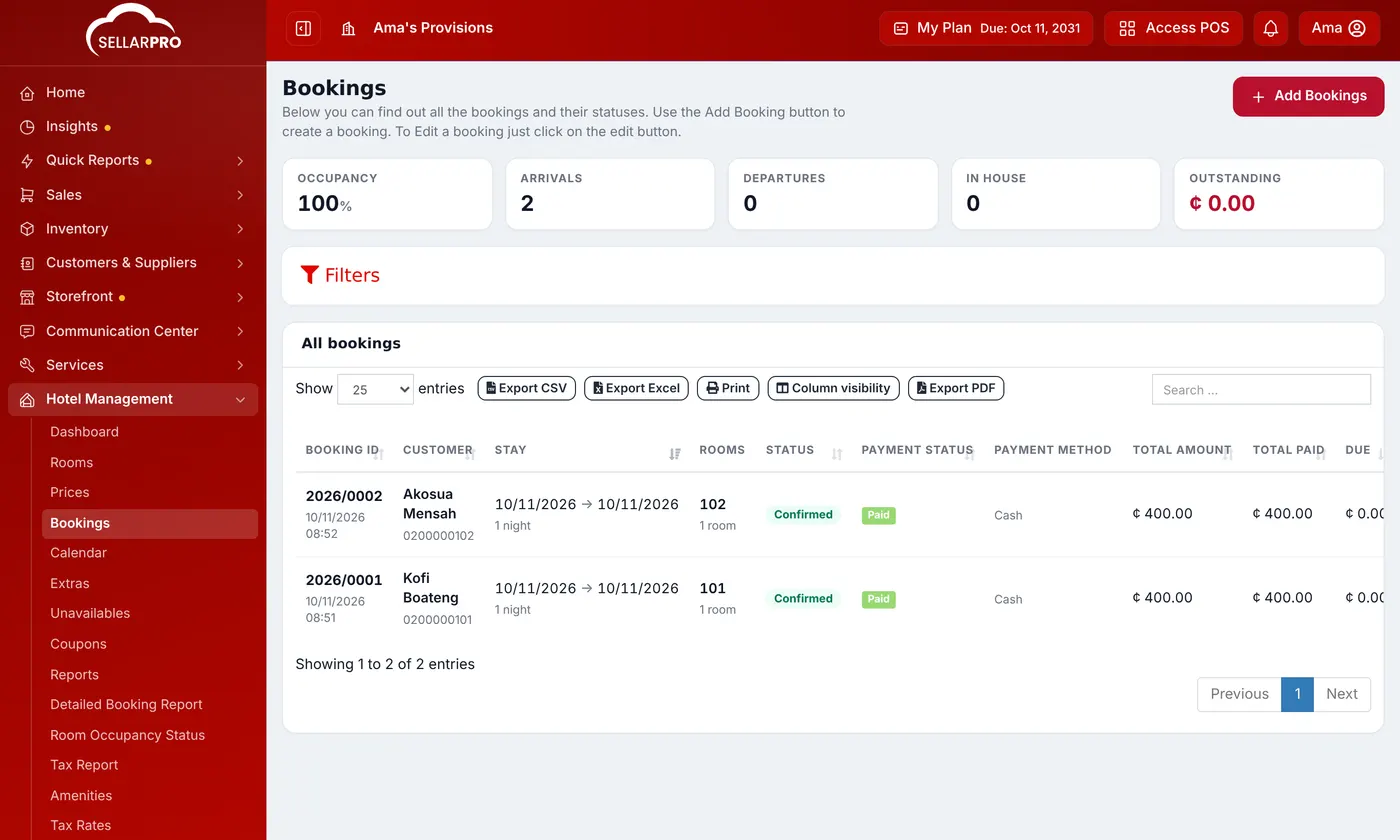
- Check-In on a confirmed booking when the guest arrives, then Confirm Check-In.
- Check-Out when they leave.
- Add payment to take a balance.
The calendar
Hotel Management → Calendar shows every room by day, so you can see at a glance what is free. Use Jump to to go to a date, or filter by Accomodation Type. Click a booking to open it.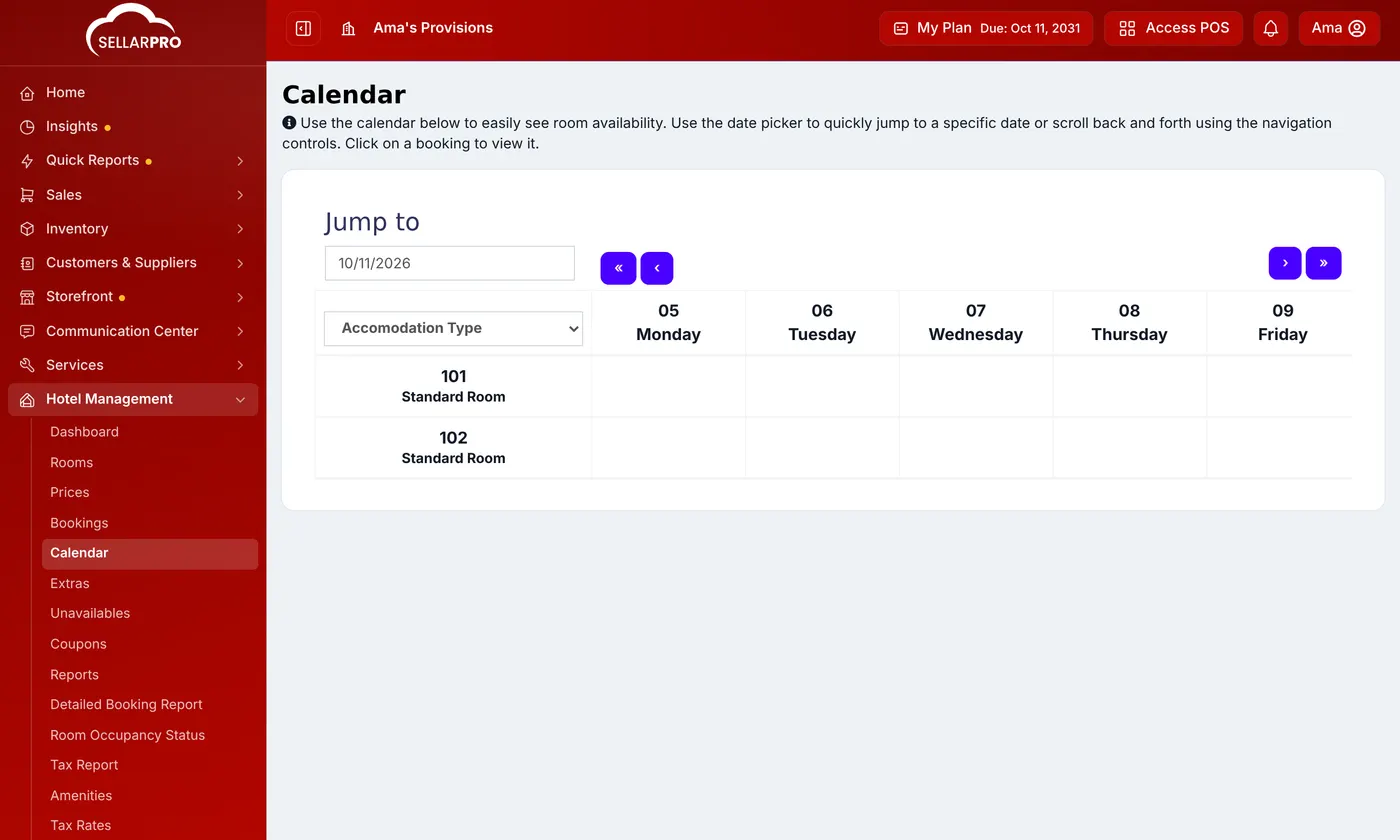
Common questions
Where do I see what bookings brought in?
Was this article helpful?
Thanks — your answer helps us improve this article.
Still need help?
Can’t find the answer you’re looking for? Our support team in Accra can help.