
All help topics
Help topics
- Getting Started
- Sales & POS
- Products & Inventory
- Purchases & Suppliers
- Customers
- Staff & Permissions
- Reports
- Branches
- Hardware
- Payments
- Settings
- Troubleshooting
- Billing & Subscription
- Workshop
- Training
- Sales Agents
- Laundry
- Accounting
- HR & Payroll
- Hotel
- Services
- Communication Center
- Online Store
- CRM
- Restaurant
- F&B Manager
- Production
- Projects
- Asset Management
- All topics
How to Offer Extras and Coupons
Short answer
Add services guests can book with a room, such as breakfast or an airport pickup, under Hotel Management → Extras. Create discount codes for a room type and dates under Coupons; the guest's code is entered with Apply Coupon on the booking.
Extras
Extras are things guests can add to a stay: breakfast, an airport pickup, laundry, a late check-out.
- Open Hotel Management → Extras and click Add.
- Enter the Name and Price, and choose what the price is per in Price Per.
- Click Save.
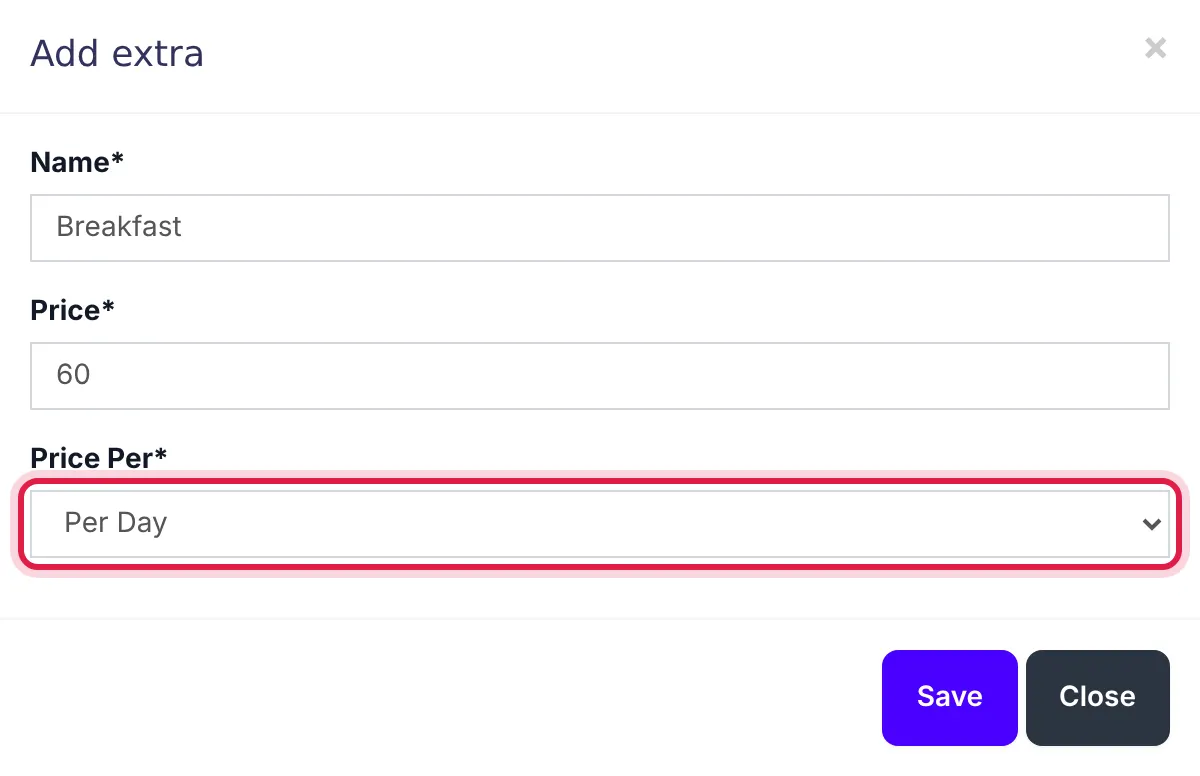
Breakfast at 60 per day.
On a booking, tick the extras beside the rooms. Their total shows as Extra(s) price.
Coupons
- Open Hotel Management → Coupons and click Add.
- Choose the Accomodation Type and the dates it is valid (Date from and Date to).
- Enter the Coupon code, the Discount and the Discount type (fixed or a percentage), and click Save.
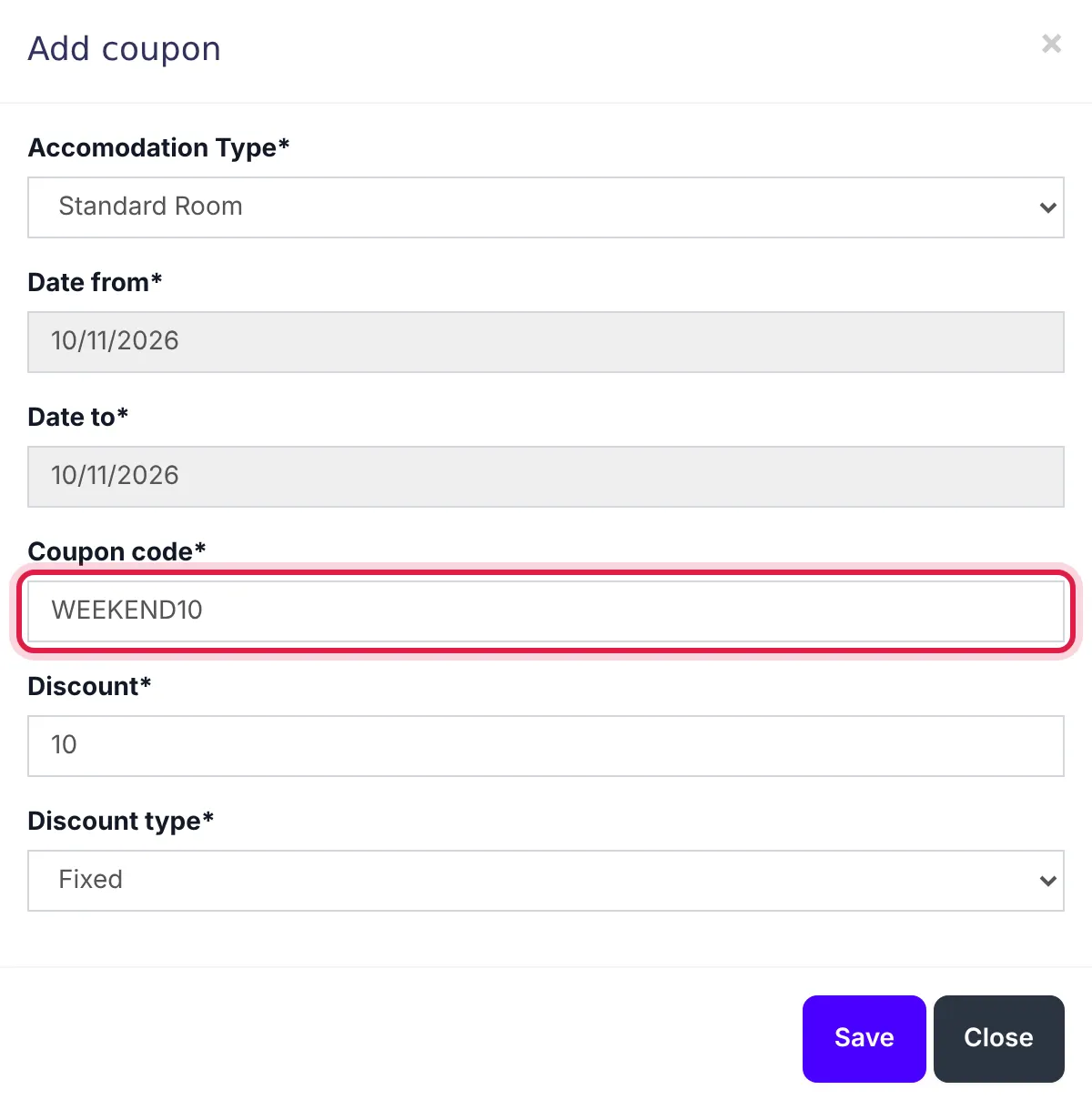
A coupon for one room type and date range.
When a guest gives you a code, type it under Apply Coupon on the booking and click Apply Coupon.
Common questions
The coupon is not accepted.
Check the booking's room type and dates fall within the coupon's Accomodation Type and Date from / Date to.
Was this article helpful?
Thanks — your answer helps us improve this article.
Still need help?
Can’t find the answer you’re looking for? Our support team in Accra can help.