
All help topics
Help topics
- Getting Started
- Sales & POS
- Products & Inventory
- Purchases & Suppliers
- Customers
- Staff & Permissions
- Reports
- Branches
- Hardware
- Payments
- Settings
- Troubleshooting
- Billing & Subscription
- Workshop
- Training
- Sales Agents
- Laundry
- Accounting
- HR & Payroll
- Hotel
- Services
- Communication Center
- Online Store
- CRM
- Restaurant
- F&B Manager
- Production
- Projects
- Asset Management
- All topics
On this page
How to Set Up Rooms and Prices
Open Hotel Management → Rooms and click Add. Name the Accomodation Type, set the maximum adults, children and occupancy, list its room numbers and click Save and add price. Then set the price per night for each day of the week and click Submit.
Hotel Management runs a hotel, guest house or lodge: rooms, prices, bookings, check-in and check-out, with every booking paid like a sale.
Hotel Management comes with selected plans. If you do not see Hotel Management in your menu, contact SellarPro to add it.
Step 1: add a room type and its rooms
- Open Hotel Management → Rooms and click Add.
- Enter the Accomodation Type (for example "Standard Room"), the Max no. of Adults, Max no. of Childs and Max Occupancy.
- Type a Room number, and click Add Rooms for each further room of this type.
- Tick its Amenities, add Images and a Description if you like.
- Click Save and add price.
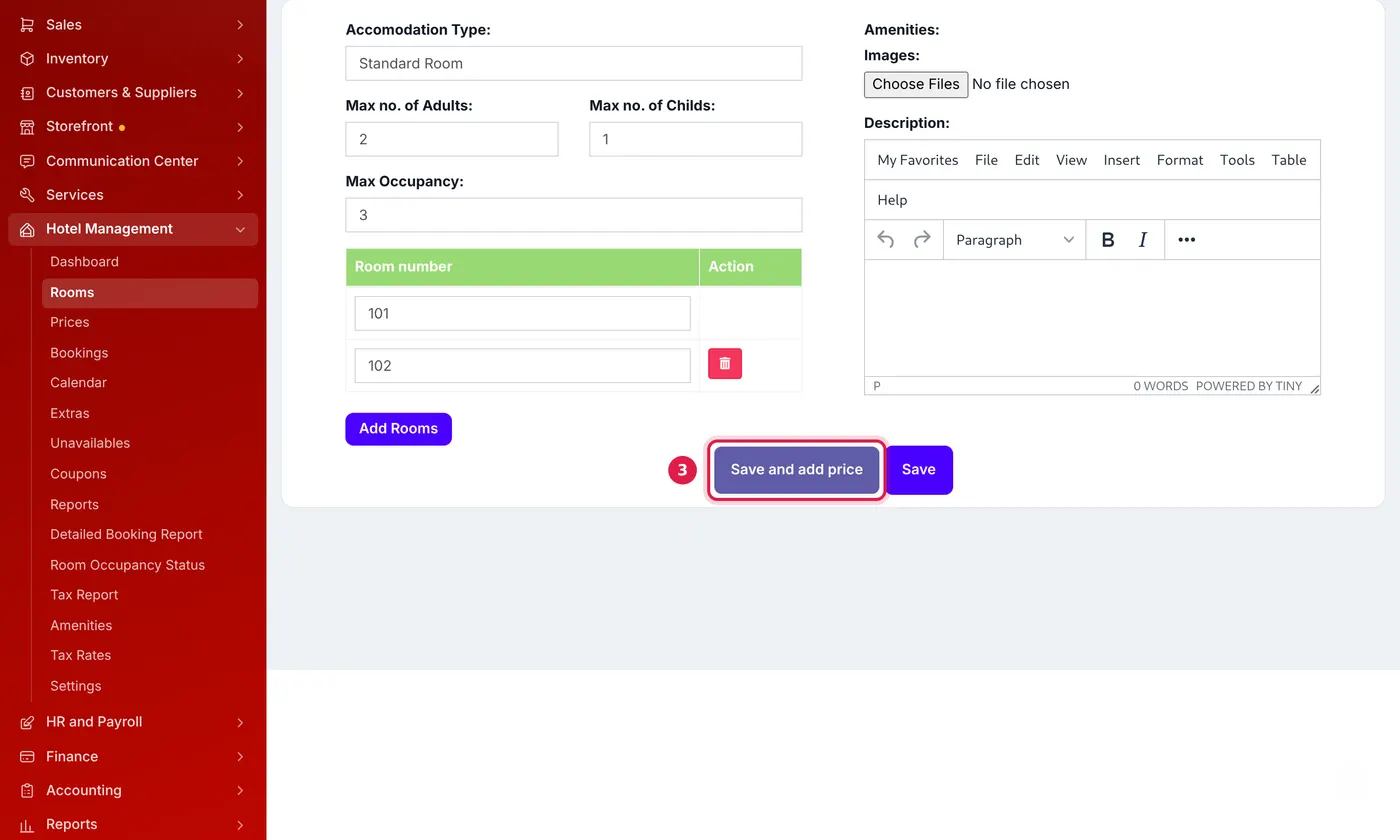
One room type with two rooms. Save and add price goes straight to its prices.
Step 2: set the price per night
- On Prices, choose the Room type.
- Enter the price for each night of the week, Monday to Sunday. Charge more at the weekend if you like.
- To charge by the number of guests, tick Set different prices based on number of guests and add each adults-and-children combination.
- Click Submit.
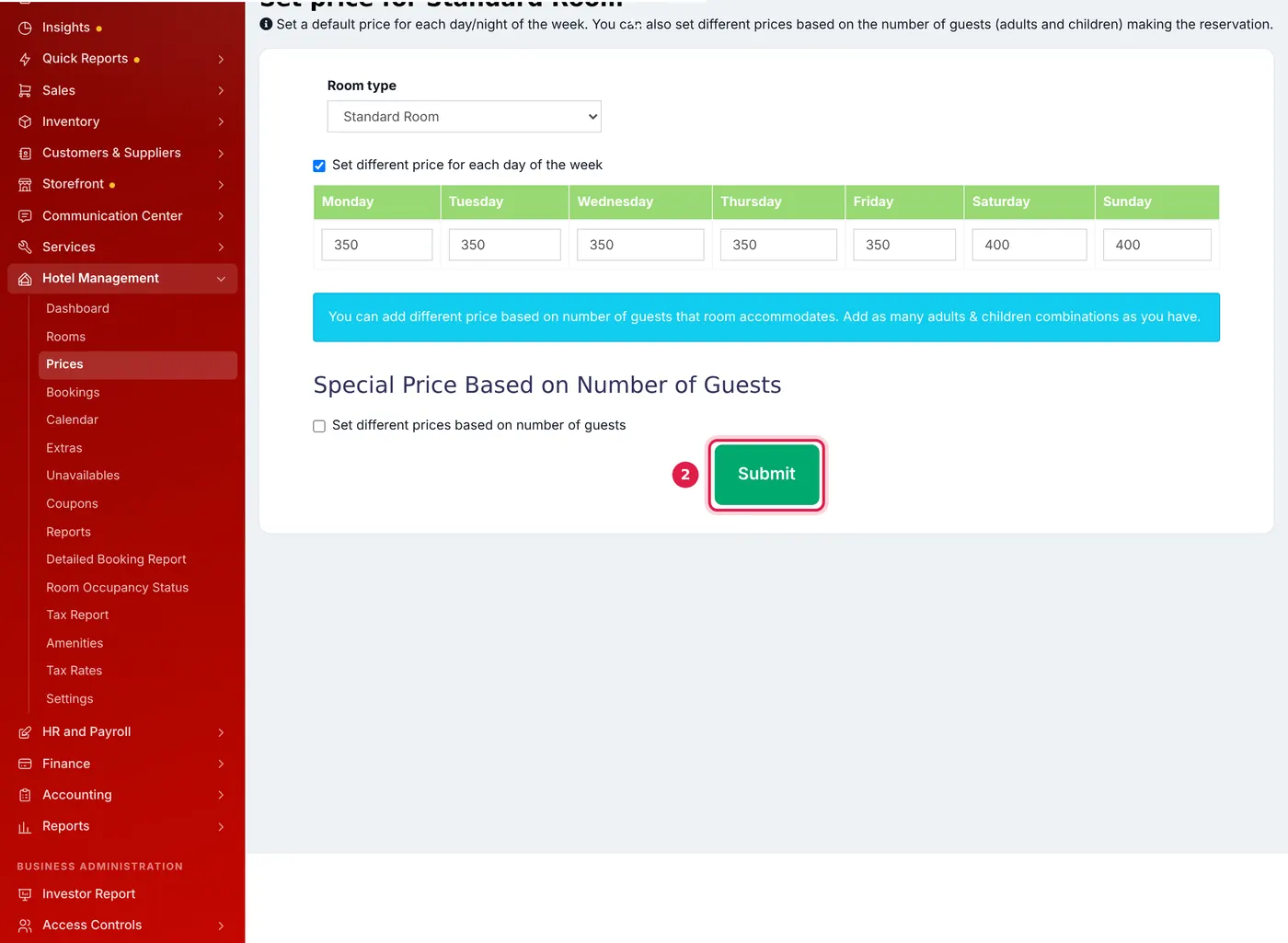
Weekday and weekend prices for one room type.
Take a room out of use
To stop a room being booked for repairs or cleaning, add it under Hotel Management → Unavailables with the dates.
Common questions
Where do I add amenities like Wi-Fi or air conditioning?
Was this article helpful?
Thanks — your answer helps us improve this article.
Still need help?
Can’t find the answer you’re looking for? Our support team in Accra can help.