
All help topics
Help topics
- Getting Started
- Sales & POS
- Products & Inventory
- Purchases & Suppliers
- Customers
- Staff & Permissions
- Reports
- Branches
- Hardware
- Payments
- Settings
- Troubleshooting
- Billing & Subscription
- Workshop
- Training
- Sales Agents
- Laundry
- Accounting
- HR & Payroll
- Hotel
- Services
- Communication Center
- Online Store
- CRM
- Restaurant
- F&B Manager
- Production
- Projects
- Asset Management
- All topics
On this page
How to Read Hotel Occupancy and Reports
Short answer
The Hotel Management Dashboard is your front desk: occupancy, ADR, RevPAR, guests in house, what was billed and what is outstanding, today's arrivals and departures, and every room's status. Reports adds the detailed booking report, room occupancy status and the tax report.
The front desk
Open Hotel Management → Dashboard.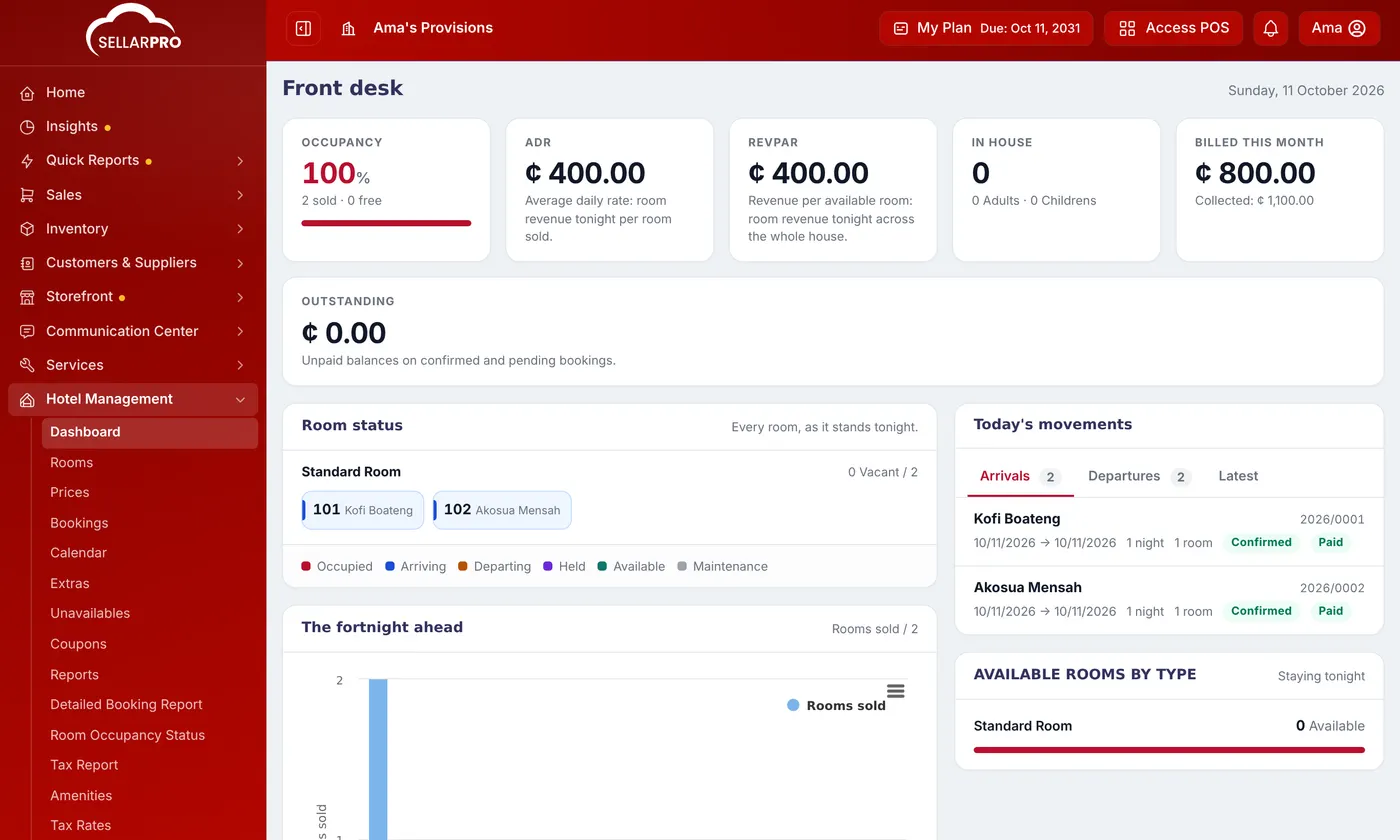
- Occupancy: the share of rooms sold tonight.
- ADR (average daily rate): room revenue tonight per room sold.
- RevPAR: room revenue tonight across all your rooms, sold or not.
- In house, Billed this month and what was collected, and Outstanding (unpaid balances on confirmed and pending bookings).
- Room status for every room tonight, Today's movements (arrivals and departures), The fortnight ahead and Available rooms by type.
Reports
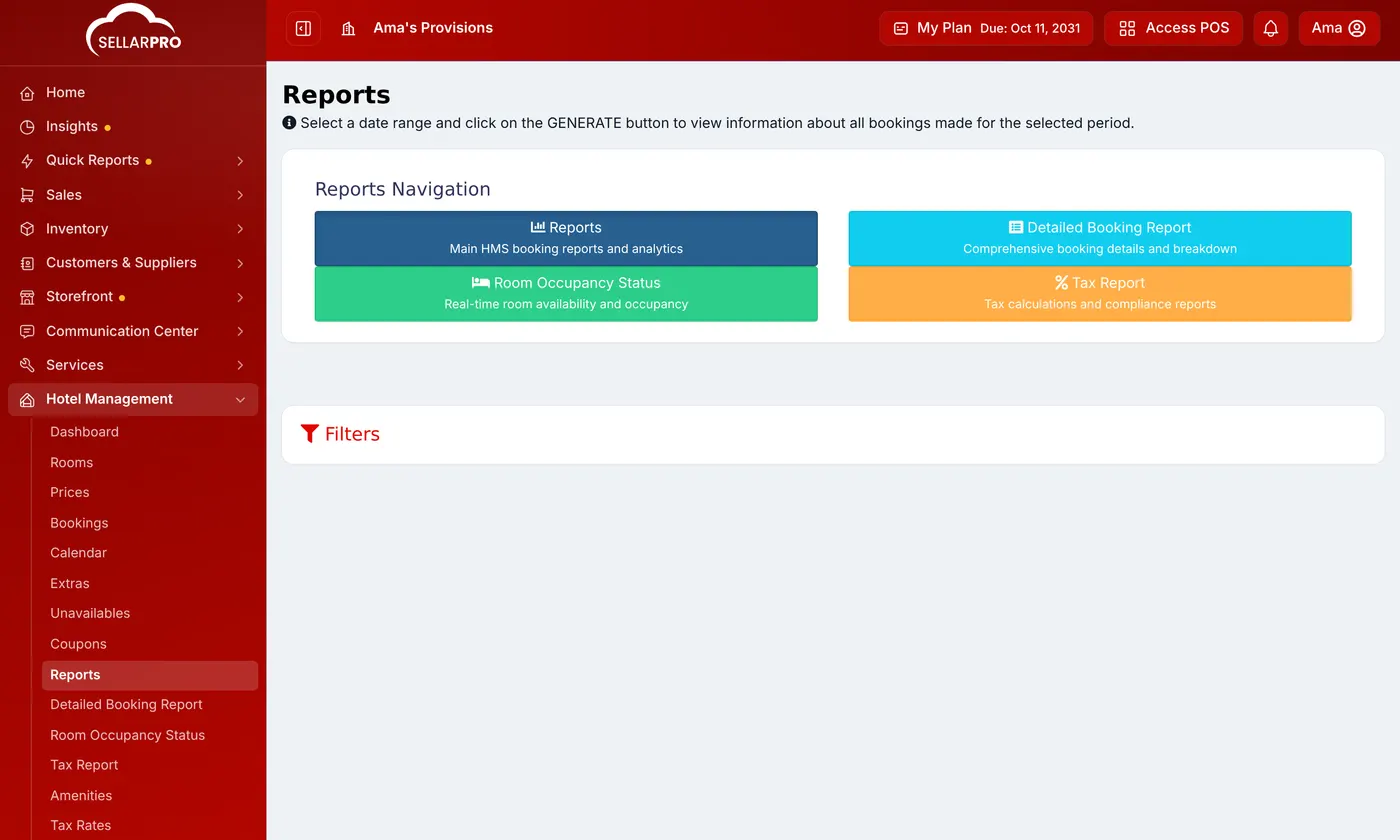
Hotel Management → Reports leads to:
- Detailed Booking Report: every booking with its details, for a period.
- Room Occupancy Status: how many rooms are available, occupied, booked, being cleaned or unavailable, room by room. Click Refresh Status to update it.
- Tax Report: the tax charged on bookings, for your returns.
Common questions
How is RevPAR different from ADR?
ADR averages over rooms sold; RevPAR averages over all rooms, so empty rooms bring it down. Together they show price and how full you are.
Was this article helpful?
Thanks — your answer helps us improve this article.
Still need help?
Can’t find the answer you’re looking for? Our support team in Accra can help.