
All help topics
Help topics
- Getting Started
- Sales & POS
- Products & Inventory
- Purchases & Suppliers
- Customers
- Staff & Permissions
- Reports
- Branches
- Hardware
- Payments
- Settings
- Troubleshooting
- Billing & Subscription
- Workshop
- Training
- Sales Agents
- Laundry
- Accounting
- HR & Payroll
- Hotel
- Services
- Communication Center
- Online Store
- CRM
- Restaurant
- F&B Manager
- Production
- Projects
- Asset Management
- Device Repair
- Bookings & appointments
- Set up for your industry
- All topics
On this page
How to Send a Repair to Another Branch
Open the job, click Send to another branch and choose the branch. The other branch clicks Receive here when the device arrives. While it is on the road nobody can work on it or hand it back, and the parts come off the shelf of the branch that finishes the repair.
Many shops take devices in at several counters and repair them at one hub. In SellarPro the job goes with the device: the branch that has it can work on it, and the counter it came from can see where it is.
Send a device
- Open the job and find the Branch card on the right.
- Click Send to another branch, choose the branch and add a note if it helps (for example "board work" or "screen in the bag").
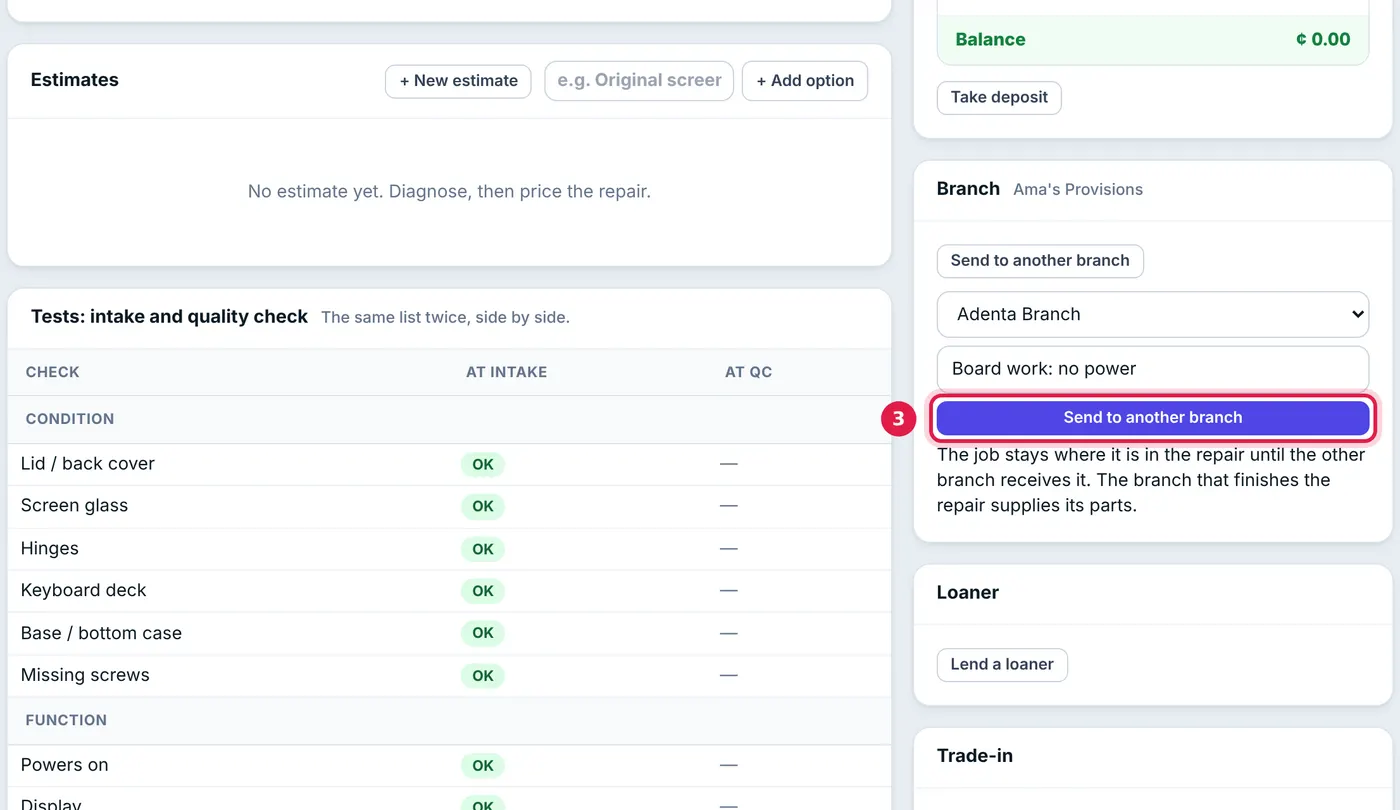
Choose the branch and add a note for the technician there. - Click Send to another branch. The job shows In transit.
While a device is in transit nobody can move it on the board, hand it back or send it again. The job's history records every leg, so the counter can tell a customer exactly where their phone is.
Receive a device
- Open Device Repair → Between branches. Coming to your branch lists every device on its way to you.
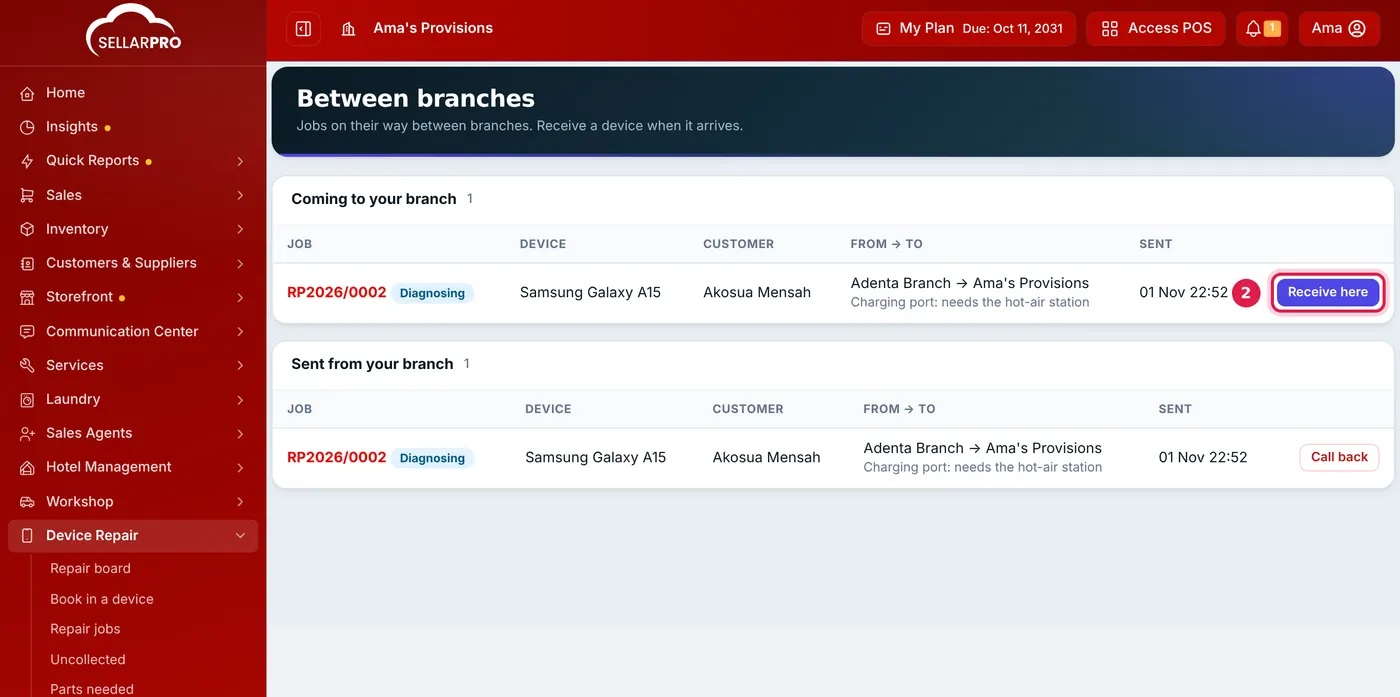
Receive each device as it arrives. - Click Receive here when it arrives. The job now belongs to your branch: it is on your board and your staff can work on it.
Sent to the wrong branch? The branch that sent it can click Call back before it is received.
Sending it back for collection
When the repair is done and the job is Ready, send it back to the counter the same way. The counter receives it and hands it over as usual.
The parts come off the shelf of the branch that finished the repair. If the hub fitted a screen and sent the phone back for collection, the invoice is raised at the hub and the screen leaves the hub's stock, not the counter's. The money taken at the counter still goes on the counter's cash register.
Common questions
Who can send and receive repairs?
Does sending a job move stock?
Was this article helpful?
Thanks — your answer helps us improve this article.
Still need help?
Can’t find the answer you’re looking for? Our support team in Accra can help.