
All help topics
Help topics
- Getting Started
- Sales & POS
- Products & Inventory
- Purchases & Suppliers
- Customers
- Staff & Permissions
- Reports
- Branches
- Hardware
- Payments
- Settings
- Troubleshooting
- Billing & Subscription
- Workshop
- Training
- Sales Agents
- Laundry
- Accounting
- HR & Payroll
- Hotel
- Services
- Communication Center
- Online Store
- CRM
- Restaurant
- F&B Manager
- Production
- Projects
- Asset Management
- All topics
On this page
How to Run Van Sales: Issue Stock, Count the Van and Settle Cash
Create a business location for each van and assign it to a field agent under Sales Agents → Field stock. Issue stock to the van, let the agent sell from it on the POS, count the van to find any shortage, and settle the cash they collected at the end of the day.
Distributors and wholesalers who sell from vans need to know what each van carries, what was sold, and that the cash comes back. Sales Agents tracks all three for every field agent.
Before you start
- Set up the agent first, with Agent type set to Field / van. See How to Set Up Sales Agents and Pay Commission.
- A van is a business location of its own. Create it under Settings → Business Locations. It counts as a location on your plan, and it must be brand new or a van another agent has released.
Step 1: assign the van
Open Sales Agents → Field stock, choose the agent and click Assign a van. A van must be empty when it is assigned, so everything on it belongs to the new agent. The agent gets access to the van's location automatically.
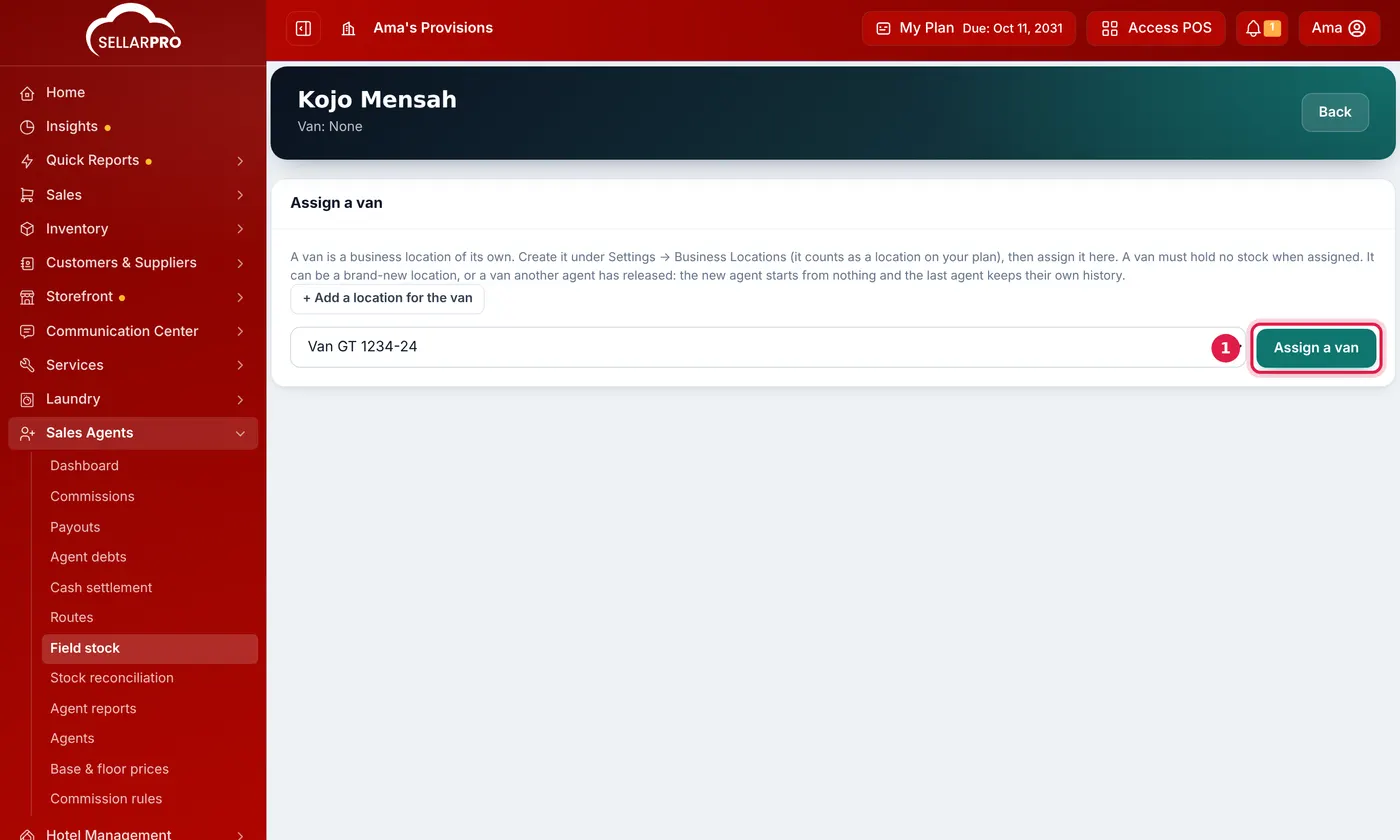
Step 2: issue stock
- Click Issue stock, choose the location the goods come From, and add each product and quantity. You can add a whole category or paste a list of SKUs.
- Save. The goods move to the van as a completed transfer and are now in the agent's custody.
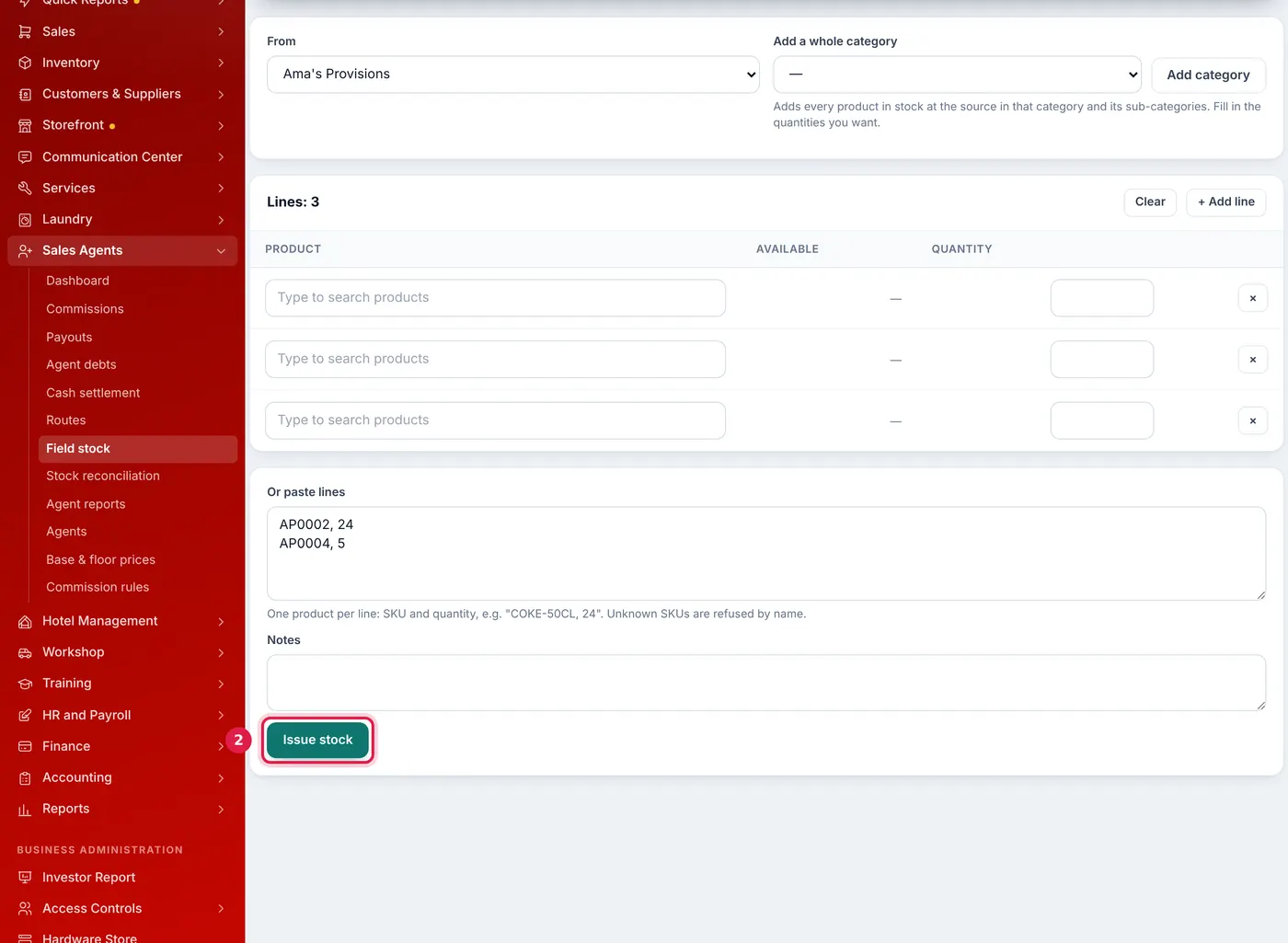
Pick products line by line, add a whole category, or paste SKUs and quantities. - Print the Load sheet for the driver.
Top-up issues can be made at any time. Unsold stock comes back with Return stock.
Step 3: the agent sells
The agent sells from the van on the ordinary POS, with the van as the location. Each sale is credited to them automatically. They can never sell more than the van actually holds, even if your business allows selling into negative stock.
With Routes, you can give an agent an ordered list of retailers and visit days. On Today's route the agent sees each stop with what that customer owes, and logs Sold, Collected payment, No order or Closed.
Step 4: count the van
- Click Count van and enter what is physically on it. A line left blank is taken as matching.
- SellarPro compares the count with what the agent should hold: Issued − Sold − Returned − Adjusted = Expected.
- If it balances, you are done. If not, the variance stays open under Stock reconciliation until a manager clicks Resolve and records what happened.
- For a shortage, the manager can Charge to the agent. The amount becomes an agent debt, deducted from their next commission payout unless they repay it or you waive it.
Resolving a count never changes stock by itself. If goods are really gone, record a stock adjustment as well.
Step 5: settle the day's cash
- Open Sales Agents → Cash settlement and click Settle for the agent.
- SellarPro lists every cash payment the agent recorded and has not yet handed in, including debts they collected. Mobile money, card and bank payments are listed but not counted as cash in hand.
- Count the cash and enter what was handed in. The settlement is Balanced, Short or Over.
- For a shortfall, you can charge it to the agent as a debt.
Handing a van to another agent
Return the stock and click Release van. A van can only be released when it is empty, with no open count. The next agent starts from nothing, and the previous agent keeps their own history. To move stock directly between two agents' vans, use Van transfer.
Common problems
"That location has sales or stock history as a shop"
An existing shop cannot become a van. Create a new location for the van.
"The agent holds only … of …"
You tried to return more than the van holds. Check the agent's current stock on their Field stock page.
Common questions
Does a van count as one of my locations?
Can the agent see the stock on their van?
Can I print paperwork for each trip?
Was this article helpful?
Thanks — your answer helps us improve this article.
Still need help?
Can’t find the answer you’re looking for? Our support team in Accra can help.