
All help topics
Help topics
- Getting Started
- Sales & POS
- Products & Inventory
- Purchases & Suppliers
- Customers
- Staff & Permissions
- Reports
- Branches
- Hardware
- Payments
- Settings
- Troubleshooting
- Billing & Subscription
- Workshop
- Training
- Sales Agents
- Laundry
- Accounting
- HR & Payroll
- Hotel
- Services
- Communication Center
- Online Store
- CRM
- Restaurant
- F&B Manager
- Production
- Projects
- Asset Management
- All topics
On this page
How to Run Payroll and Issue Payslips
Open HR and Payroll → Payroll Runs, fill in the Run Name and pay period and click Create Draft. Click Calculate, check the figures, then Approve and Finalize to issue payslips, and Mark Paid once salaries are paid.
A payroll run pays everyone for one pay period. SellarPro works out each person's SSNIT, Tier 2, NHIL and PAYE from their pay, and issues a payslip for each.
Step 1: create the run
- Open HR and Payroll → Payroll Runs.
- Fill in the Run Name (for example "October 2026 salaries"), Pay Period Start, Pay Period End and Pay Date.
- Click Create Draft.
Step 2: calculate and check
- In Latest Payroll Runs, click Calculate on the run.
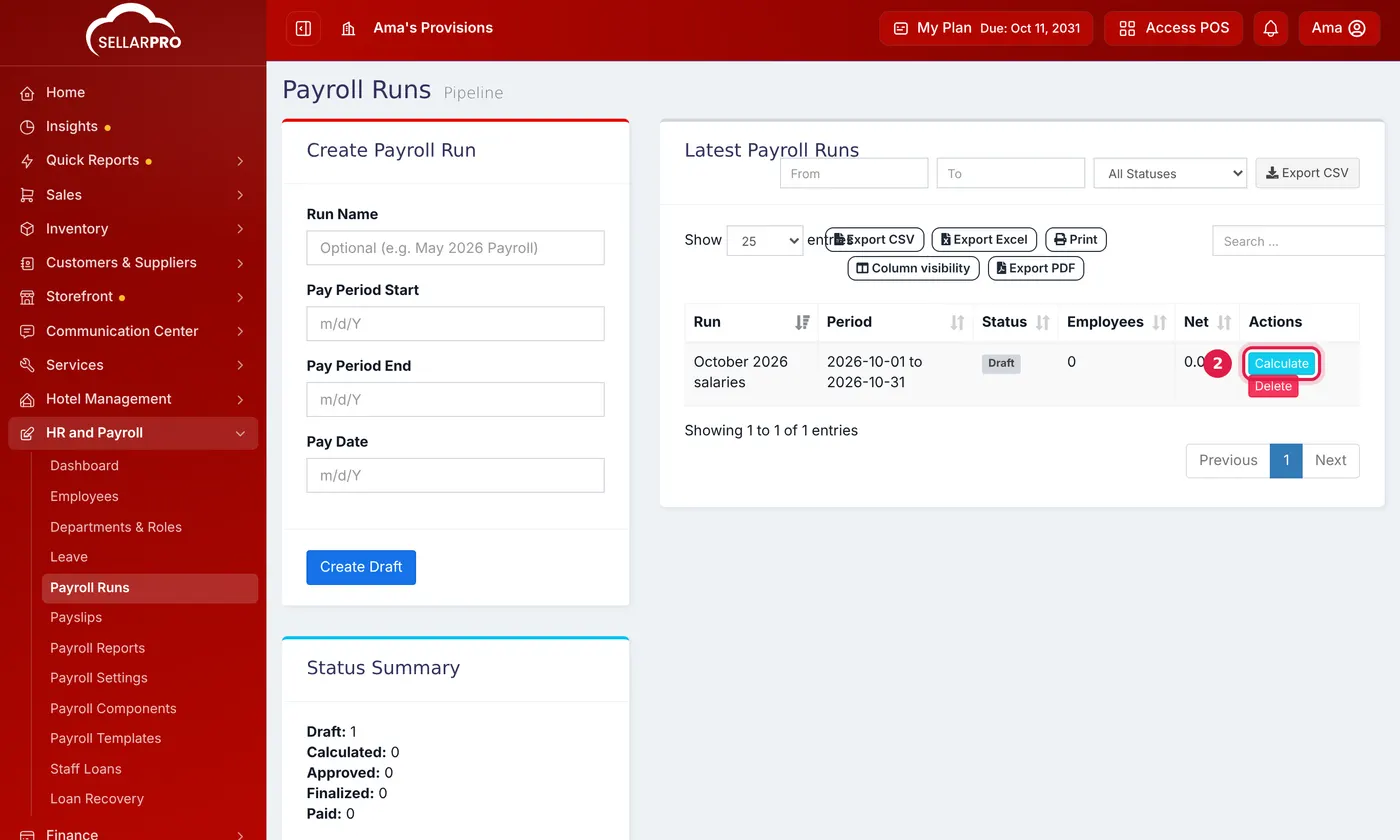
A new run starts as Draft. Calculate works out everyone's pay. - Click View Figures to see each employee's gross pay, deductions and net pay. Read any warnings at the top: for example, an employee who matches no payroll template is paid only their basic salary.
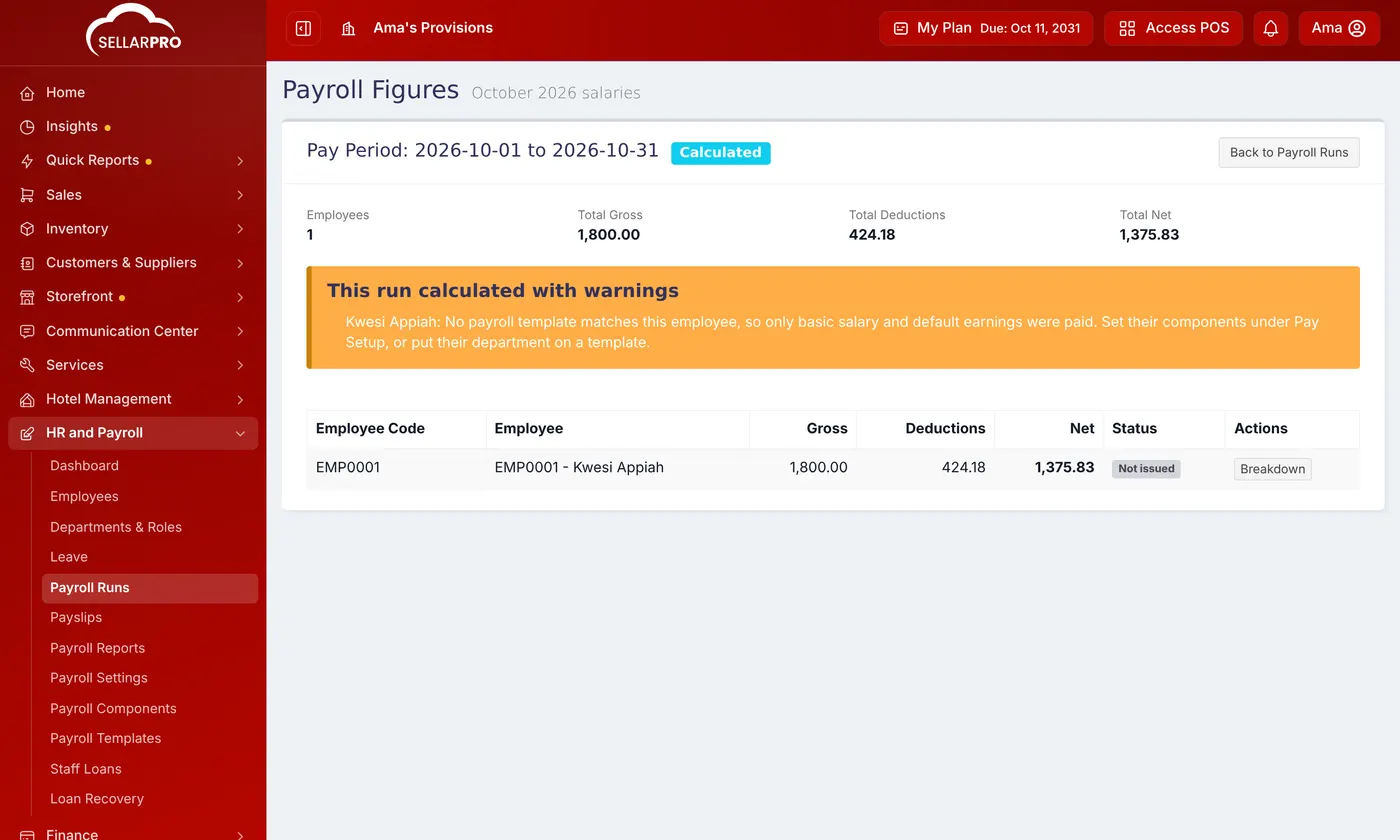
Check the figures and the warnings before you approve. - Fix anything wrong (an employee's salary, a template) and click Calculate again.
Step 3: approve, finalize and pay
- Click Approve, then Finalize. Finalizing issues the payslips and fixes the figures: a finalized run cannot be changed.
- When the salaries have been paid, click Mark Paid.
Payslips
Open HR and Payroll → Payslips, or Payslips on the finalized run. Each payslip shows the earnings, the statutory deductions, the employer's SSNIT and Tier 2 contributions and the net pay. Click Download PDF to print or send it.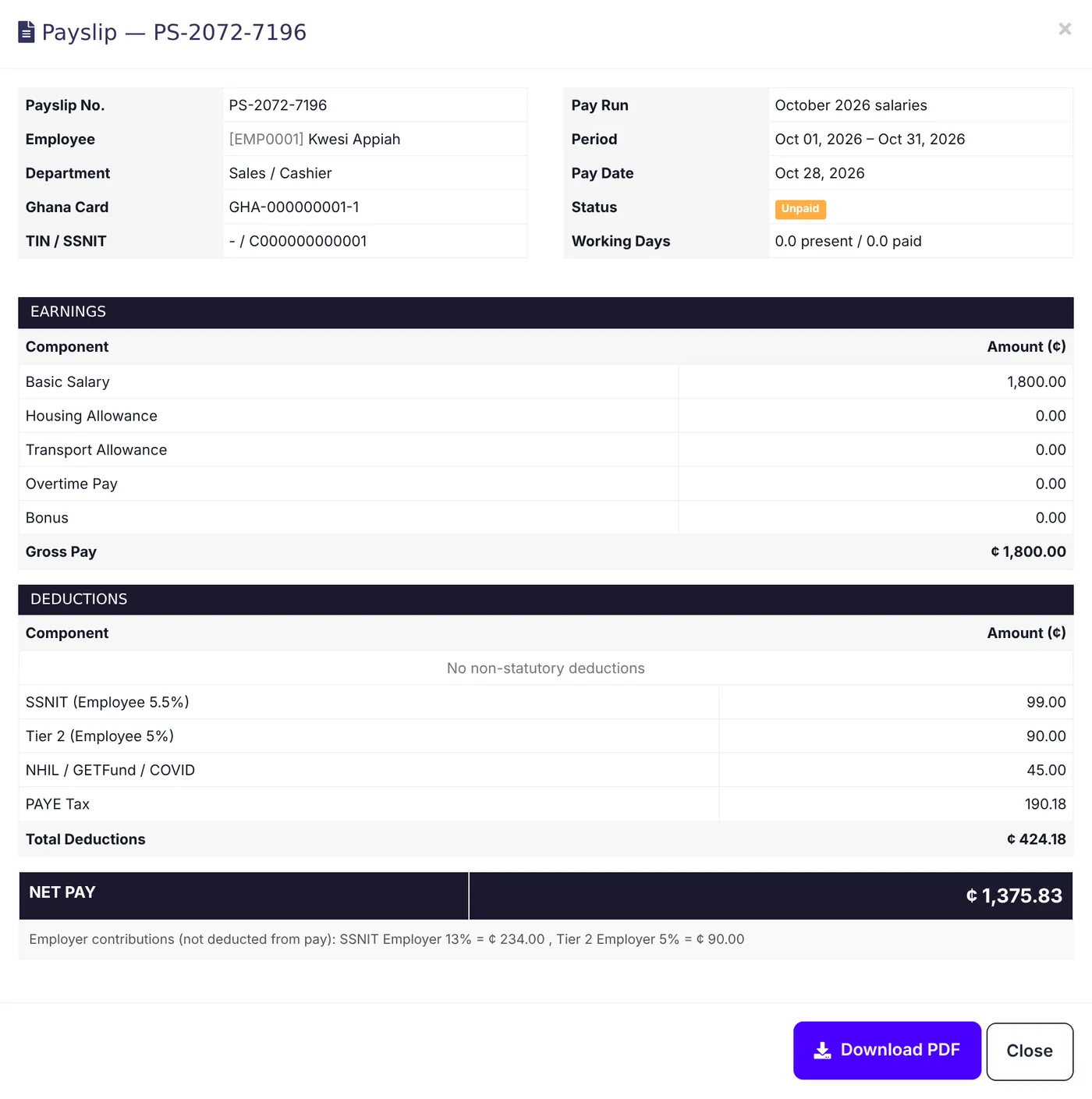
Common questions
I changed a rate. Will past payslips change?
Are staff loans deducted?
Was this article helpful?
Thanks — your answer helps us improve this article.
Still need help?
Can’t find the answer you’re looking for? Our support team in Accra can help.