
All help topics
Help topics
- Getting Started
- Sales & POS
- Products & Inventory
- Purchases & Suppliers
- Customers
- Staff & Permissions
- Reports
- Branches
- Hardware
- Payments
- Settings
- Troubleshooting
- Billing & Subscription
- Workshop
- Training
- Sales Agents
- Laundry
- Accounting
- HR & Payroll
- Hotel
- Services
- Communication Center
- Online Store
- CRM
- Restaurant
- F&B Manager
- Production
- Projects
- Asset Management
- All topics
On this page
How to Read the Money Cards on Your Dashboard
The home dashboard shows four position cards. Business Balance: the money across your payment accounts. Receivables & Payables: what customers owe you and what you owe suppliers, split into overdue and not yet due. Stock Value: stock at cost and at selling price. Stock at Risk: dead and expired stock.
Under the sales figures at the top of your home page, four cards show where your business stands today.
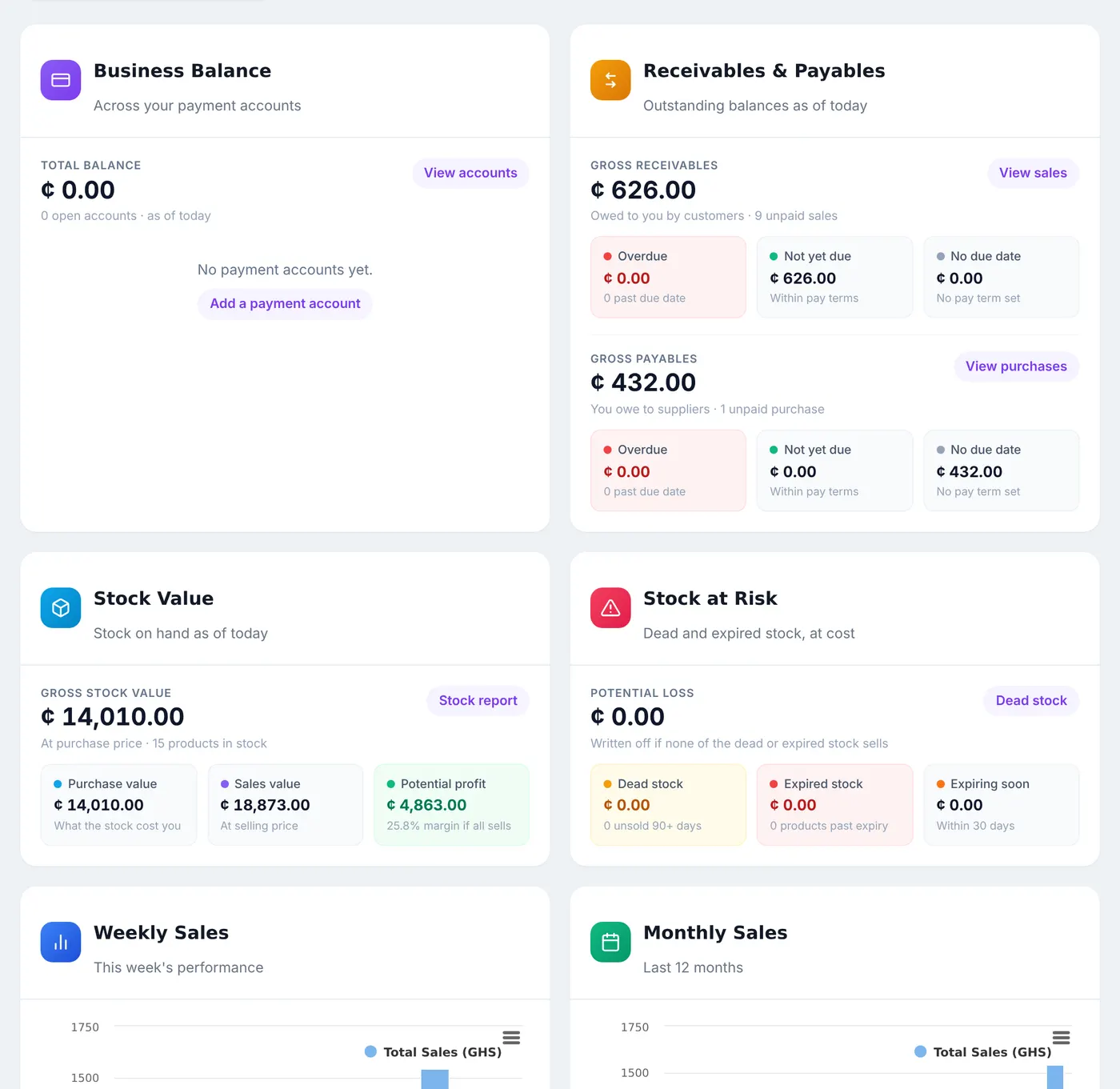
Business Balance
The Total Balance across your payment accounts: cash, MoMo and bank. It is only as good as your accounts, so set them up first. See How to Set Up Payment Accounts.
Receivables & Payables
- Gross Receivables: what customers owe you, from how many unpaid sales, split into Overdue, Not yet due (within their pay terms) and No due date.
- Gross Payables: what you owe suppliers, split the same way.
Stock Value
The stock you hold, at Purchase value (what it cost you) and Sales value (what it sells for), with the Potential profit and margin if all of it sells.
Stock at Risk
The Potential Loss: dead stock (held 90 days or more without a sale) and expired stock, at cost, plus what is Expiring soon. See How to Find Low, Dead and Expired Stock.
Use Select location at the top to see one branch.
Common questions
The balance shows nothing.
Was this article helpful?
Thanks — your answer helps us improve this article.
Still need help?
Can’t find the answer you’re looking for? Our support team in Accra can help.