
All help topics
Help topics
- Getting Started
- Sales & POS
- Products & Inventory
- Purchases & Suppliers
- Customers
- Staff & Permissions
- Reports
- Branches
- Hardware
- Payments
- Settings
- Troubleshooting
- Billing & Subscription
- Workshop
- Training
- Sales Agents
- Laundry
- Accounting
- HR & Payroll
- Hotel
- Services
- Communication Center
- Online Store
- CRM
- Restaurant
- F&B Manager
- Production
- Projects
- Asset Management
- Device Repair
- Bookings & appointments
- Set up for your industry
- All topics
How to Read Your Repair Reports
Short answer
Device Repair → Reports shows repair sales split into parts and labour, parts cost and profit, turnaround, on-time and approval rates, comebacks, each technician's work, the most common faults and models, and what is open, held and owed now.
Open Device Repair → Reports (needs View repair reports) and choose a period or Choose dates.
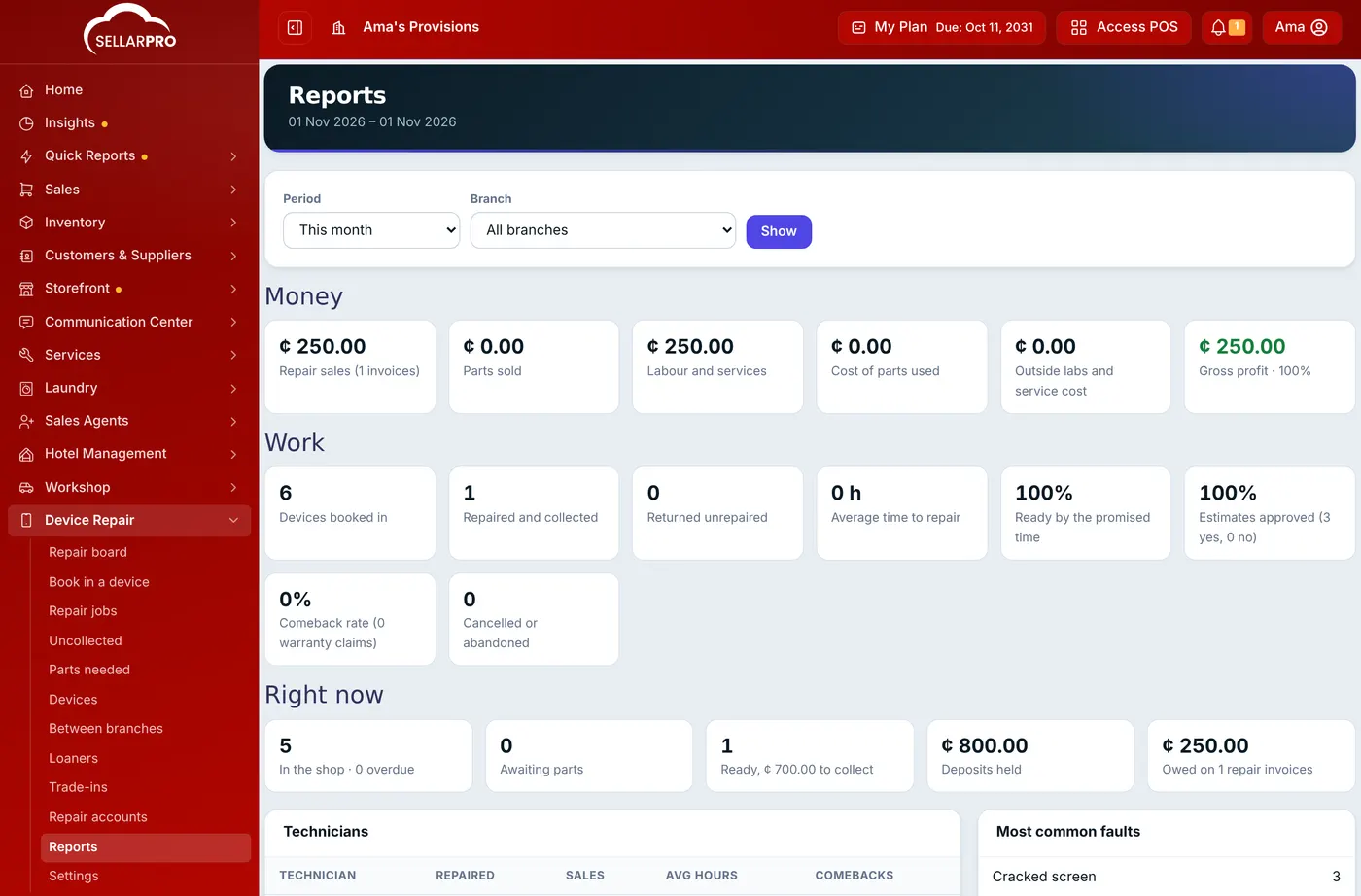
- Money: repair sales for invoices raised in the period, split into Parts sold and Labour and services; the Cost of parts used (from the stock lots taken); outside lab charges; and Gross profit with its margin.
- Work: devices booked in, repaired and collected, returned unrepaired, the average time from booking in to ready, the share ready by the promised time, the share of estimates approved, and the comeback rate (warranty claims against repairs).
- Right now: jobs in the shop and overdue, waiting for parts, ready with money to collect, deposits held, and money owed on repair invoices.
- Technicians: repairs finished, their jobs' sales, average hours and comebacks.
- Most common faults and Most repaired models: what to keep in stock.
Was this article helpful?
Thanks — your answer helps us improve this article.
Still need help?
Can’t find the answer you’re looking for? Our support team in Accra can help.