
All help topics
Help topics
- Getting Started
- Sales & POS
- Products & Inventory
- Purchases & Suppliers
- Customers
- Staff & Permissions
- Reports
- Branches
- Hardware
- Payments
- Settings
- Troubleshooting
- Billing & Subscription
- Workshop
- Training
- Sales Agents
- Laundry
- Accounting
- HR & Payroll
- Hotel
- Services
- Communication Center
- Online Store
- CRM
- Restaurant
- F&B Manager
- Production
- Projects
- Asset Management
- Device Repair
- Bookings & appointments
- Set up for your industry
- All topics
On this page
How to Buy a Used Phone From a Customer (Trade-In)
Open Device Repair → Trade-ins → Buy a device, or Buy a device from this customer on a job. Record the IMEI, grade and ID check, the price and the resale price, then pay the customer or take it off their repair. The phone goes into stock as a used product you can sell.
Buying a customer's old phone does two things in SellarPro: it records a purchase from them, so the phone is in your stock and books, and it keeps a buy-back register of every device with its IMEI, grade and ID check.
Buy a device
- Open Device Repair → Trade-ins and click Buy a device. If the customer has a repair with you, open the job and click Buy a device from this customer instead.
- Choose the seller and enter the device: brand, model, storage, colour and its IMEI or serial number. A device cannot be bought without one.
- Choose the Grade: A (like new), B (good), C (fair) or D (for parts or repair).
- Check the seller's ID, note it in the condition box and tick I checked the seller's ID and they say the device is theirs.
- Enter the Price paid and the Resale price.
- Choose how the customer is paid: Pay the customer now (with the method), or Take it off repair … to set the price against their repair bill.
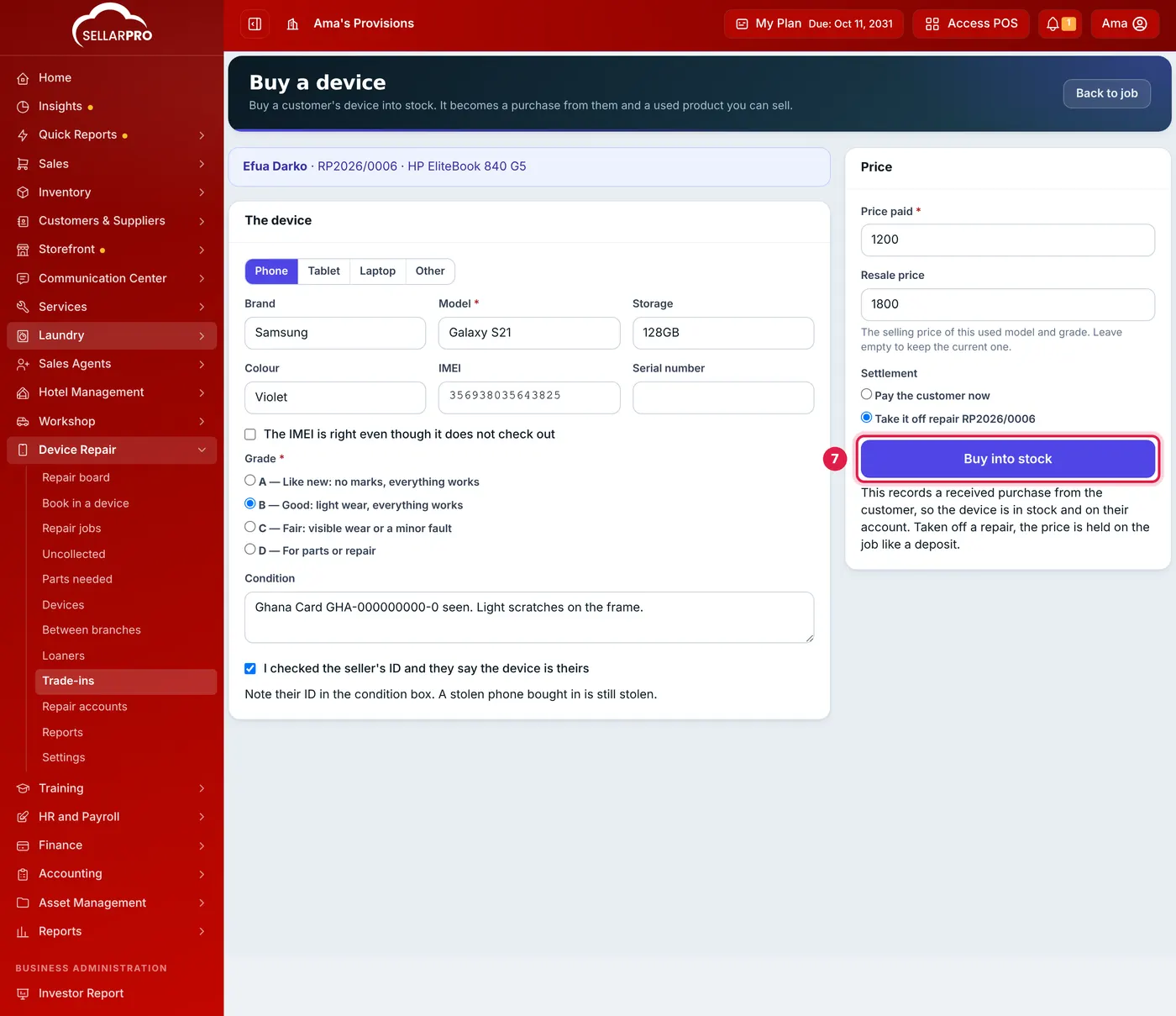
Record the IMEI, grade and ID check before you pay. - Click Buy into stock.
What SellarPro records
- A received purchase from the customer for the price, with the IMEI as the lot number, so the phone is in stock at your branch.
- The phone goes into a product named like Used Samsung Galaxy S21 128GB (Grade B). The next one of the same model and grade goes into the same product, so you sell them from the POS like anything else.
- Paid out: the payment on the purchase, and cash leaves your open cash register.
- Taken off a repair: no money changes hands. The price is held on the job like a deposit and spent on the invoice at handover.
The Trade-ins page lists every device bought, searchable by reference, model, IMEI or serial number.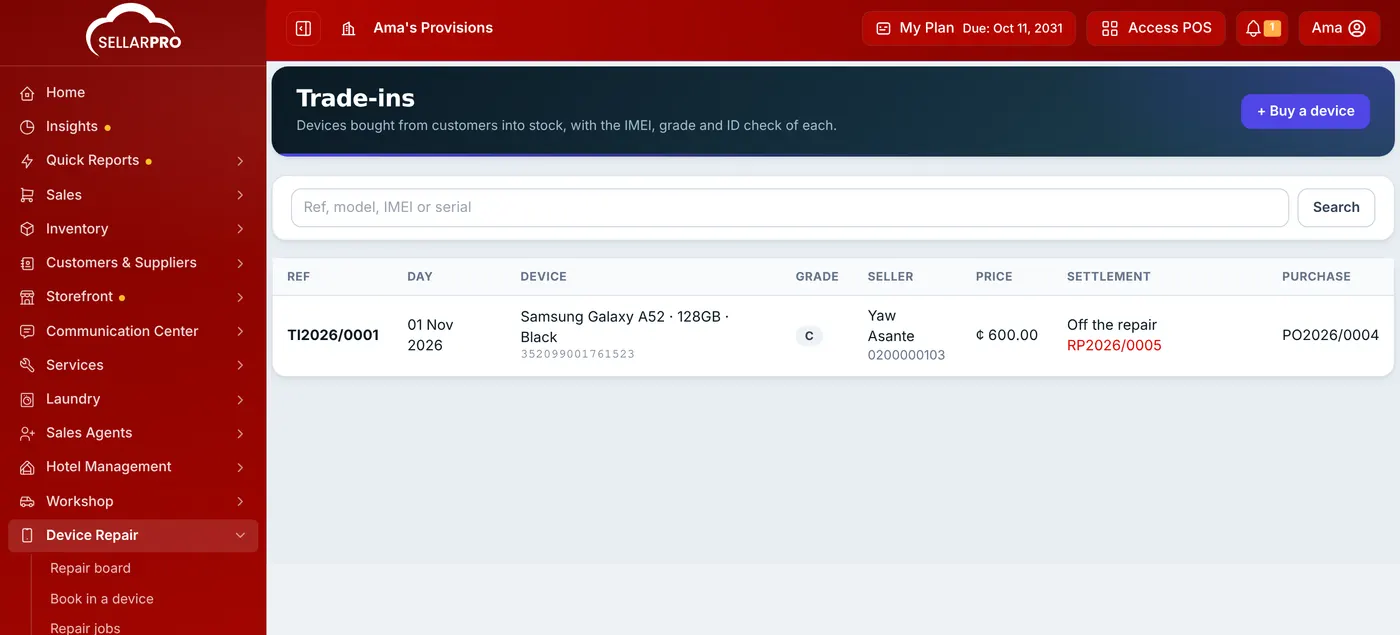
A customer who sells you a device becomes a supplier as well as a customer, because a purchase needs one. Nothing else about them changes.
Common questions
Who can buy devices?
Can I change the resale price later?
Was this article helpful?
Thanks — your answer helps us improve this article.
Still need help?
Can’t find the answer you’re looking for? Our support team in Accra can help.