
All help topics
Help topics
- Getting Started
- Sales & POS
- Products & Inventory
- Purchases & Suppliers
- Customers
- Staff & Permissions
- Reports
- Branches
- Hardware
- Payments
- Settings
- Troubleshooting
- Billing & Subscription
- Workshop
- Training
- Sales Agents
- Laundry
- Accounting
- HR & Payroll
- Hotel
- Services
- Communication Center
- Online Store
- CRM
- Restaurant
- F&B Manager
- Production
- Projects
- Asset Management
- All topics
On this page
How to Book a Laundry Pickup and Deliver Clothes Back
Click Book pickup on the Laundry board, choose the customer, enter the pickup address and time, and click Book pickup. The ticket waits under Awaiting pickup. When the clothes arrive, open it and click Clothes arrived — count them in to add the items and take the deposit.
For customers who want their clothes collected from home, book the pickup first. Nothing is charged until the clothes arrive and are counted.
Step 1: book the pickup
- On Laundry → Board, click Book pickup.
- Choose the customer, enter the pickup Address and choose the Pickup time.
- Tick Deliver back to the customer if the clothes go back the same way, and enter that address.
- Click Book pickup.
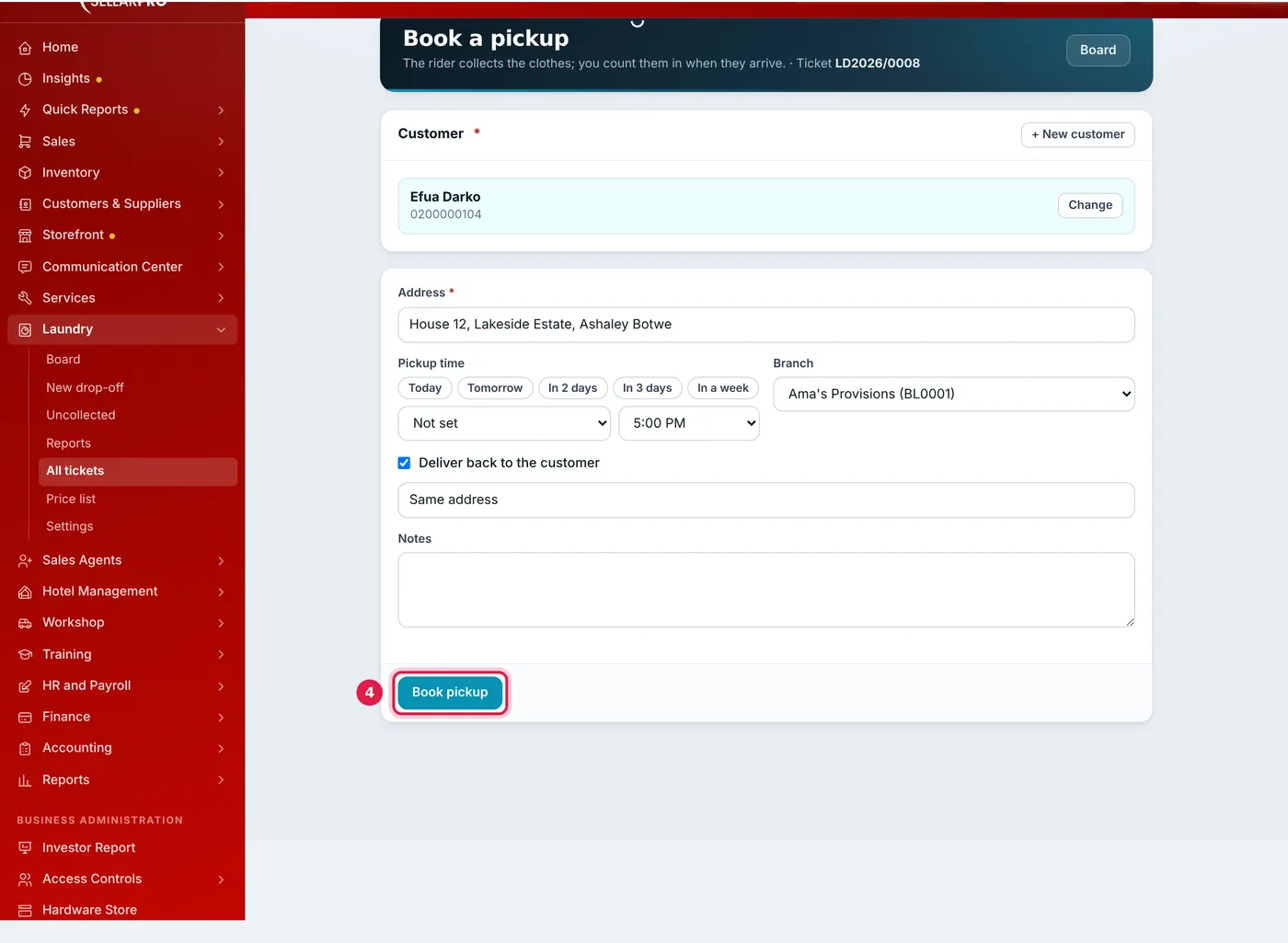
Booked for collection and delivery back to the same address.
The ticket gets its number now and appears on the board under Awaiting pickup.
Step 2: count the clothes in when they arrive
- On the board, click Clothes arrived — count them in on the ticket.
- Add the items, descriptions and condition tags, take the deposit and save, exactly as for a drop-off. The pickup fee is added automatically.
The ticket keeps the same number and moves to Received.
Step 3: deliver the clothes back
- When the clothes are ready, move the ticket to Ready, then to Out for delivery when the rider leaves. The customer can be texted at each step.
- When the rider returns, open the ticket and complete the handover with Confirm delivered, recording the pieces delivered and any balance collected. See How to Hand Back Laundry and Collect Payment.
Use the board's Pickup / delivery filter to see just these tickets.
Common questions
Can I cancel a booked pickup?
Are the pickup and delivery fees counted as sales?
Was this article helpful?
Thanks — your answer helps us improve this article.
Still need help?
Can’t find the answer you’re looking for? Our support team in Accra can help.