
All help topics
Help topics
- Getting Started
- Sales & POS
- Products & Inventory
- Purchases & Suppliers
- Customers
- Staff & Permissions
- Reports
- Branches
- Hardware
- Payments
- Settings
- Troubleshooting
- Billing & Subscription
- Workshop
- Training
- Sales Agents
- Laundry
- Accounting
- HR & Payroll
- Hotel
- Services
- Communication Center
- Online Store
- CRM
- Restaurant
- F&B Manager
- Production
- Projects
- Asset Management
- All topics
How to Add Customers and Customer Groups
Short answer
Open Customers & Suppliers → Customers and click Add, or add the customer from the POS. Fill in the name and Mobile, and optionally a Credit Limit and Pay term. Customer Groups let you give a group of customers their own prices, such as wholesale.
Saving your customers lets you sell to them on credit, see what each one buys and owes, send them texts, and give regular buyers their own prices.
Add a customer
- Open Customers & Suppliers → Customers and click Add. At the POS, click the add button beside the customer box instead.
- Choose Individual or Business, and fill in the First Name (or Business Name) and Mobile.
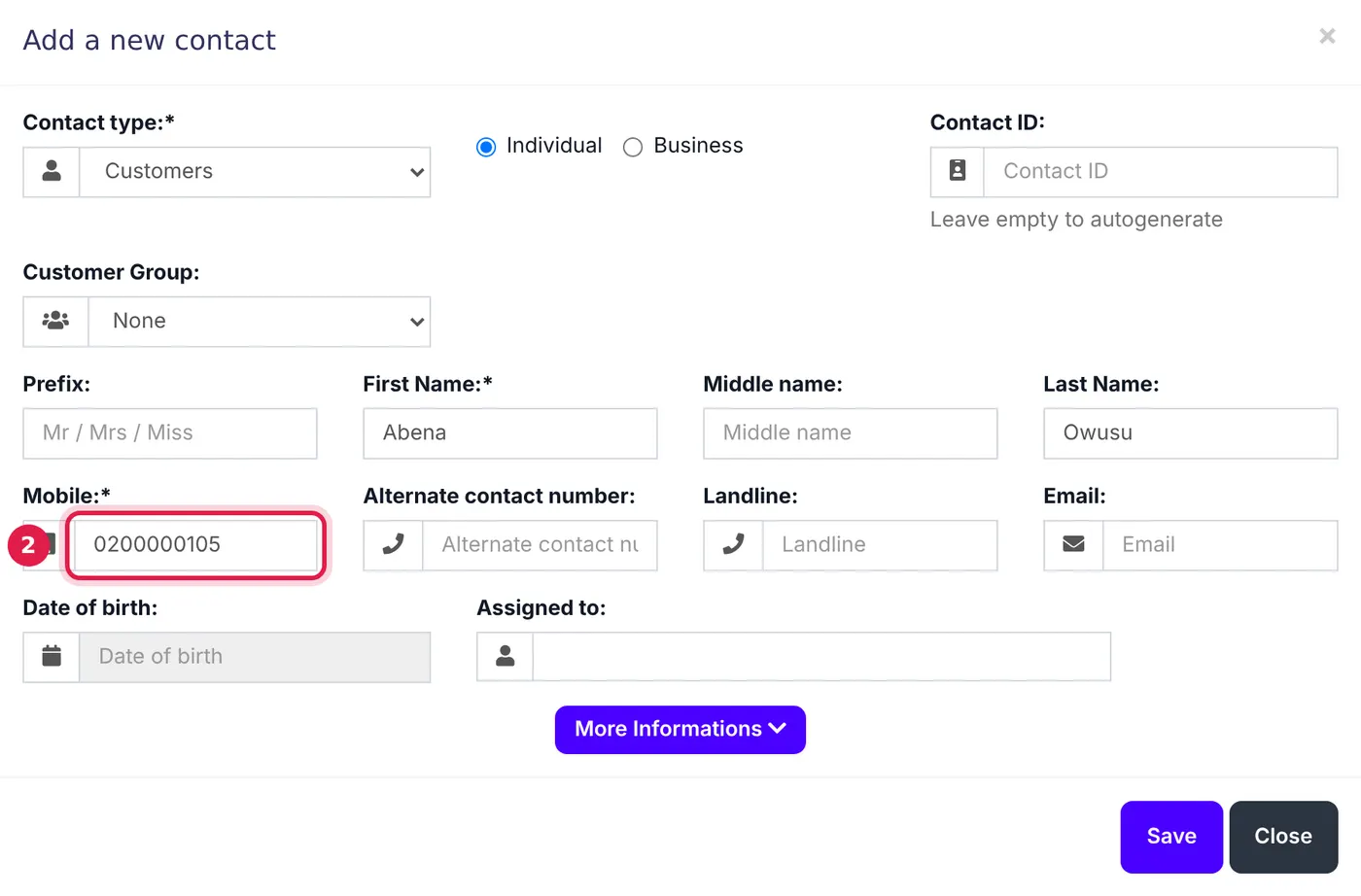
The name fields appear once you choose Individual or Business. - Click More Informations for the rest: Email, address, Opening Balance (what they already owed you before SellarPro), Pay term and Credit Limit.
- Click Save.
Group customers and give them their own prices
- Open Customers & Suppliers → Customer Groups and click Add.
- Type the Customer Group Name, such as "Wholesale".
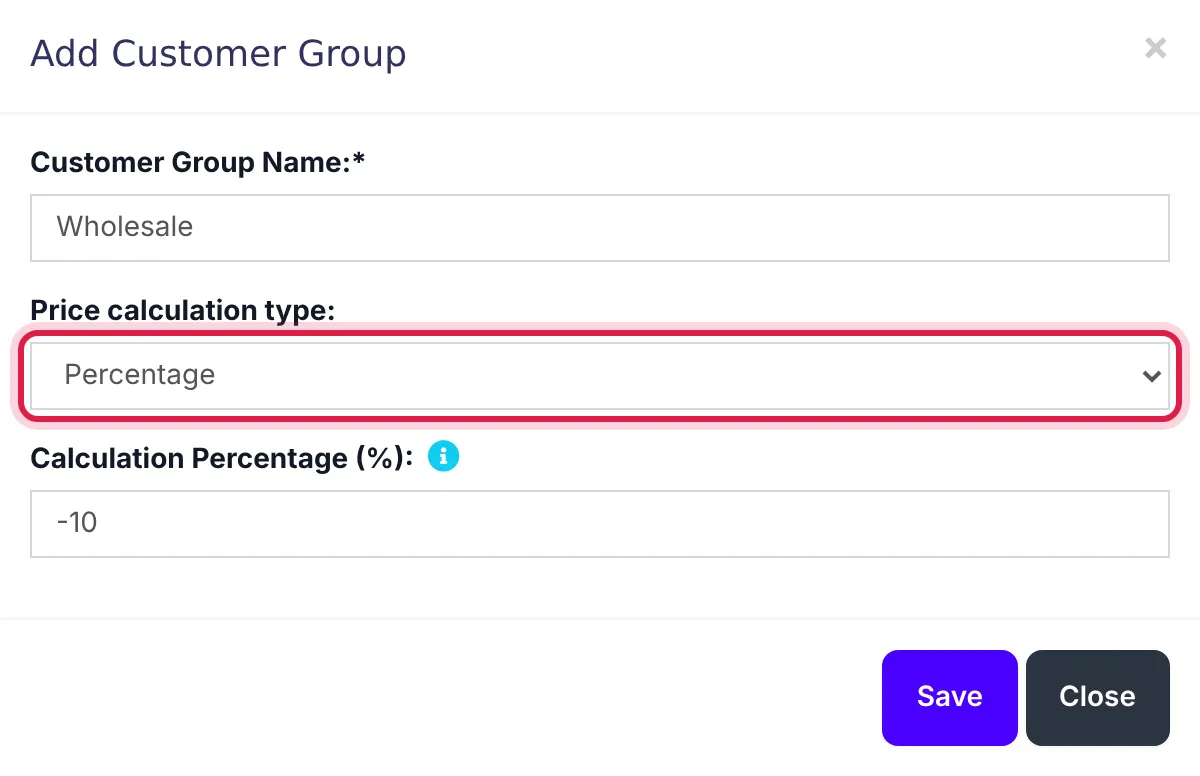
A Wholesale group that pays 10% less than your normal price. - Choose the Price calculation type:
- Percentage: a Calculation Percentage (%) added to your normal selling price. Use a negative number, such as -10, for a discount.
- Selling Price Group: use the prices you have set in a selling price group.
- Save, then edit each customer and pick the group in Customer Group.
When you select that customer at the POS, their group's prices are used automatically.
Common questions
What is the walk-in customer?
The default customer for cash sales to people you do not need to record. It cannot buy on credit or keep change as advance.
Can I stop a customer from owing too much?
Yes. Set a Credit Limit on the customer. Leave it blank for no limit.
Was this article helpful?
Thanks — your answer helps us improve this article.
Still need help?
Can’t find the answer you’re looking for? Our support team in Accra can help.