
All help topics
Help topics
- Getting Started
- Sales & POS
- Products & Inventory
- Purchases & Suppliers
- Customers
- Staff & Permissions
- Reports
- Branches
- Hardware
- Payments
- Settings
- Troubleshooting
- Billing & Subscription
- Workshop
- Training
- Sales Agents
- Laundry
- Accounting
- HR & Payroll
- Hotel
- Services
- Communication Center
- Online Store
- CRM
- Restaurant
- F&B Manager
- Production
- Projects
- Asset Management
- All topics
On this page
How SellarPro Works Out Your Profit
Open Reports → Sales → Profit / Loss Report and choose the dates and location. Gross profit is what you sold for minus what those items cost you. Net profit is gross profit minus expenses, stock lost, discounts and the other costs listed. Delivery charges are left out. Tabs below break profit down by product, category, branch, invoice, day and customer.
Open the report
- Open Reports → Sales and choose Profit / Loss Report.
- Choose the location and use Filter by date to set the period.
Gross profit
Gross Profit is the total you sold the items for, minus what those same items cost you. The cost is the purchase price of the stock each sale used. That is why a missing purchase price makes profit look too high: see How to Use the Stock Reconciliation Report.
Net profit
Net Profit takes gross profit, adds other income (stock recovered, purchase discounts, round-offs and hotel income), and takes away:
- stock written off in stock adjustments,
- your recorded expenses,
- shipping charges on purchases and transfers, and purchase additional expenses,
- discounts given on sales and customer rewards.
The report prints both formulas under the figures, so you can see exactly what was counted.
What is left out
Delivery charges are collected for the rider and are not your income. They are shown for reference, not counted as sales or profit.
Profit by…
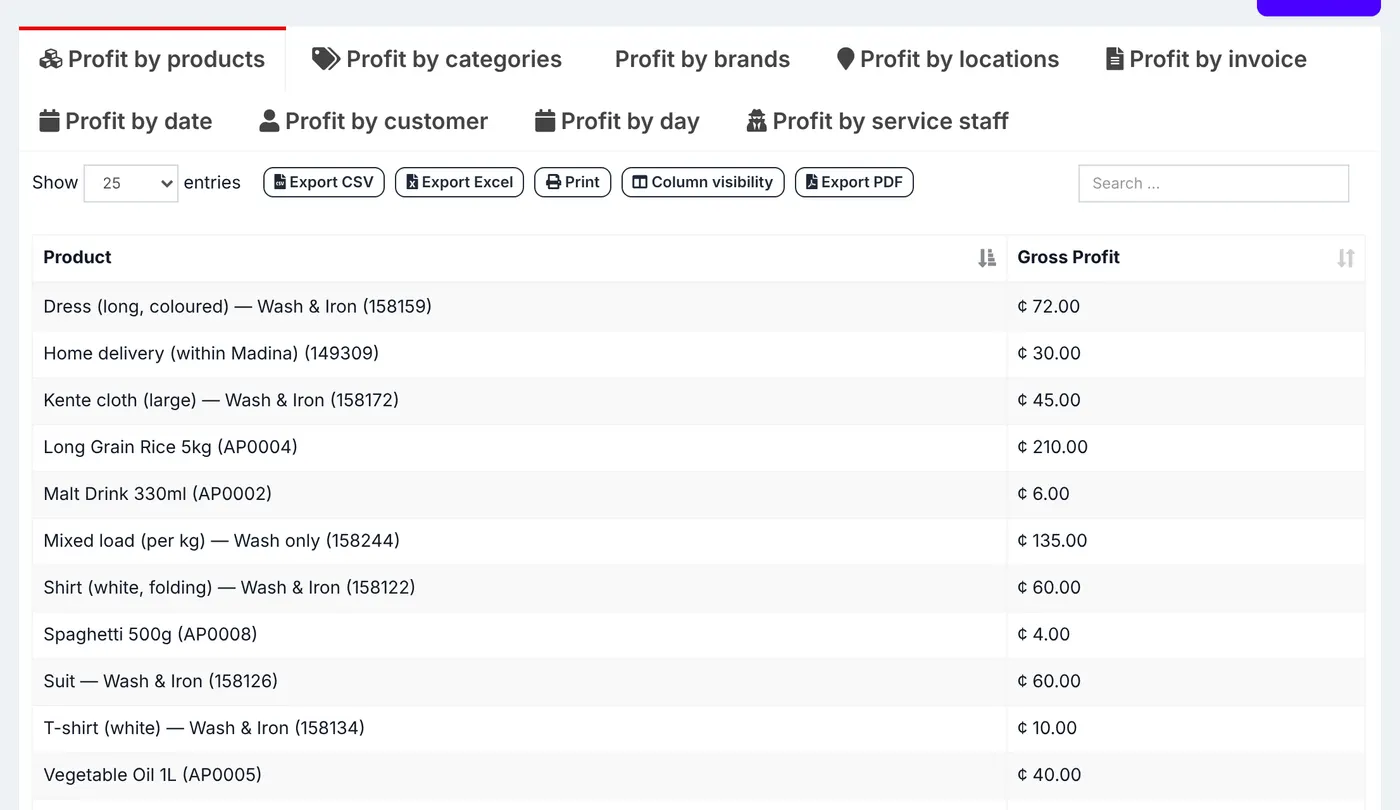
The tabs below the figures break gross profit down: Profit by products, categories, brands, locations, invoice, date, customer, day and service staff.
Common questions
Why is Profit / Loss different from My P & L?
Was this article helpful?
Thanks — your answer helps us improve this article.
Still need help?
Can’t find the answer you’re looking for? Our support team in Accra can help.