
All help topics
Help topics
- Getting Started
- Sales & POS
- Products & Inventory
- Purchases & Suppliers
- Customers
- Staff & Permissions
- Reports
- Branches
- Hardware
- Payments
- Settings
- Troubleshooting
- Billing & Subscription
- Workshop
- Training
- Sales Agents
- Laundry
- Accounting
- HR & Payroll
- Hotel
- Services
- Communication Center
- Online Store
- CRM
- Restaurant
- F&B Manager
- Production
- Projects
- Asset Management
- All topics
On this page
How to Track Orders the Customer Collects Later (TBC)
Switch on To Be Collected (TBC) under Settings → Business Settings → Modules. At the POS, tick To Be Collected when the customer pays now but takes the goods later. Sales → TBC Orders lists what is still waiting, and Collect Items records each handover.
When a customer pays today but picks up the goods another day, you need to know what is still waiting for them. TBC (To Be Collected) keeps that list for you.
Step 1: switch it on
Open Settings → Business Settings → Modules, tick To Be Collected (TBC) and save.
Step 2: mark a sale as TBC
- Make the sale as usual on the POS.
- Before paying, tick To Be Collected. The order is marked Not Collected.
Sales without the tick are treated as collected straight away.
Step 3: hand the goods over
- Open Sales → TBC Orders. Filter by Collection Status to see what is Not Collected or Partially Collected.
- Click Collect Items on the order.
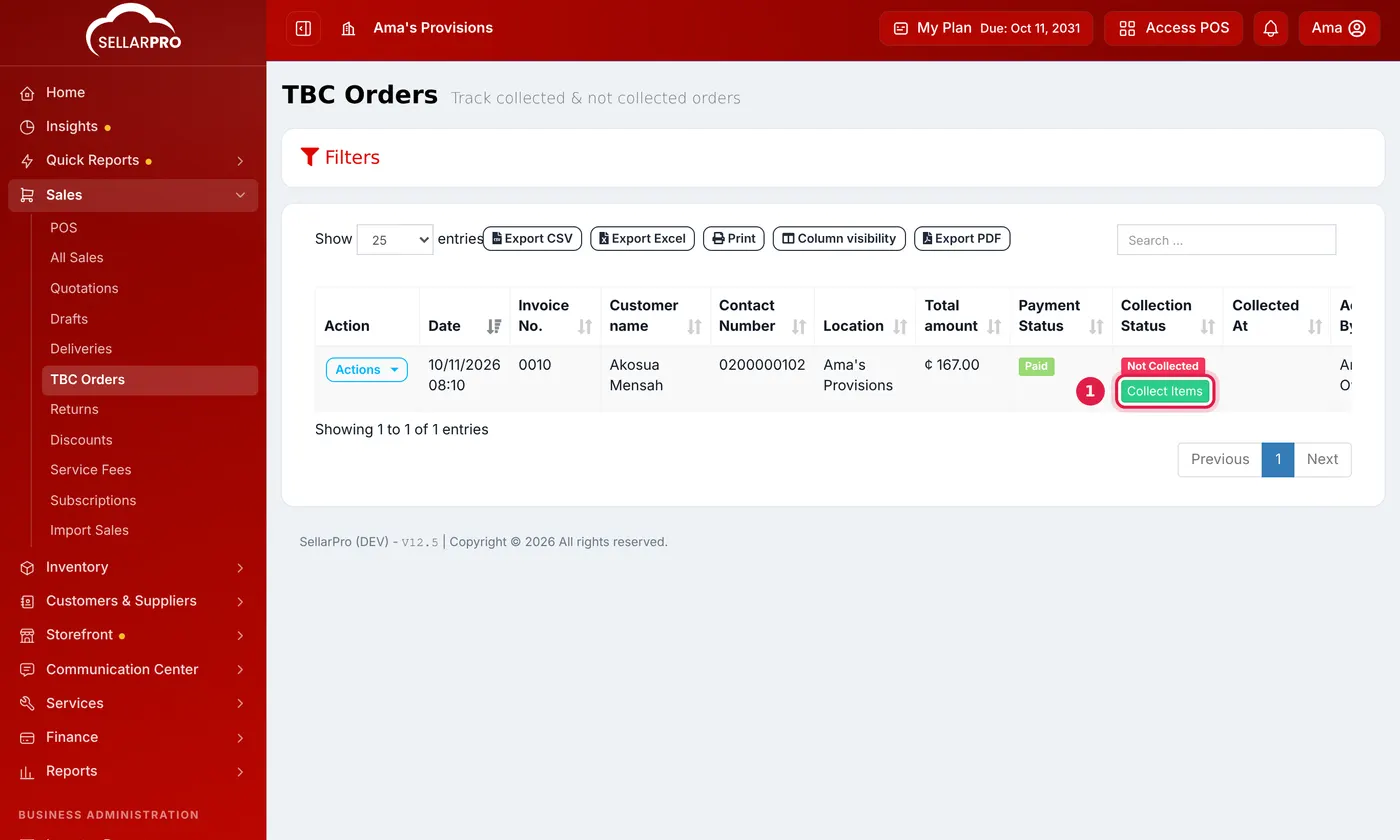
Orders still waiting show Not Collected, with a Collect Items button. - Set Collect Now to the quantity being handed over for each item, and 0 for items the customer is not taking yet. Save.
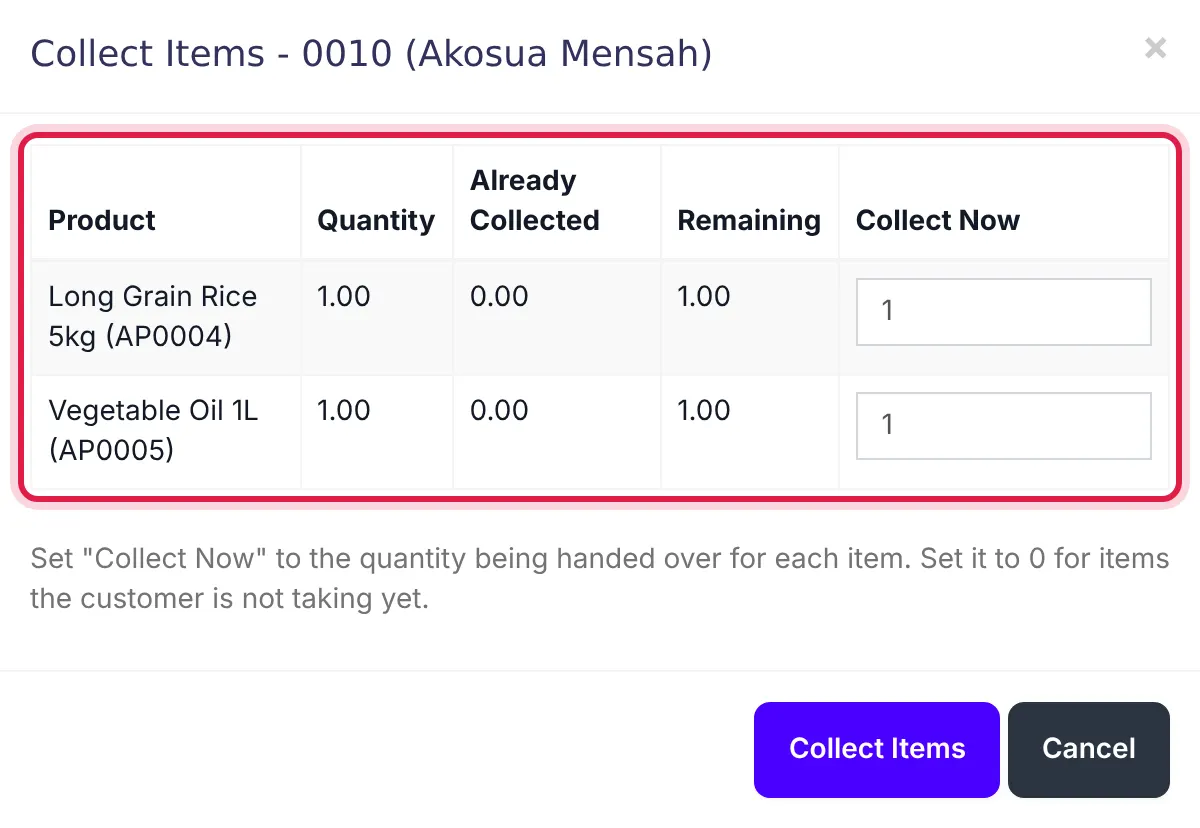
Set Collect Now for each item being handed over.
The receipt shows the TBC status and what is still to be collected, so the customer has proof of what is waiting.
Stock
By default, stock comes off when the sale is made. To leave it on the shelf figure until the goods actually go, tick Deduct stock only when TBC orders are collected on the Sale tab of Settings → Business Settings.
Who can do this
Under Access Controls → Roles: View TBC (To Be Collected) orders page and Mark TBC orders as collected / not collected.
Common questions
The customer has not paid in full. Can they collect?
The customer wants to return an item they already collected.
Was this article helpful?
Thanks — your answer helps us improve this article.
Still need help?
Can’t find the answer you’re looking for? Our support team in Accra can help.