
All help topics
Help topics
- Getting Started
- Sales & POS
- Products & Inventory
- Purchases & Suppliers
- Customers
- Staff & Permissions
- Reports
- Branches
- Hardware
- Payments
- Settings
- Troubleshooting
- Billing & Subscription
- Workshop
- Training
- Sales Agents
- Laundry
- Accounting
- HR & Payroll
- Hotel
- Services
- Communication Center
- Online Store
- CRM
- Restaurant
- F&B Manager
- Production
- Projects
- Asset Management
- All topics
On this page
How to Set Up Your Online Store
Open Storefront → My Storefronts and click Create Storefront. Give it a name and web address, choose the branch whose products and stock it shows, pick a theme and colours, choose what customers see, and how they order: WhatsApp, a cart with online checkout, delivery fees. Save, and share the link.
Your Storefront is an online shop built from the products, prices and stock you already have in SellarPro. There is nothing to type twice.
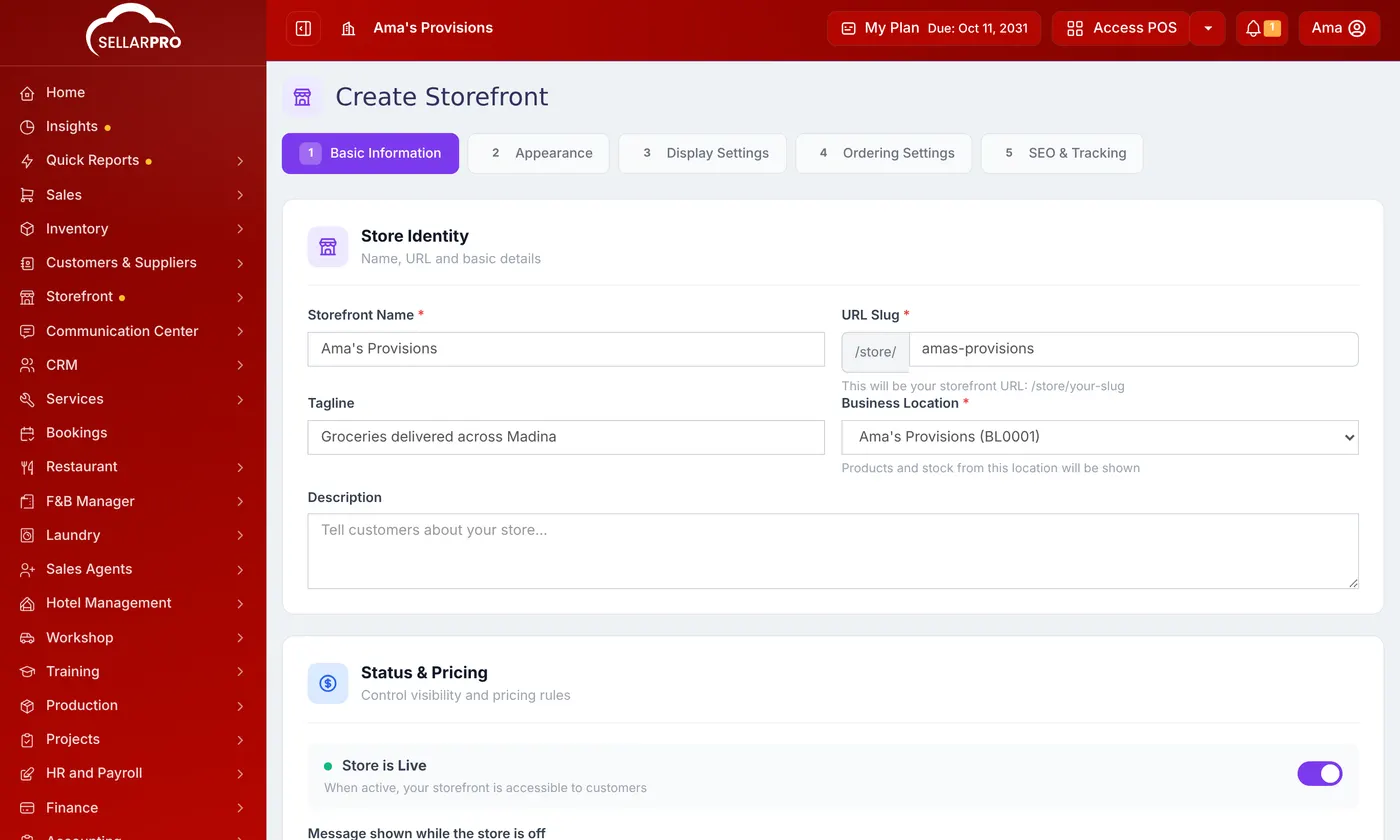
Step 1: Basic Information
- Open Storefront → My Storefronts and click Create Storefront.
- Type the Storefront Name and the URL Slug: your store's address, such as /store/amas-provisions.
- Choose the Business Location: products and stock from this branch are shown.
- Leave Store is Live on to open it to customers. Choose a Selling Price Group if online prices differ, and which categories to show.
- Click Next.
Step 2: Appearance
Choose a Theme: Simple (the clean layout), Classic (new arrivals and trending first) or Studio (a hero slider). Set your Brand Colors and upload your Logo, Banner and Favicon.
Step 3: Display Settings
Choose what customers see: Show out of stock products, Show SKU/barcode, Show brand names, Show category filter and Show search bar, the Default Sort and Products per page. Add an Announcement Bar for an offer.
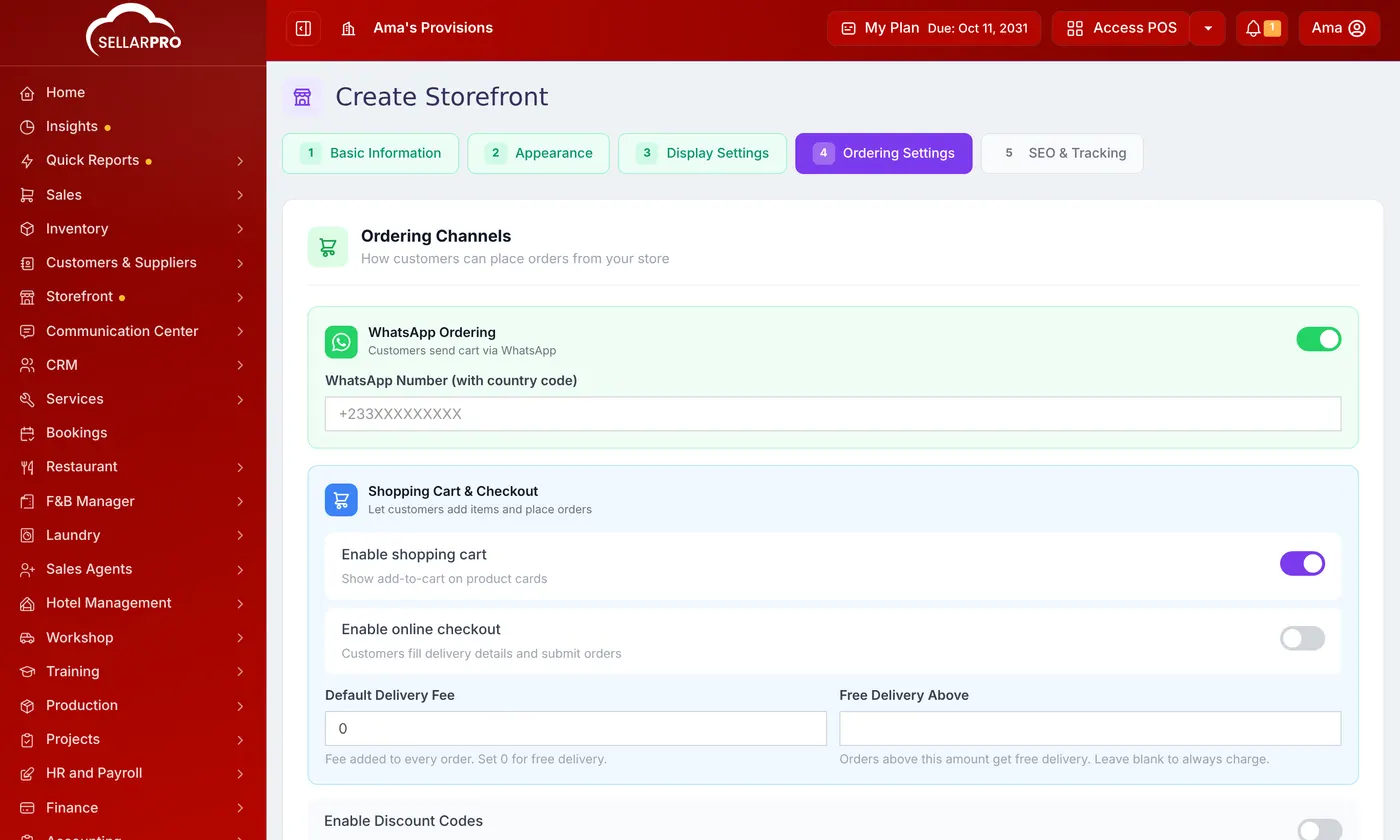
Step 4: Ordering Settings
- WhatsApp Ordering: customers send their cart to your WhatsApp Number.
- Enable shopping cart and Enable online checkout: customers fill in delivery details and place the order on the site.
- Default Delivery Fee and Free Delivery Above.
- Enable Discount Codes, and the bank or mobile money details shown on the customer's confirmation page.
Step 5: SEO & Tracking
A Meta Title and Meta Description for search engines, your Google Analytics ID and Meta Pixel if you advertise, and links to your social pages. Click Save Storefront.
Share it
Your store's link is on My Storefronts. Share it on WhatsApp, Instagram and Facebook, or print the store's QR poster for your counter.
Common questions
Does the store sell stock I do not have?
How do I close the store for a while?
Was this article helpful?
Thanks — your answer helps us improve this article.
Still need help?
Can’t find the answer you’re looking for? Our support team in Accra can help.