
All help topics
Help topics
- Getting Started
- Sales & POS
- Products & Inventory
- Purchases & Suppliers
- Customers
- Staff & Permissions
- Reports
- Branches
- Hardware
- Payments
- Settings
- Troubleshooting
- Billing & Subscription
- Workshop
- Training
- Sales Agents
- Laundry
- Accounting
- HR & Payroll
- Hotel
- Services
- Communication Center
- Online Store
- CRM
- Restaurant
- F&B Manager
- Production
- Projects
- Asset Management
- All topics
On this page
How to Set Up Repeat Service Invoices
On a new service invoice, tick Raise this invoice again automatically under Repeat Invoice, choose how often in Repeat every, the day of the month and the Number of repeats, and save. Manage them under Services → Repeat Invoices. The Subscriptions module must be switched on.
For work you bill on a schedule, such as a monthly cleaning contract or a retainer, SellarPro raises the invoice again for you.
Repeat invoices are raised by the Subscriptions module. Switch on Enable Subscription under Settings → Business Settings → Modules first, or nothing will be raised.
Set one up
- Create the first invoice under Services → Invoices → New Invoice.
- Under Repeat Invoice, tick Raise this invoice again automatically.
- Choose Repeat every (for example 1 Months) and the On day of month (between 1 and 28, so every month has one).
- Set the Number of repeats, or leave 0 to repeat until you stop it.
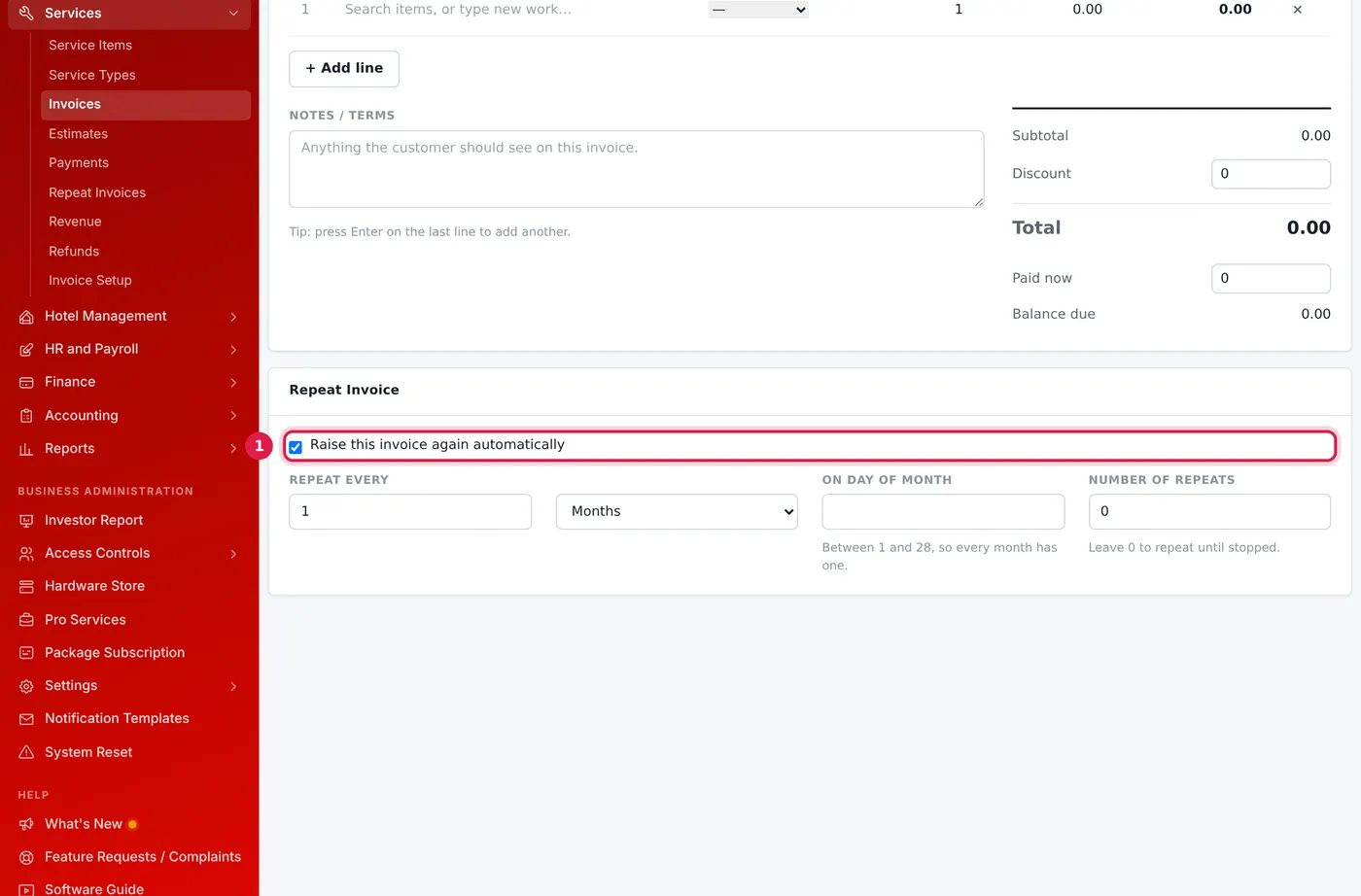
Every month, until you stop it. - Click Save Invoice.
Manage them
Services → Repeat Invoices lists each one with how often it repeats, how many have been raised and when the last one was. Use Stop to pause one and Resume to start it again.
Common questions
Are repeat invoices paid automatically?
Was this article helpful?
Thanks — your answer helps us improve this article.
Still need help?
Can’t find the answer you’re looking for? Our support team in Accra can help.