
All help topics
Help topics
- Getting Started
- Sales & POS
- Products & Inventory
- Purchases & Suppliers
- Customers
- Staff & Permissions
- Reports
- Branches
- Hardware
- Payments
- Settings
- Troubleshooting
- Billing & Subscription
- Workshop
- Training
- Sales Agents
- Laundry
- Accounting
- HR & Payroll
- Hotel
- Services
- Communication Center
- Online Store
- CRM
- Restaurant
- F&B Manager
- Production
- Projects
- Asset Management
- All topics
On this page
How to Run a Vehicle Inspection
Short answer
Open Workshop → Inspections → New Inspection, or + New Inspection on a job card. Choose the vehicle, the purpose (pre-purchase, routine, repair related or diagnostic) and the checklist, record the mileage, and answer each point OK or Not OK. Set up your own checklists under Inspection Checklists.
Run an inspection
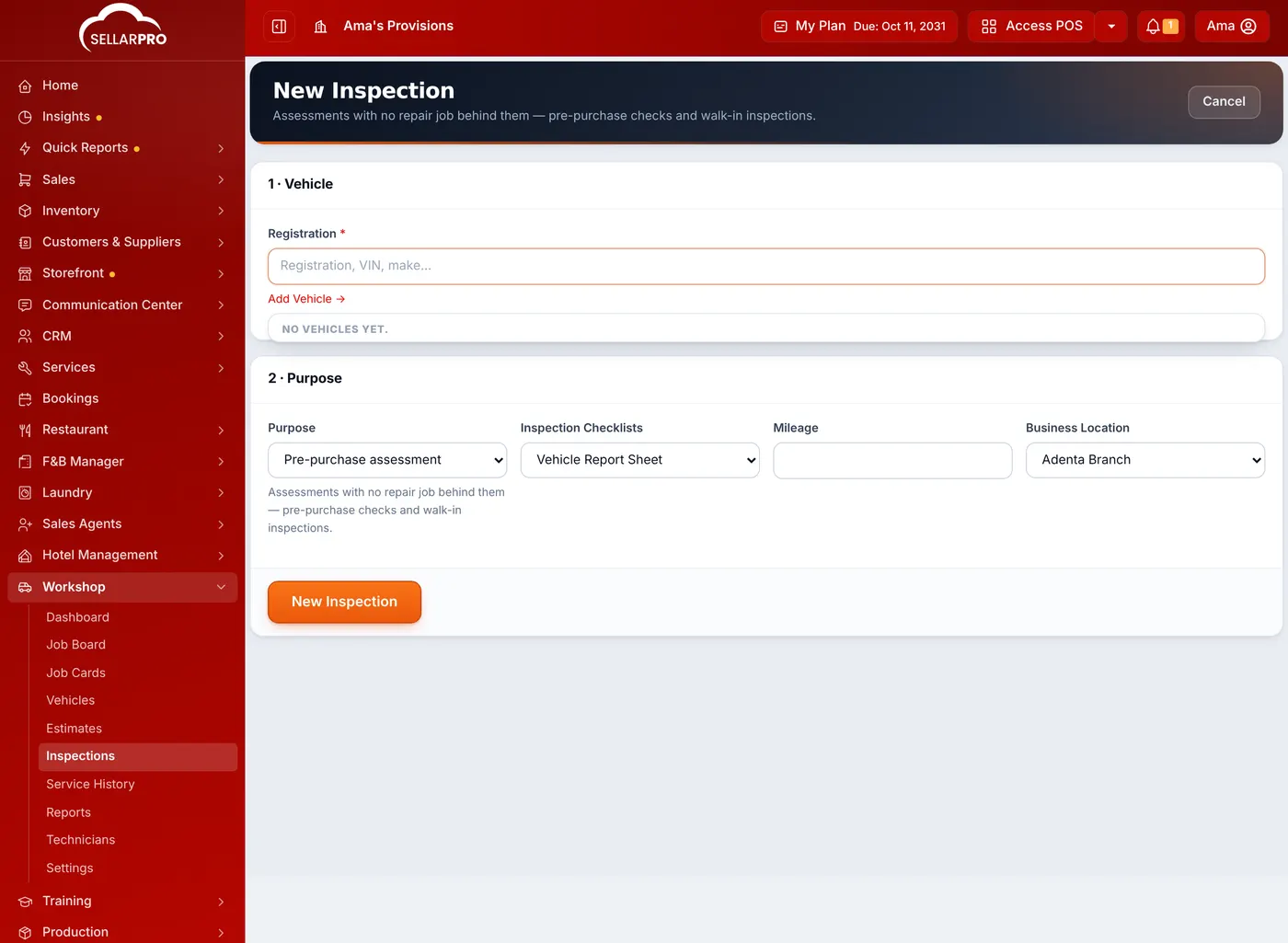
- Open Workshop → Inspections and click New Inspection. For a car already in for repair, use + New Inspection on its job card.
- Choose the vehicle by its Registration, or add it.
- Choose the Purpose: Pre-purchase assessment, Routine check, Repair related, Diagnostic or Other.
- Choose the checklist, such as Vehicle Report Sheet, and enter the Mileage and Business Location.
- Go through each point and answer OK or Not OK, with a note where something is wrong.
- Save it as a draft while you work, and complete it when you are done.
A completed report sheet can be printed for the customer. The note set in Workshop settings is printed under it.
Your own checklists
Open Workshop → Inspections → Inspection Checklists to make checklists of your own, such as one for a pre-purchase check and one for a 10,000 km service.
Was this article helpful?
Thanks — your answer helps us improve this article.
Still need help?
Can’t find the answer you’re looking for? Our support team in Accra can help.