
All help topics
Help topics
- Getting Started
- Sales & POS
- Products & Inventory
- Purchases & Suppliers
- Customers
- Staff & Permissions
- Reports
- Branches
- Hardware
- Payments
- Settings
- Troubleshooting
- Billing & Subscription
- Workshop
- Training
- Sales Agents
- Laundry
- Accounting
- HR & Payroll
- Hotel
- Services
- Communication Center
- Online Store
- CRM
- Restaurant
- F&B Manager
- Production
- Projects
- Asset Management
- All topics
On this page
How to Add Vehicles and See Their Service History
Open Workshop → Vehicles and click Add Vehicle. Choose the owner, then enter the registration, make, model, year, colour, VIN, engine, transmission, fuel and mileage, and the next service date or mileage for reminders. Workshop → Service History lists every completed job by vehicle.
Add a vehicle
- Open Workshop → Vehicles and click Add Vehicle.
- Under Owner, search for the customer, or click New customer.
- Enter the Registration. Spacing and case do not matter, so GR 4521-21 and gr452121 are the same car.
- Enter the Make, Model, Year and Colour, and, if you have them, the VIN / Chassis, Engine number and Engine capacity.
- Choose the Transmission and Fuel, and enter the Current mileage.
- Set the Next service date or mileage. Service reminders use them.
- Save.
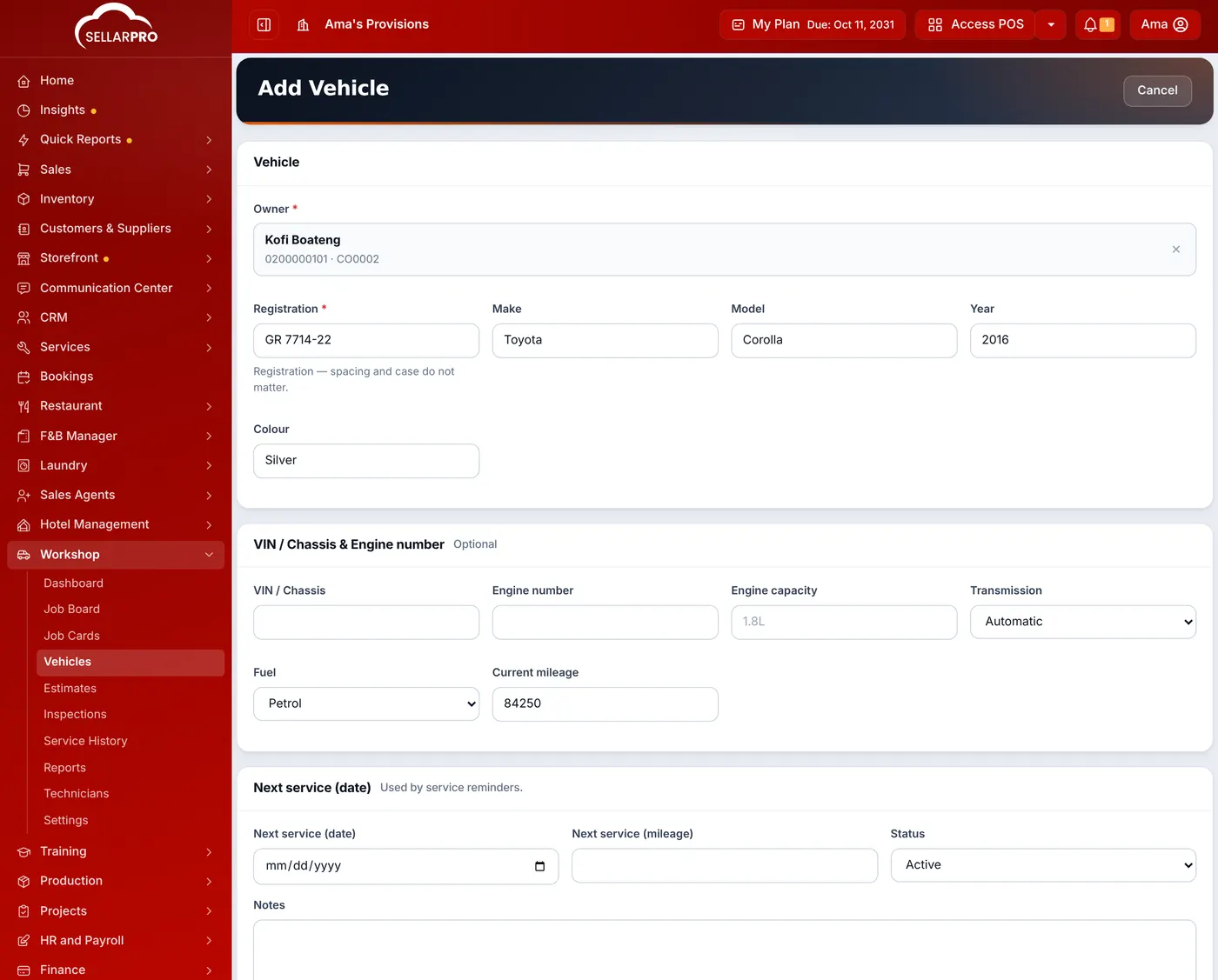
You can also add a vehicle while checking it in on a new job card.
Service history
Workshop → Service History lists every completed job: the vehicle, what was done, the parts and labour, and when. Search by registration or customer, and filter by date. A vehicle's own page shows its total and open jobs, so you know its history before you quote.
Was this article helpful?
Thanks — your answer helps us improve this article.
Still need help?
Can’t find the answer you’re looking for? Our support team in Accra can help.