
All help topics
Help topics
- Getting Started
- Sales & POS
- Products & Inventory
- Purchases & Suppliers
- Customers
- Staff & Permissions
- Reports
- Branches
- Hardware
- Payments
- Settings
- Troubleshooting
- Billing & Subscription
- Workshop
- Training
- Sales Agents
- Laundry
- Accounting
- HR & Payroll
- Hotel
- Services
- Communication Center
- Online Store
- CRM
- Restaurant
- F&B Manager
- Production
- Projects
- Asset Management
- All topics
How to Return Goods to a Supplier
To return goods from one purchase, open Purchases, click Actions and choose Purchase Return, then enter the Return Quantity. To return goods without a purchase, open Purchases → Purchase Returns and click Add. Stock goes down and the supplier owes you the value.
When goods go back to the supplier, damaged, expired or wrong, record a purchase return. It takes them out of your stock and records what the supplier owes you back.
Return goods from a purchase
- Open Purchases, click Actions on the purchase and choose Purchase Return.
- For each item going back, type the Return Quantity. The Return Total updates.
- Click Save.
Return goods without a purchase
- Open Purchases → Purchase Returns and click Add.
- Choose the Supplier and Business Location.
- Search for each product and enter the Quantity and Unit Price.
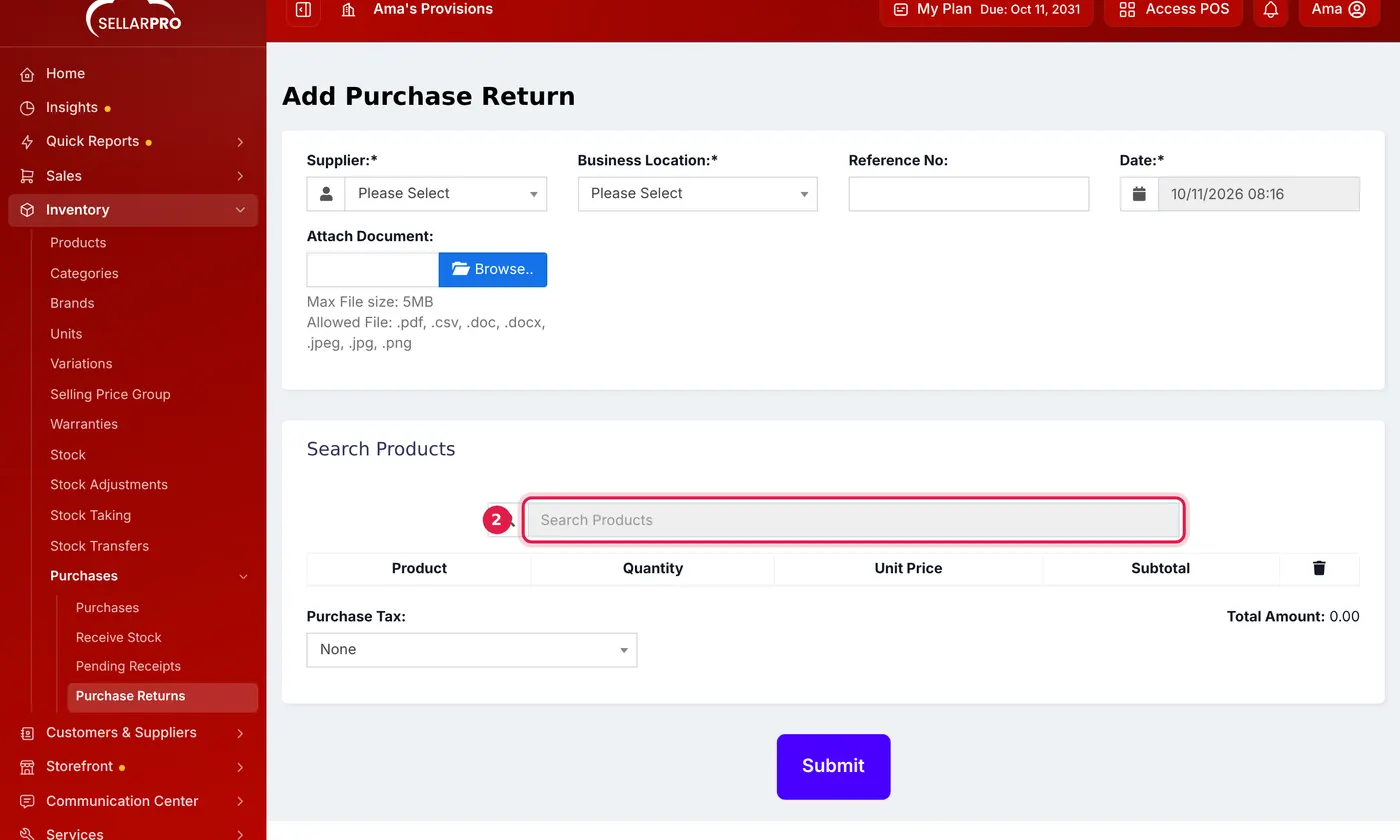
Choose the supplier and location first, then search for each product. - Click Submit.
Get your money back
When the supplier refunds you, open Customers & Suppliers → Suppliers, click Actions and choose Receive Purchase Return Due. If they give you credit instead, the return reduces what you owe them.
Common questions
Does a purchase return reduce my stock?
Was this article helpful?
Thanks — your answer helps us improve this article.
Still need help?
Can’t find the answer you’re looking for? Our support team in Accra can help.