
All help topics
Help topics
- Getting Started
- Sales & POS
- Products & Inventory
- Purchases & Suppliers
- Customers
- Staff & Permissions
- Reports
- Branches
- Hardware
- Payments
- Settings
- Troubleshooting
- Billing & Subscription
- Workshop
- Training
- Sales Agents
- Laundry
- Accounting
- HR & Payroll
- Hotel
- Services
- Communication Center
- Online Store
- CRM
- Restaurant
- F&B Manager
- Production
- Projects
- Asset Management
- All topics
On this page
How to Record Ingredient Usage, Waste and Returns
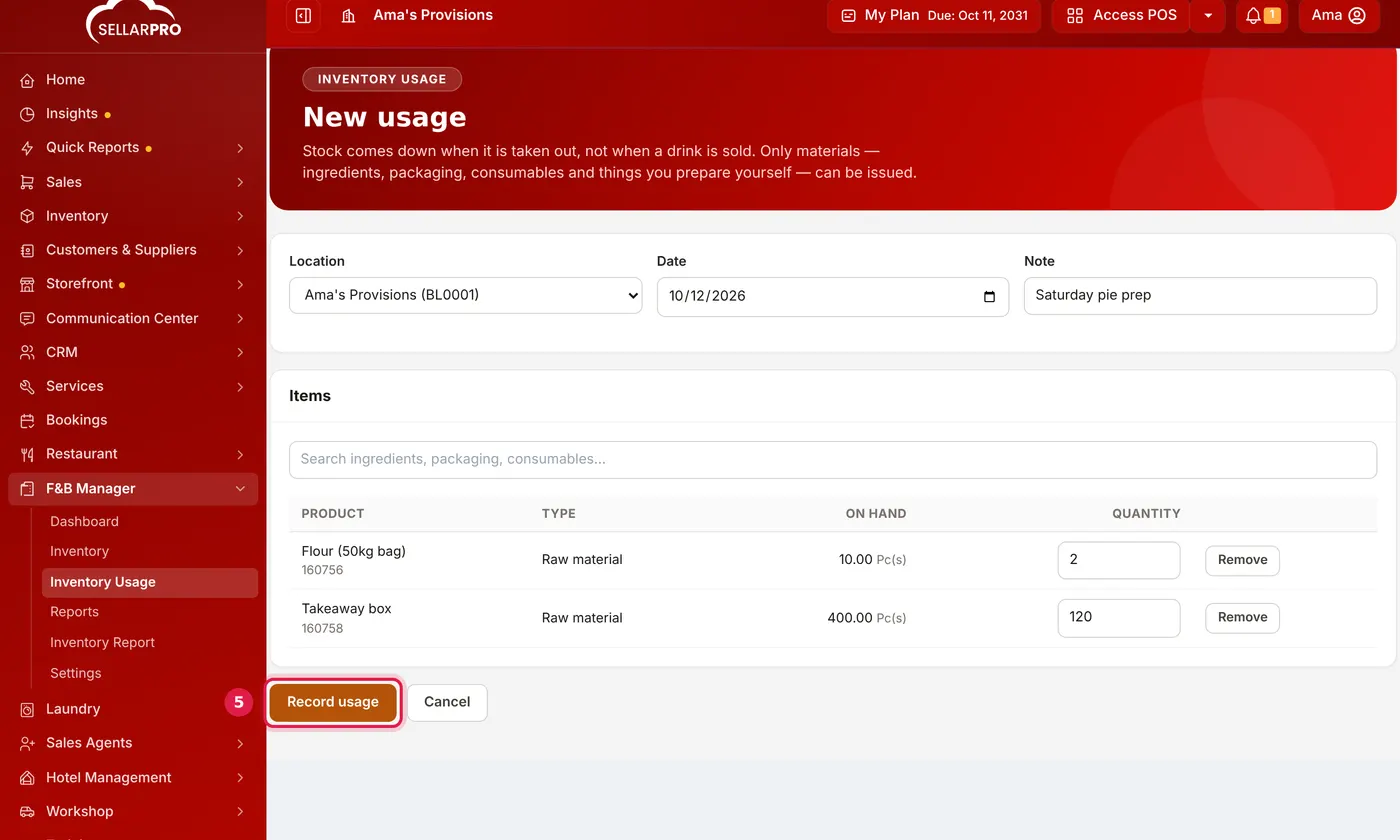
Open F&B Manager → Inventory Usage and click New usage. Choose the location and date, search for each material taken out, type the quantity, add a note such as "Saturday prep" or "spoiled", and click Record usage. Stock comes down at its cost. Anything not used can be returned to stock.
In F&B Manager, stock comes down when it is taken out of the store, not when a drink is sold. Record each issue to the kitchen or bar as usage.
Steps
- Open F&B Manager → Inventory Usage and click New usage.
- Choose the Location and the Date.
- Search for each material taken. Its type and what is On hand are shown; type the Quantity.
- Add a Note: what it was for, such as "Saturday prep", or why it was thrown away.
- Click Record usage.
What happens next
The quantities come out of stock at their real cost, and the usage is listed under Inventory Usage. Used and usage cost on the Inventory screen are net: what was taken out, less what came back.
If some of what was taken comes back unused, record the return on the usage. It goes back into stock at the cost it went out at, so nothing is counted twice.
Record waste the same day with a clear note. Waste that is not recorded shows up later as an unexplained stock gap.
Was this article helpful?
Thanks — your answer helps us improve this article.
Still need help?
Can’t find the answer you’re looking for? Our support team in Accra can help.