
All help topics
Help topics
- Getting Started
- Sales & POS
- Products & Inventory
- Purchases & Suppliers
- Customers
- Staff & Permissions
- Reports
- Branches
- Hardware
- Payments
- Settings
- Troubleshooting
- Billing & Subscription
- Workshop
- Training
- Sales Agents
- Laundry
- Accounting
- HR & Payroll
- Hotel
- Services
- Communication Center
- Online Store
- CRM
- Restaurant
- F&B Manager
- Production
- Projects
- Asset Management
- All topics
How to Record Deliveries and Delivery Fees
At the POS, click Shipping in the totals to add the Delivery Address, Shipping Charges, Delivery Status and Delivery Person. Track every delivery under Sales → Deliveries, and update it with Edit Delivery. Delivery fees are kept out of your sales and profit.
If you deliver to customers, record the delivery on the sale. You then have one list of what is waiting, on the way and delivered.
Add delivery to a sale
- On the POS, add the items and select the customer.
- Click Shipping in the totals.
- Fill in the Delivery Address, the Shipping Charges (the delivery fee, if you charge one), the Delivery Status and the Delivery Person, then click Update.
- Take payment. The delivery fee is part of what the customer pays.
Track deliveries
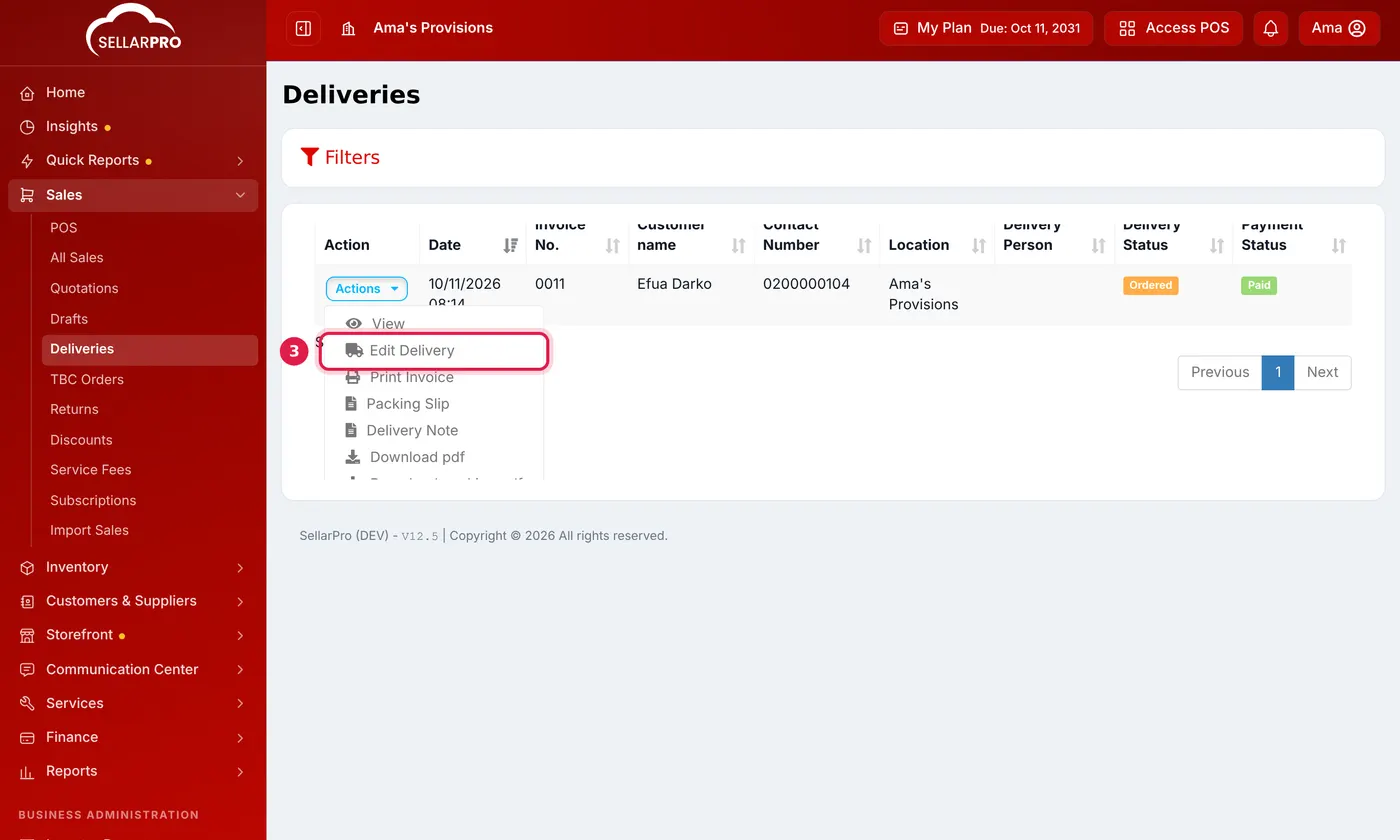
Open Sales → Deliveries to see every sale with a delivery. To update one, click Actions → Edit Delivery and change the Delivery Status: Ordered, Packed, Shipped, Delivered or Cancelled. Fill in Delivered To when it arrives.
How delivery fees are counted
A delivery fee is money you collect on the rider's behalf, so it is not counted in your sales or profit. It is in the cash drawer and in what the customer owes. To see how much delivery money you collected, open Quick Reports → Delivery Revenue.
Common questions
Can I print something for the rider?
Why is the delivery fee not in my sales total?
Was this article helpful?
Thanks — your answer helps us improve this article.
Still need help?
Can’t find the answer you’re looking for? Our support team in Accra can help.