
All help topics
Help topics
- Getting Started
- Sales & POS
- Products & Inventory
- Purchases & Suppliers
- Customers
- Staff & Permissions
- Reports
- Branches
- Hardware
- Payments
- Settings
- Troubleshooting
- Billing & Subscription
- Workshop
- Training
- Sales Agents
- Laundry
- Accounting
- HR & Payroll
- Hotel
- Services
- Communication Center
- Online Store
- CRM
- Restaurant
- F&B Manager
- Production
- Projects
- Asset Management
- All topics
On this page
How to Reconcile Your Bank Account
Add your bank under Accounting → Bank Accounts. Then open Bank Reconciliation, choose the account, enter the statement date and closing balance and click Start Reconciliation. Tick each transaction that is on both your statement and your books until the Difference is zero, then click Complete Reconciliation.
Reconciling proves that your books agree with your bank statement, and catches charges, deposits or mistakes that were never recorded.
Step 1: add the bank account (once)
Open Accounting → Bank Accounts. Under Add Bank Account, choose the GL Account (Cash/Bank) it belongs to, give it an Account Nickname, and fill in the Account Number, Bank Name, Branch and Opening Balance. Click Add Bank Account.
Step 2: start a reconciliation
- Open Accounting → Bank Reconciliation.
- Choose the Bank Account.
- Enter the Statement Date (the last day your statement covers) and the Statement Closing Balance printed on it.
- Click Start Reconciliation.
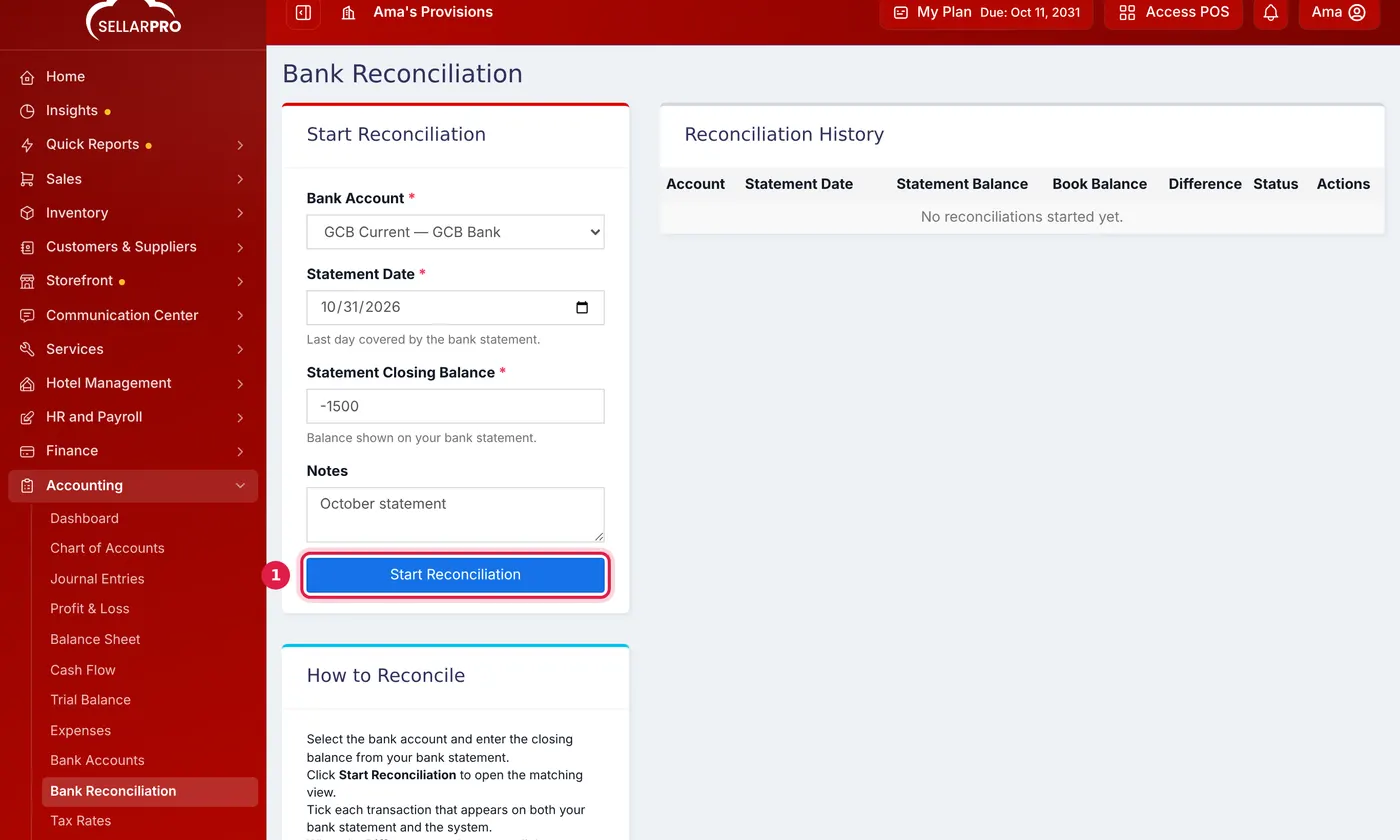
Copy the date and closing balance from your bank statement.
Step 3: match the transactions
- Tick each transaction that appears on both your statement and in SellarPro. The Reconciled and Difference figures update as you go.
- When the Difference reaches zero, click Complete Reconciliation.
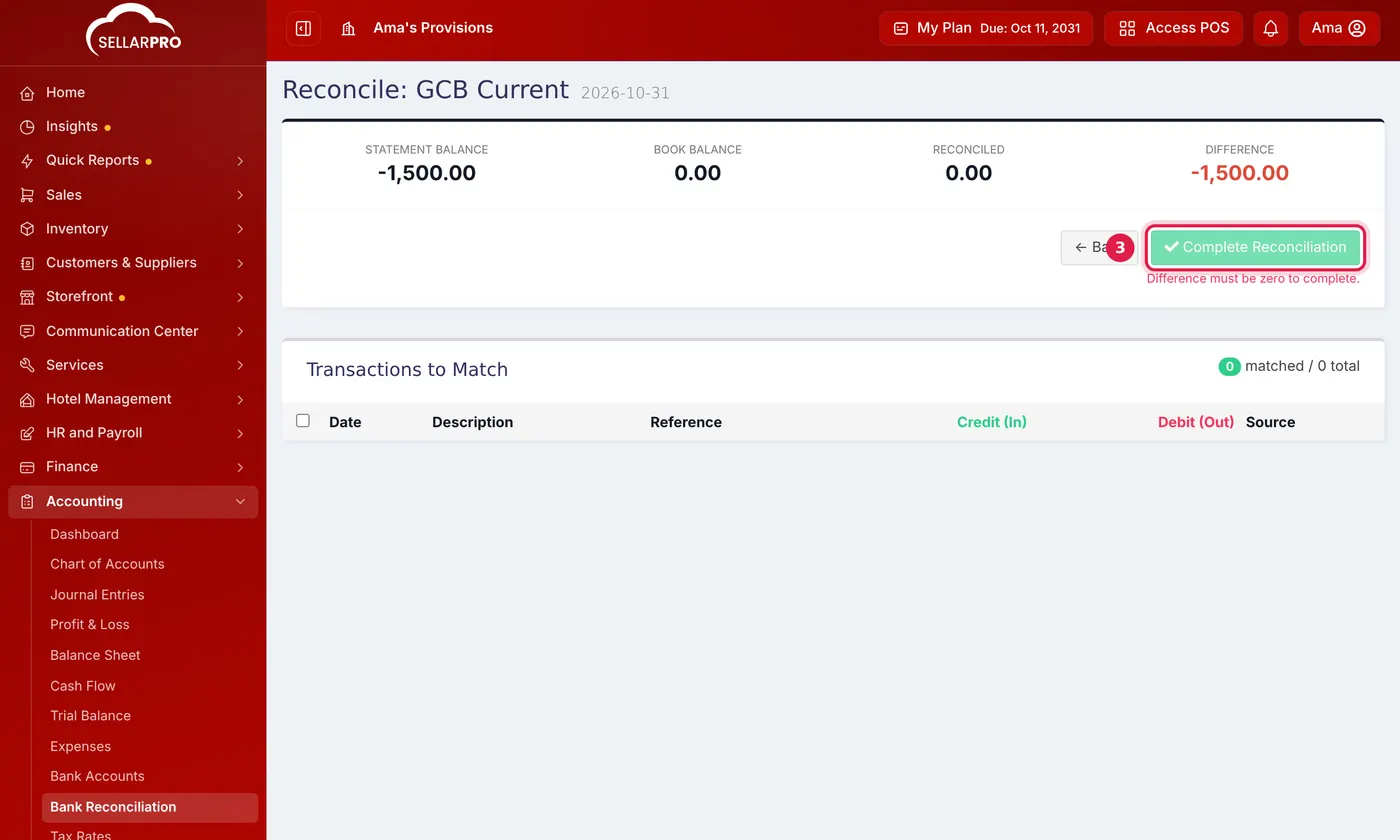
Complete Reconciliation only works once the Difference is zero.
A difference that will not clear usually means something on the statement is not in your books yet, such as bank charges. Record it with a journal entry and continue.
Unfinished reconciliations wait under Reconciliation History; click Continue to carry on.
Common questions
How often should I reconcile?
Was this article helpful?
Thanks — your answer helps us improve this article.
Still need help?
Can’t find the answer you’re looking for? Our support team in Accra can help.