
All help topics
Help topics
- Getting Started
- Sales & POS
- Products & Inventory
- Purchases & Suppliers
- Customers
- Staff & Permissions
- Reports
- Branches
- Hardware
- Payments
- Settings
- Troubleshooting
- Billing & Subscription
- Workshop
- Training
- Sales Agents
- Laundry
- Accounting
- HR & Payroll
- Hotel
- Services
- Communication Center
- Online Store
- CRM
- Restaurant
- F&B Manager
- Production
- Projects
- Asset Management
- All topics
How to Receive Stock Before the Supplier Invoice Arrives
Open Purchases → Receive Stock, choose the Location and add each product with its Received qty. Save, and the stock is sellable straight away. When the invoice comes, open Purchases → Pending Receipts, click Enter costs, then Confirm.
Deliveries often arrive before the supplier's invoice. Receive Stock lets you put the goods on sale now and settle the costs when the paperwork arrives.
Step 1: record what arrived
- Open Purchases → Receive Stock.
- Choose the Location. The Supplier and a Note are optional.
- Search for each product and click Add product. Enter the Received qty. The Unit cost starts at what you last paid, so change it only if you know the new price.
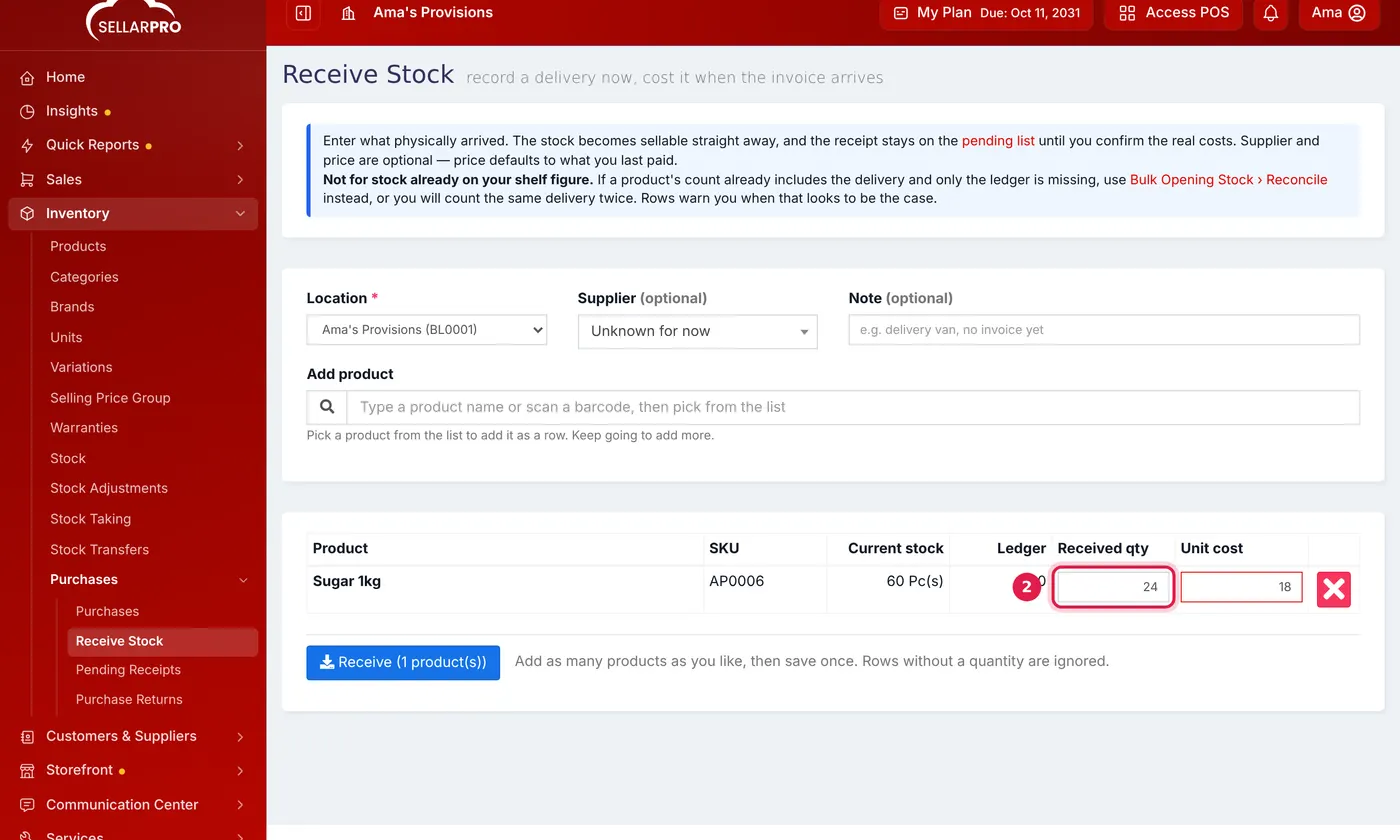
The unit cost starts at what you last paid. - Click Receive. Rows without a quantity are ignored.
The stock is sellable straight away.
Step 2: enter the costs when the invoice comes
- Open Purchases → Pending Receipts. Each delivery shows how long it has been Waiting and its Value so far.
- Click Enter costs and type the real prices from the invoice. Save.
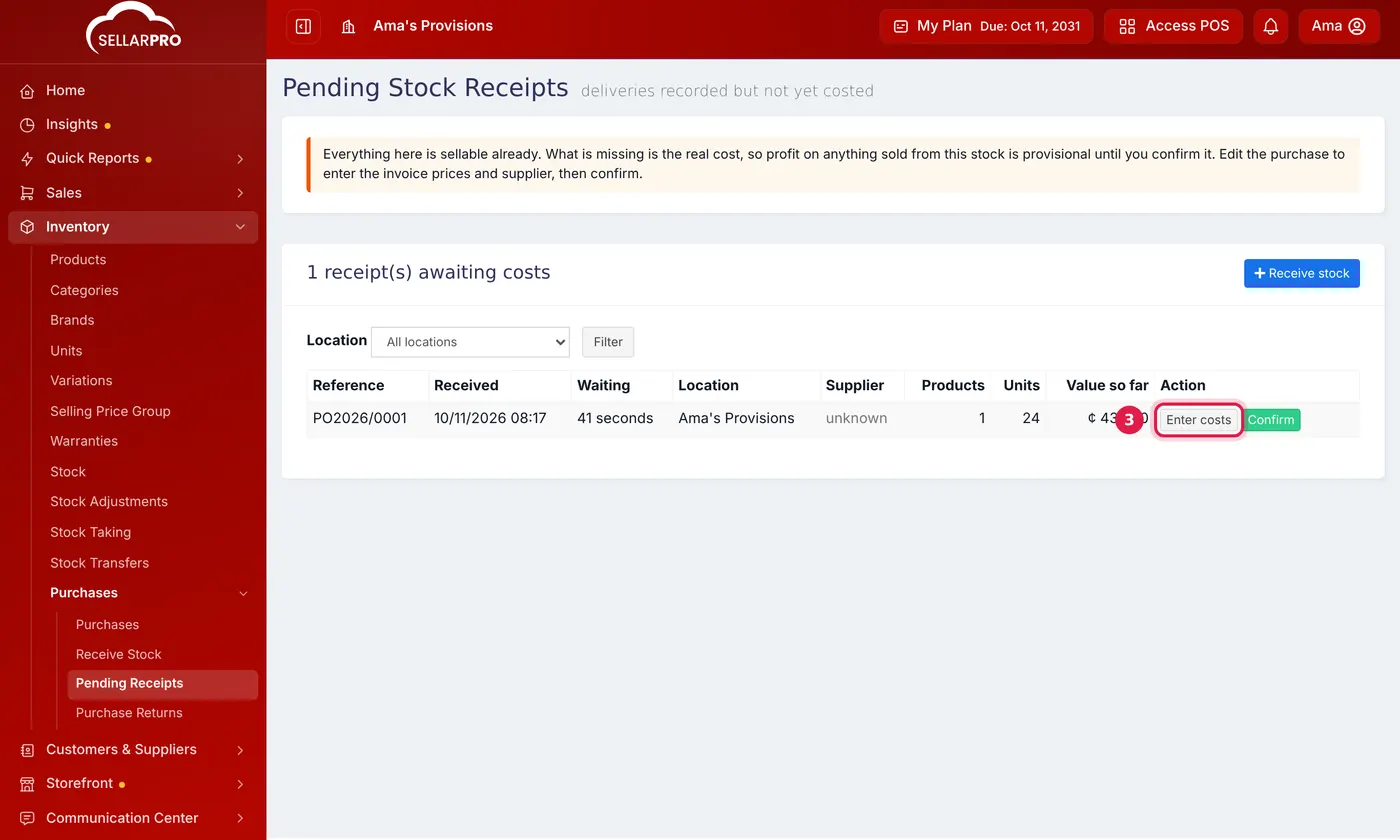
Each delivery waits here until its costs are entered and confirmed. - Click Confirm to mark the costs as final. The receipt leaves the pending list.
Receive Stock is for new deliveries only. If a product's count already includes the delivery and only the record is missing, use Bulk Opening Stock → Reconcile instead, or the stock will be counted twice.
Common questions
Why should I confirm the costs?
Was this article helpful?
Thanks — your answer helps us improve this article.
Still need help?
Can’t find the answer you’re looking for? Our support team in Accra can help.