
All help topics
Help topics
- Getting Started
- Sales & POS
- Products & Inventory
- Purchases & Suppliers
- Customers
- Staff & Permissions
- Reports
- Branches
- Hardware
- Payments
- Settings
- Troubleshooting
- Billing & Subscription
- Workshop
- Training
- Sales Agents
- Laundry
- Accounting
- HR & Payroll
- Hotel
- Services
- Communication Center
- Online Store
- CRM
- Restaurant
- F&B Manager
- Production
- Projects
- Asset Management
- All topics
On this page
How to Manage Staff Leave
Open HR and Payroll → Leave. Choose the Employee and Leave Type, pick the From Date and To Date and click Submit Request. The request appears under Latest Requests as Pending, where a manager can Approve or Reject it.
Leave requests are recorded and approved in one place, so you always know who is away and how much leave each person has taken.
Record a request
- Open HR and Payroll → Leave.
- Under Create Leave Request, choose the Employee and the Leave Type: Annual, Sick, Maternity, Paternity, Compassionate, Study or Unpaid Leave.
- Pick the From Date and To Date, add a Reason if you like, and click Submit Request.
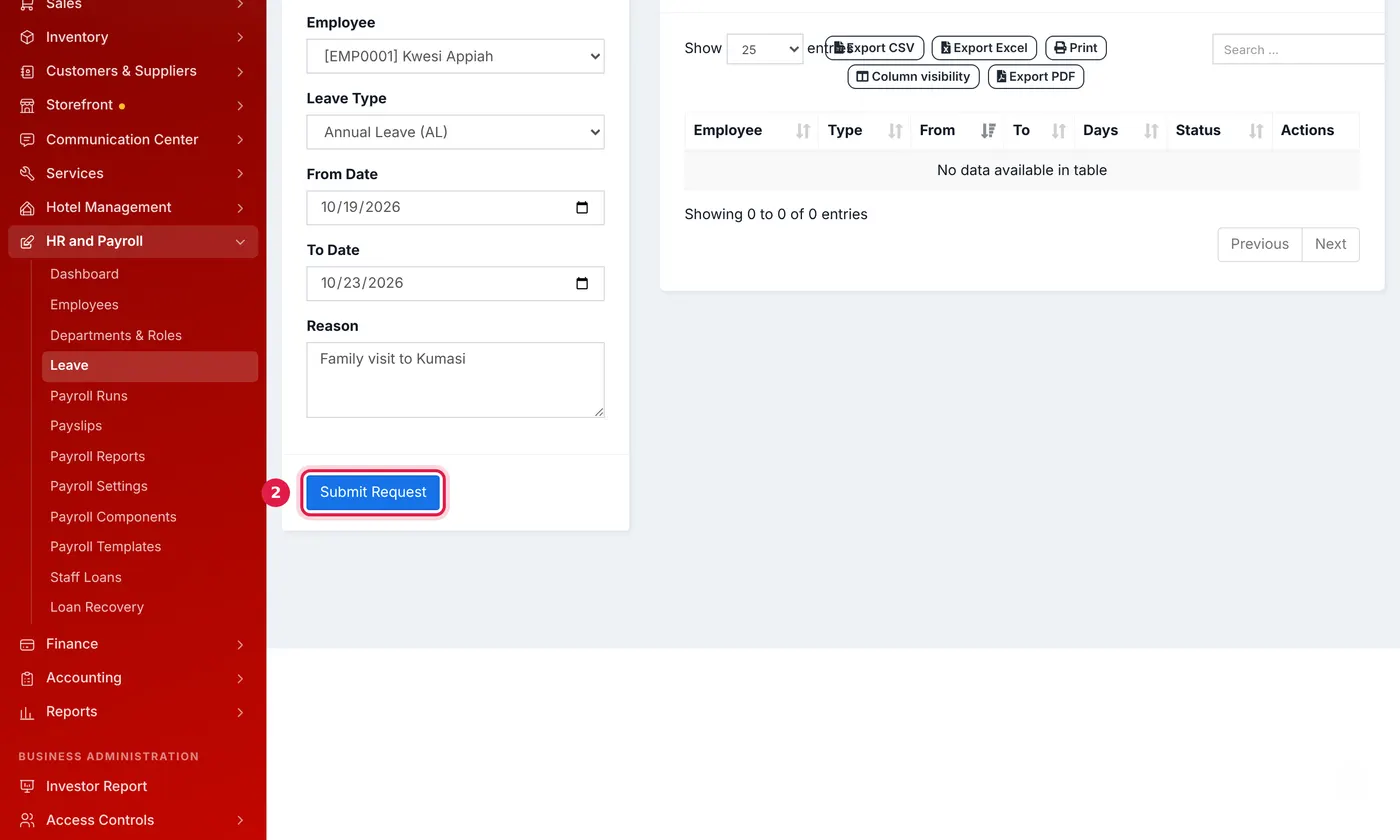
A week of annual leave for Kwesi.
To add your own leave type, change how many days a year one allows, or stop offering one, open HR and Payroll → Departments & Roles and use Leave Types. Add the standard leave types puts back any of the seven defaults you do not have.
Approve or reject it
The request appears under Latest Requests as Pending, with the number of days. Click Approve or Reject. Cancel withdraws it.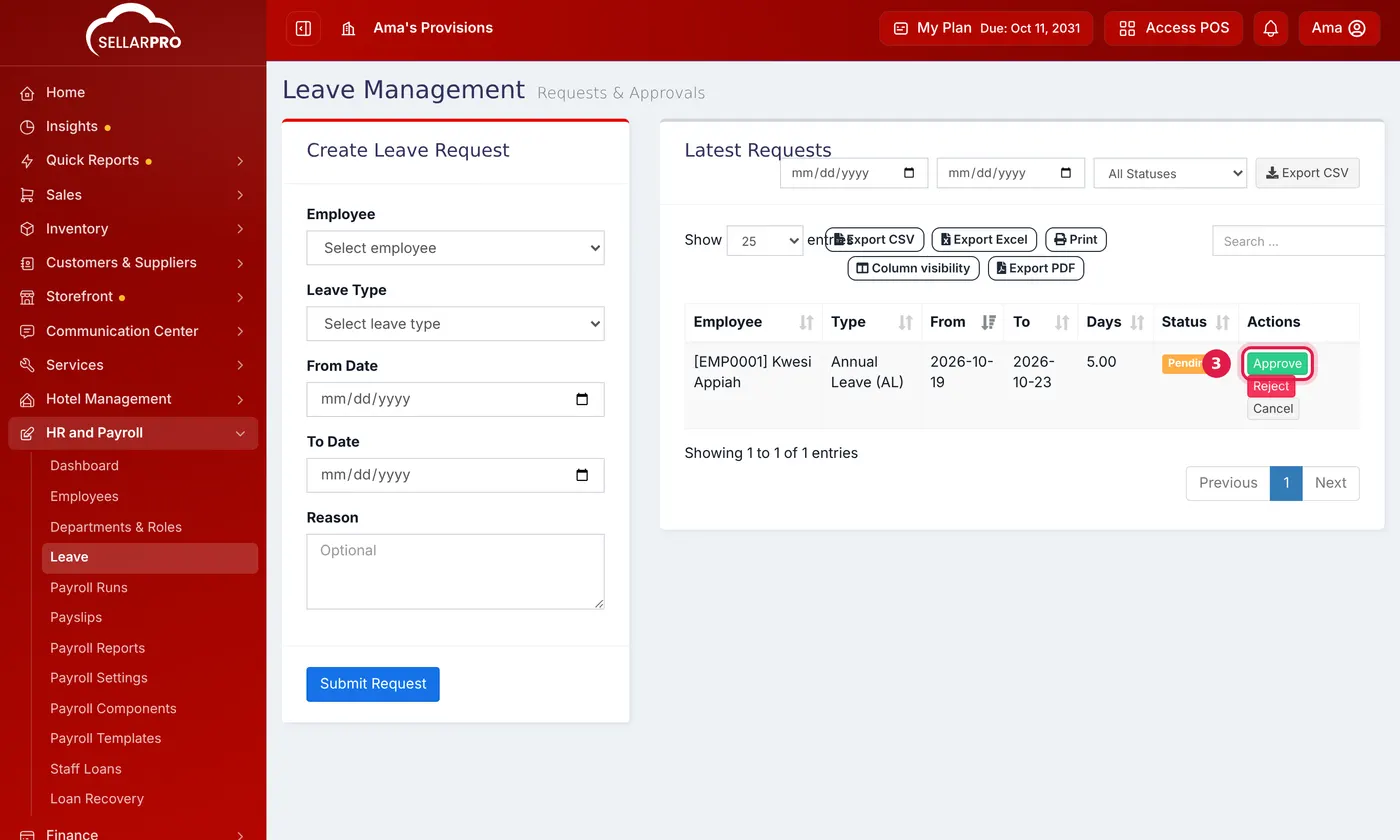
Filter the list by status or dates, or click Export CSV for a record of everyone's leave.
Common questions
Does unpaid leave come off pay?
Was this article helpful?
Thanks — your answer helps us improve this article.
Still need help?
Can’t find the answer you’re looking for? Our support team in Accra can help.