
All help topics
Help topics
- Getting Started
- Sales & POS
- Products & Inventory
- Purchases & Suppliers
- Customers
- Staff & Permissions
- Reports
- Branches
- Hardware
- Payments
- Settings
- Troubleshooting
- Billing & Subscription
- Workshop
- Training
- Sales Agents
- Laundry
- Accounting
- HR & Payroll
- Hotel
- Services
- Communication Center
- Online Store
- CRM
- Restaurant
- F&B Manager
- Production
- Projects
- Asset Management
- All topics
On this page
How to Close a Cash Register with a Blind Count
Give cashiers permission to close a register but not to view it. When they close, they count the drawer and enter the total without seeing what SellarPro expects. If the count is short, they must explain the shortage before the register closes.
A blind count means the cashier counts the money in the drawer without being told how much should be there. It is the simplest way to see whether a till really balances, because nobody can "count to the number on the screen".
Before you start
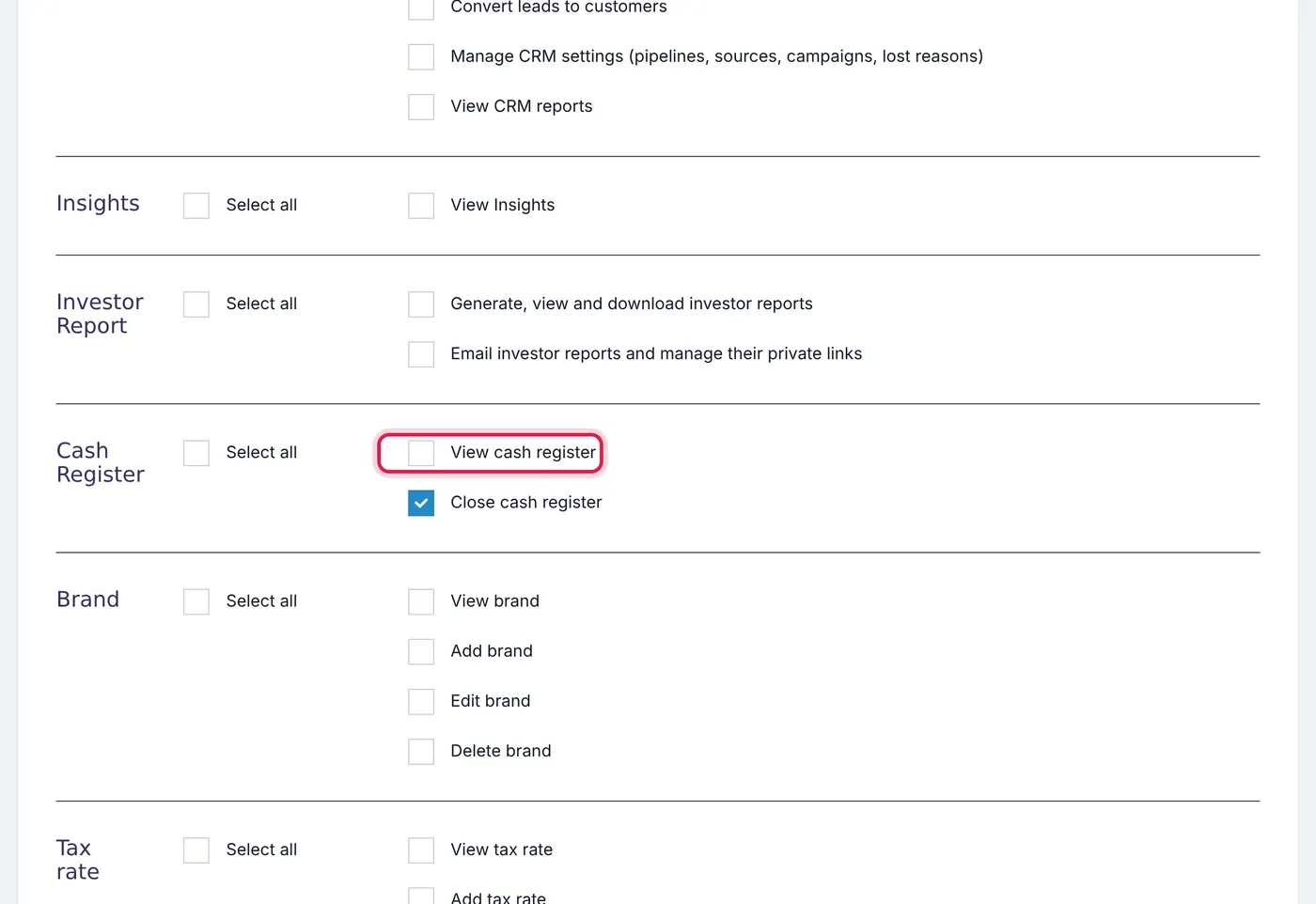
Blind counting is automatic for any user who can close a cash register but cannot view one. Set this up in Access Controls → Roles on your cashiers' role: keep the close permission ticked and untick the view permission. Managers who can view registers keep seeing every figure as before.
Steps for the cashier
- At the end of the shift, open Close Register from the POS screen.
- Count all the cash in the drawer, including the opening float.
- Enter the total in Counted Cash. If your business counts by denomination, fill in the notes and coins and the total is added up for you.
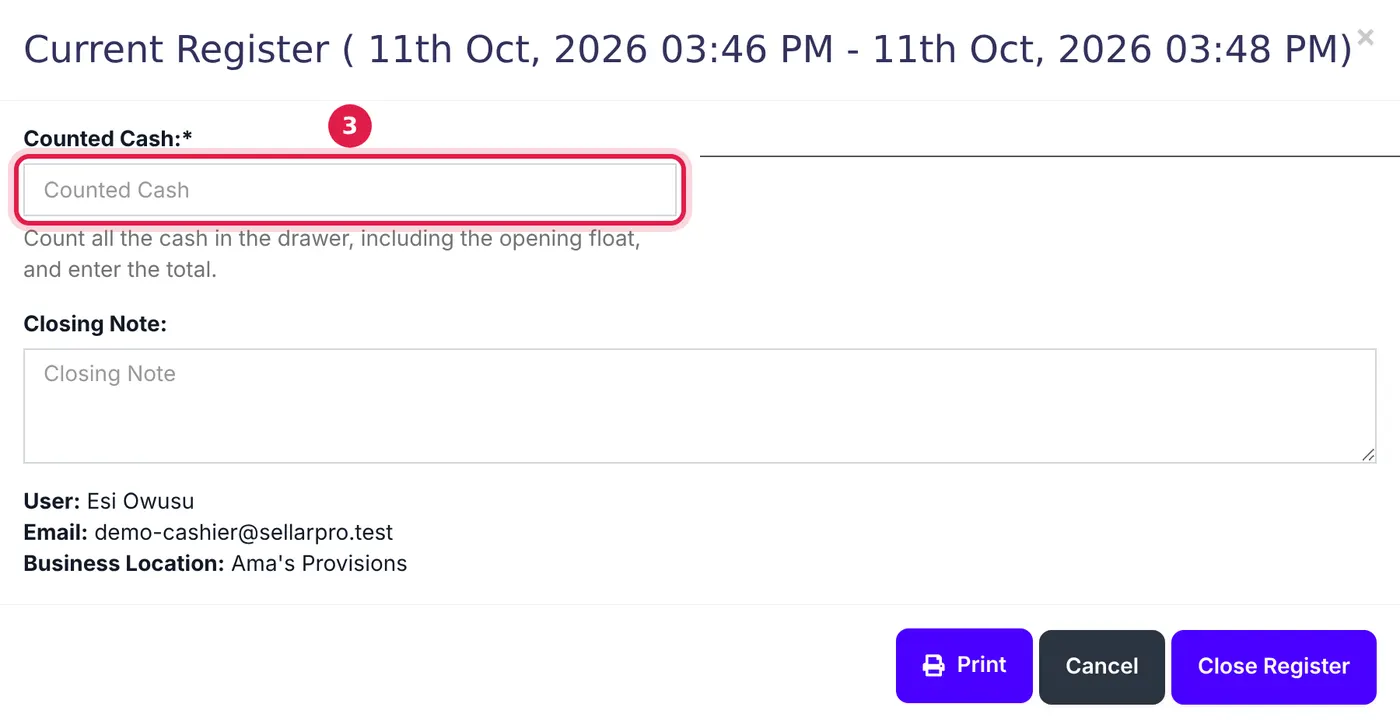
The cashier sees only Counted Cash, never the amount the register should hold. - Click Close Register.
What happens next
- Exact count or more: the register closes as counted.
- Short: the register stays open and the cashier sees Your count is less than the cash this register should hold. Count again, or explain the shortage in the note below. They can recount, or write the reason in Reason for the shortage and close.
The cashier is never told the expected amount, on screen, in the page or on the printed close slip. Managers see the expected cash, the counted cash and the difference in the register report.
A change from before: the printed close slip used to show every cashier the expected cash and the variance. Cashiers who cannot view registers no longer see those figures.
Common problems
The cashier's registers keep closing at 0
That happened before blind counting existed, when a cashier without view permission had nowhere to enter a count. They now get the Counted Cash field. If a register still shows 0, the cashier entered 0.
The count is short because of the float
The count must include the opening float. A cashier who takes the float out before counting will always be short by that amount.
Common questions
Can a manager still see what the register should hold?
What if the cashier has more money than expected?
Was this article helpful?
Thanks — your answer helps us improve this article.
Still need help?
Can’t find the answer you’re looking for? Our support team in Accra can help.