
All help topics
Help topics
- Getting Started
- Sales & POS
- Products & Inventory
- Purchases & Suppliers
- Customers
- Staff & Permissions
- Reports
- Branches
- Hardware
- Payments
- Settings
- Troubleshooting
- Billing & Subscription
- Workshop
- Training
- Sales Agents
- Laundry
- Accounting
- HR & Payroll
- Hotel
- Services
- Communication Center
- Online Store
- CRM
- Restaurant
- F&B Manager
- Production
- Projects
- Asset Management
- All topics
On this page
How to Buy SMS Credits and Request a Sender ID
Open Communication Center → Buy Credits, choose a package or type an amount, and pay. Your balance shows on SMS Balance. To send messages under your business name, open Sender IDs, type a name of up to 11 characters and click Submit Request; it can be used once approved.
Every SMS SellarPro sends for you, from receipts and reminders to campaigns, is paid from your SMS balance. You top it up yourself, and you can send under your own business name.
Buy credits
- Open Communication Center → Buy Credits.
- Choose one of the SMS Packages, or type an Amount (GHS) under Custom Amount.
- Click Proceed to Pay and pay with mobile money or card.
The new balance shows on Communication Center → SMS Balance, with your Last Top-up and Monthly Usage. Every top-up and every message charged is under Transactions.
Under Communication Center → Settings → General, set a Low Balance Alert Threshold. A warning shows when your balance drops below it, before texts stop.
Request a sender ID
- Open Communication Center → Sender IDs.
- Type the Sender ID: the name customers see as the sender, up to 11 letters and numbers, such as AMASPROV.
- Add the Purpose if you like, and click Submit Request.
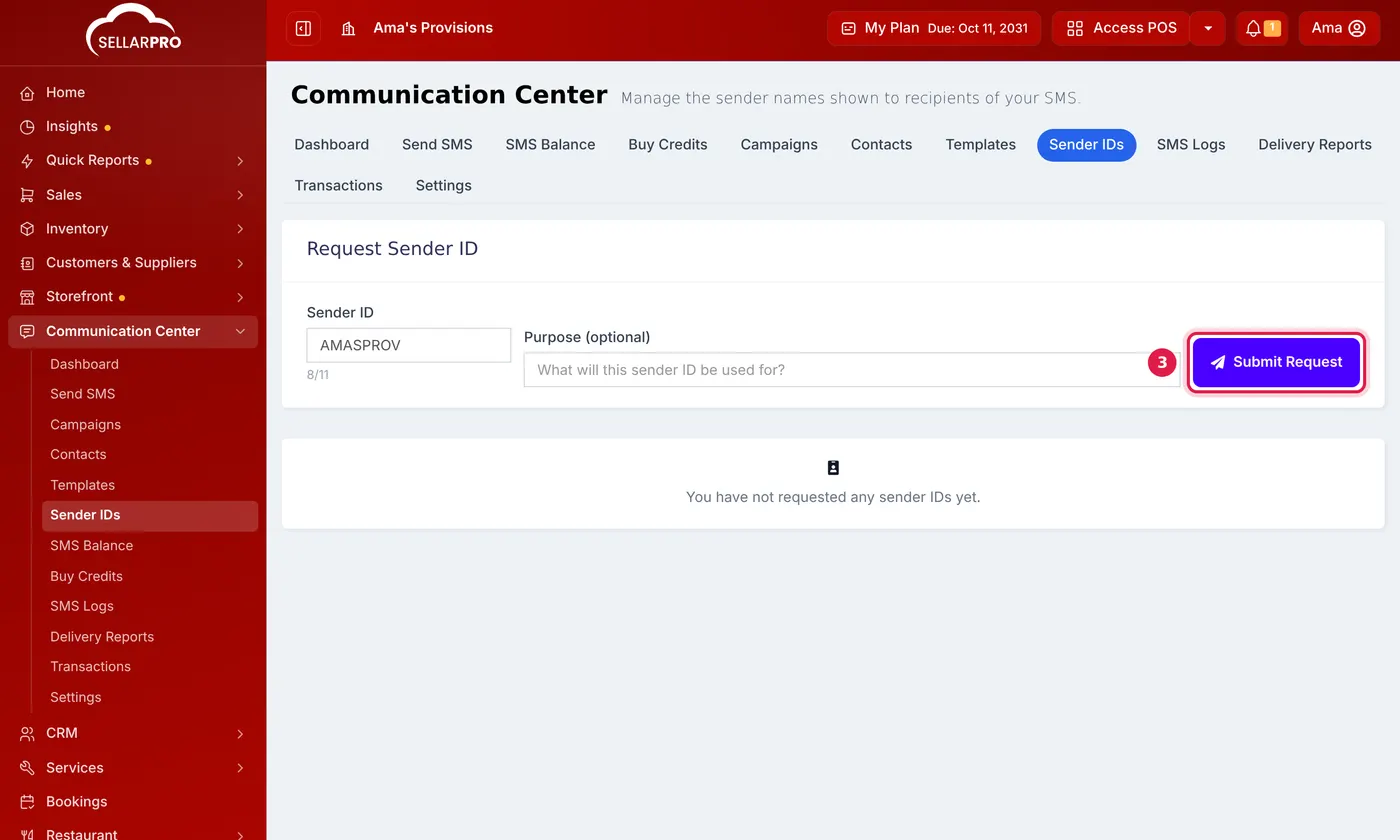
The request is checked with the mobile networks. Its status shows on the same page; once approved, choose it when you send.
Common questions
How many SMS does one message use?
Was this article helpful?
Thanks — your answer helps us improve this article.
Still need help?
Can’t find the answer you’re looking for? Our support team in Accra can help.