
All help topics
Help topics
- Getting Started
- Sales & POS
- Products & Inventory
- Purchases & Suppliers
- Customers
- Staff & Permissions
- Reports
- Branches
- Hardware
- Payments
- Settings
- Troubleshooting
- Billing & Subscription
- Workshop
- Training
- Sales Agents
- Laundry
- Accounting
- HR & Payroll
- Hotel
- Services
- Communication Center
- Online Store
- CRM
- Restaurant
- F&B Manager
- Production
- Projects
- Asset Management
- All topics
On this page
Why Customers Are Not Receiving SMS from SellarPro
Check your SMS balance first, then the customer's mobile number, then SMS Logs in the Communication Center, which shows whether each message was Sent, Delivered, Failed or Rejected. A new sender ID must be approved before messages carry your name.
1. Check your SMS balance
Open Communication Center → SMS Balance. With no balance, automatic texts are not sent. Top up with Buy Credits.
2. Check the customer's number
Open the customer's record and check the Mobile number: a Ghana number such as 024 123 4567 or +233 24 123 4567, with no letters or extra digits. A number that cannot be delivered to is skipped.
3. Check that the message is switched on
- Sale and payment messages: Auto Send SMS in Notification Templates.
- Laundry texts: Laundry → Settings → Customer SMS.
- The daily sales summary and restaurant order texts have their own settings.
4. Read the log
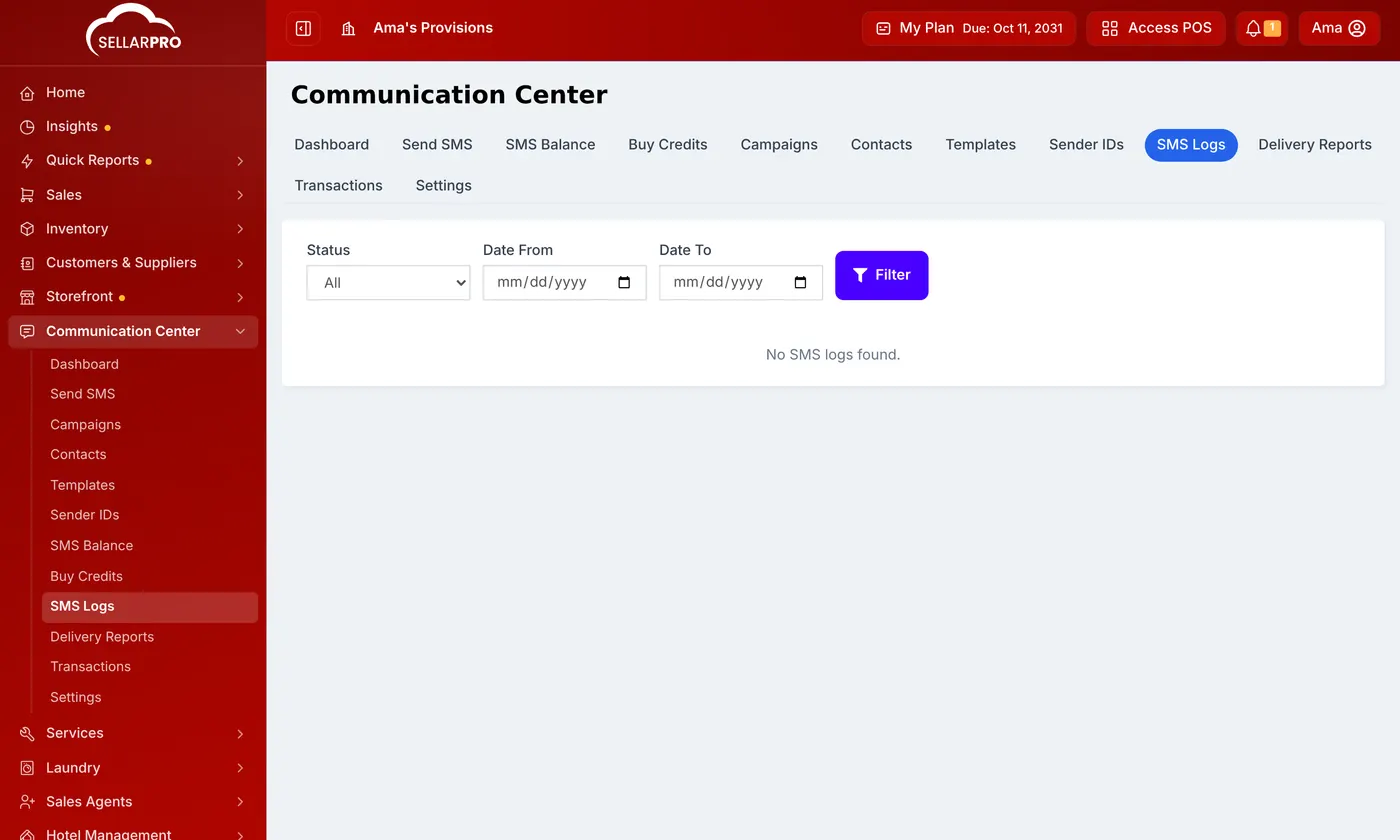
Open Communication Center → SMS Logs or Delivery Reports and filter by Status:
- Queued or Sent: on its way.
- Delivered: it reached the phone. If the customer has not seen it, it may be in a blocked or promotions folder on their phone.
- Failed or Rejected: the network refused it, usually because of the number or the sender ID.
5. Sender ID
A sender ID (the name the message comes from) must be approved before it can be used. Check its status under Communication Center → Sender IDs.
Common questions
Some customers get messages and others do not.
Was this article helpful?
Thanks — your answer helps us improve this article.
Still need help?
Can’t find the answer you’re looking for? Our support team in Accra can help.