
All help topics
Help topics
- Getting Started
- Sales & POS
- Products & Inventory
- Purchases & Suppliers
- Customers
- Staff & Permissions
- Reports
- Branches
- Hardware
- Payments
- Settings
- Troubleshooting
- Billing & Subscription
- Workshop
- Training
- Sales Agents
- Laundry
- Accounting
- HR & Payroll
- Hotel
- Services
- Communication Center
- Online Store
- CRM
- Restaurant
- F&B Manager
- Production
- Projects
- Asset Management
- All topics
On this page
How to Buy from the SellarPro Hardware Store
Short answer
Open Hardware Store from the menu to buy POS terminals, receipt and label printers, barcode scanners, cash drawers, cash handling, CCTV and networking kit that work with SellarPro. Filter by category, add to cart and order; most orders leave within 2 working days.
The Hardware Store sells the equipment your counter needs, all checked to work with SellarPro.
Steps
- Open Hardware Store from the menu.
- Pick a category, such as POS Machines, Printers, Scanners or Cash Drawers, or browse All hardware. Tick In stock only to see what can ship now.
- Click View details on a product, then add it to your cart.
- Open the cart and place your order.
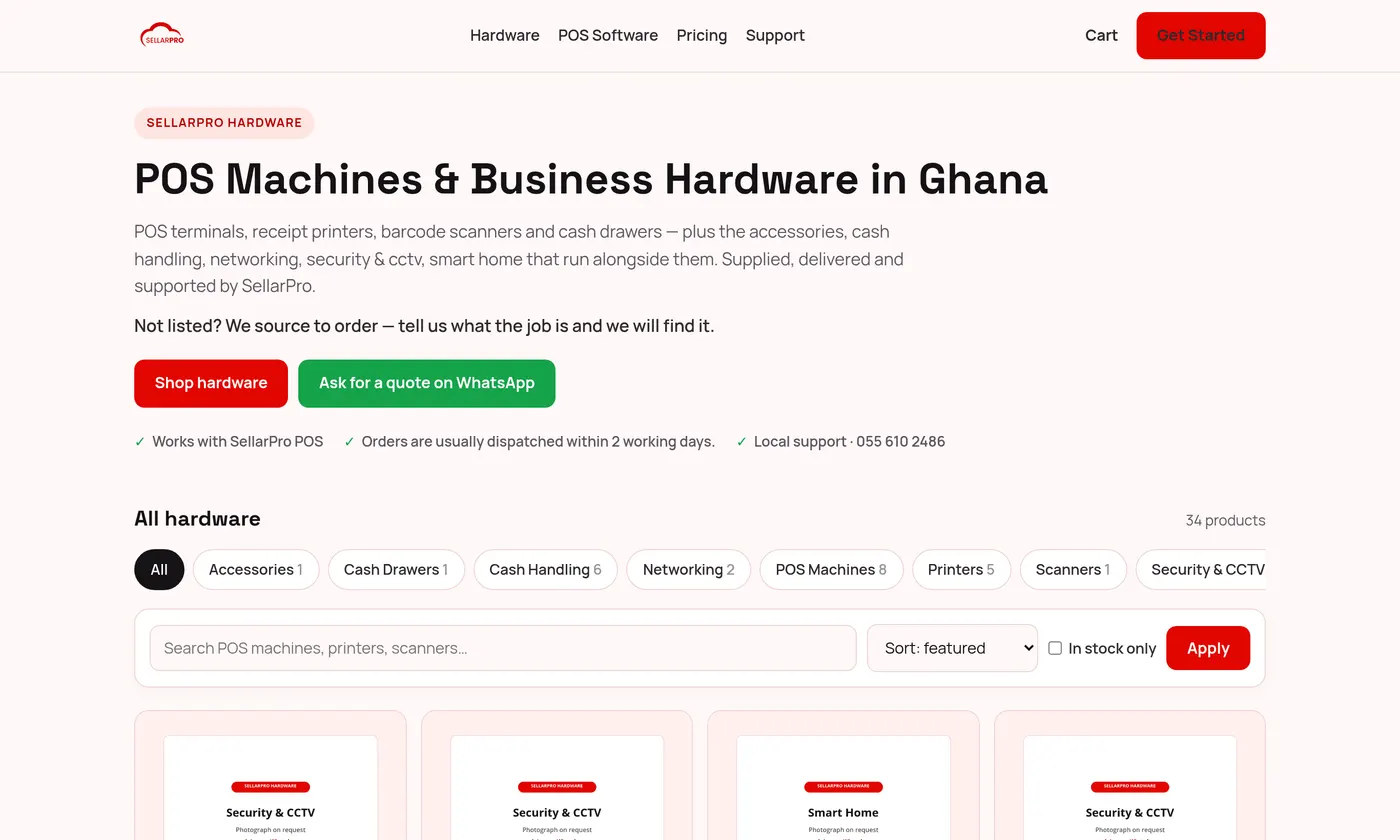
Orders are usually dispatched within 2 working days. Items marked Available to order are brought in for you.
Not listed? Use Ask for a quote on WhatsApp and tell us what the job is. We source to order.
Common questions
Will it work with SellarPro?
Yes. Everything in the store is chosen to work with SellarPro. See How to Connect a Barcode Scanner, Cash Drawer and Customer Display for setting it up.
Was this article helpful?
Thanks — your answer helps us improve this article.
Still need help?
Can’t find the answer you’re looking for? Our support team in Accra can help.