
All help topics
Help topics
- Getting Started
- Sales & POS
- Products & Inventory
- Purchases & Suppliers
- Customers
- Staff & Permissions
- Reports
- Branches
- Hardware
- Payments
- Settings
- Troubleshooting
- Billing & Subscription
- Workshop
- Training
- Sales Agents
- Laundry
- Accounting
- HR & Payroll
- Hotel
- Services
- Communication Center
- Online Store
- CRM
- Restaurant
- F&B Manager
- Production
- Projects
- Asset Management
- All topics
On this page
How to Add Brands and Warranties
Short answer
Add brands under Inventory → Brands and warranties under Inventory → Warranties, each with Add. Choose them on the product form under More Fields. Brands let you filter reports and the product list; a warranty prints its name and expiry on the invoice when the layout shows it.
Brands
- Open Inventory → Brands and click Add.
- Type the brand name and a note if you like. Save.
- On the product form, open More Fields and choose the Brand.
Brands let you filter the product list, the POS and reports, and see Profit by brands on the Profit / Loss report.
Warranties
- Open Inventory → Warranties and click Add.
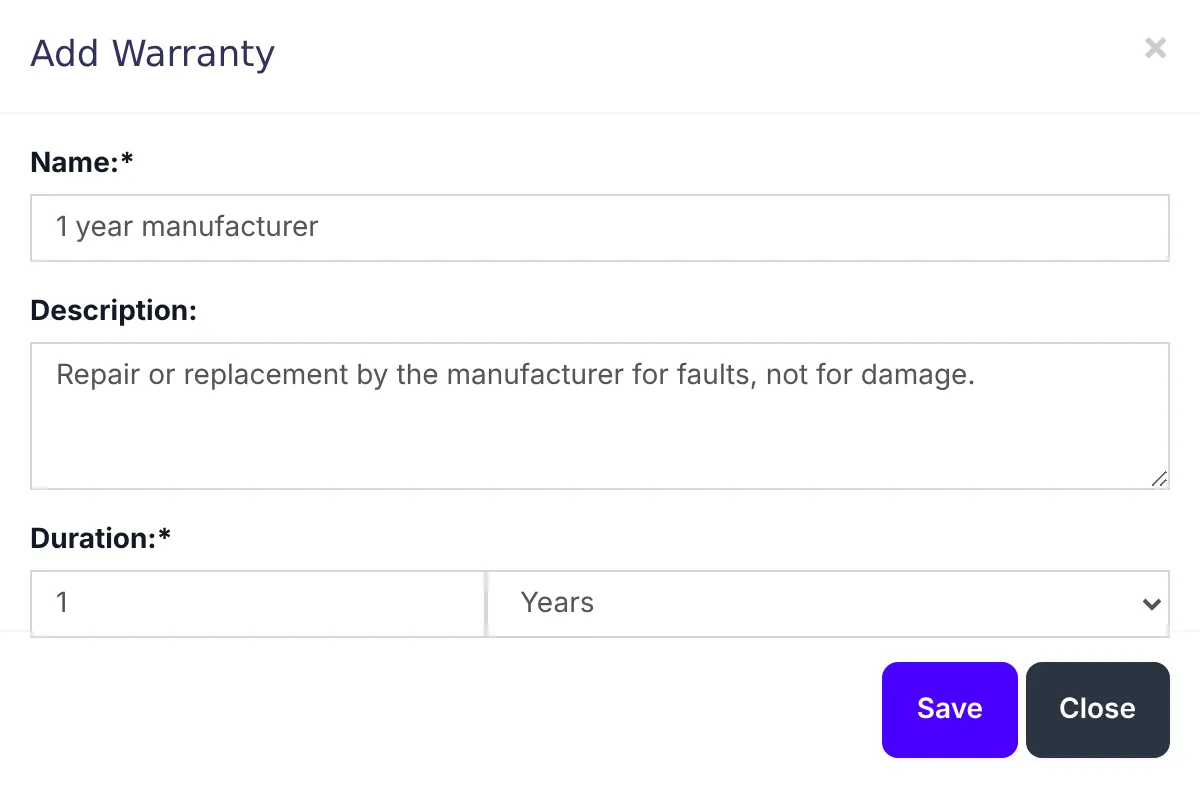
- Type the Name, such as "1 year manufacturer", a Description of what it covers, and the duration: a number and Days, Months or Years.
- Save, then choose it on the product form under More Fields.
To print it on receipts, edit your invoice layout under Settings → Invoice Settings → Invoice Layouts and tick Show warranty name, Show warranty expiry date and, if you like, Show warranty description.
Was this article helpful?
Thanks — your answer helps us improve this article.
Still need help?
Can’t find the answer you’re looking for? Our support team in Accra can help.