
All help topics
Help topics
- Getting Started
- Sales & POS
- Products & Inventory
- Purchases & Suppliers
- Customers
- Staff & Permissions
- Reports
- Branches
- Hardware
- Payments
- Settings
- Troubleshooting
- Billing & Subscription
- Workshop
- Training
- Sales Agents
- Laundry
- Accounting
- HR & Payroll
- Hotel
- Services
- Communication Center
- Online Store
- CRM
- Restaurant
- F&B Manager
- Production
- Projects
- Asset Management
- Device Repair
- Bookings & appointments
- Set up for your industry
- Hire Purchase
- Refer & earn
- All topics
On this page
How Hire Purchase Works in SellarPro
The customer takes the goods home today, pays a deposit, then pays the rest in weekly, fortnightly or monthly installments plus a hire purchase charge. SellarPro writes the agreement, takes the goods out of stock, works out the schedule, reminds the customer by text and shows you who is behind.
Hire purchase lets a customer take a TV, fridge, phone or generator home today and pay for it over time. You stay in control: the agreement says what they owe and when, SellarPro tracks every payment, and the goods remain yours until the last installment is paid.
What happens when you sell on hire purchase
- You write an agreement for the customer: the goods, the deposit, the term and how often they pay.
- The goods leave stock as soon as you save it, and the deposit is taken.
- SellarPro works out the schedule. Each installment has a due date and an amount.
- The customer pays installments at your counter, by MoMo, or online from their own page.
- Texts go out by themselves before a payment is due, on the day, and when it is late.
- When the last installment is paid, the agreement is marked Paid off and the customer gets a thank-you text.
How the price is worked out
SellarPro uses a flat rate per month on the amount the customer still owes after the deposit:
- Amount financed = cash price − deposit
- HP charge = amount financed × rate % × number of months
- HP total = cash price + HP charge
For example, a GHS 3,200 TV with GHS 800 down at 4% a month for 6 months: 2,400 × 4% × 6 = GHS 576 charge. The customer pays 6 installments of GHS 496.
Where the money goes in your books
Every agreement is an ordinary sale in SellarPro. The goods are sold at their cash price and the HP charge is its own line, so it shows as income in your sales and profit reports. The customer's balance shows in the Debtors List like any credit sale. Nothing about hire purchase is kept in a separate book.
The Hire Purchase menu
- Dashboard: your installment book at a glance.
- Collect payment: find a customer and take a payment.
- New agreement: sell on hire purchase.
- Agreements: every agreement, open and closed.
- Due & overdue: who to call today.
- Customer ratings: every customer graded A to E from how they pay.
- Reports, Plans and Settings.
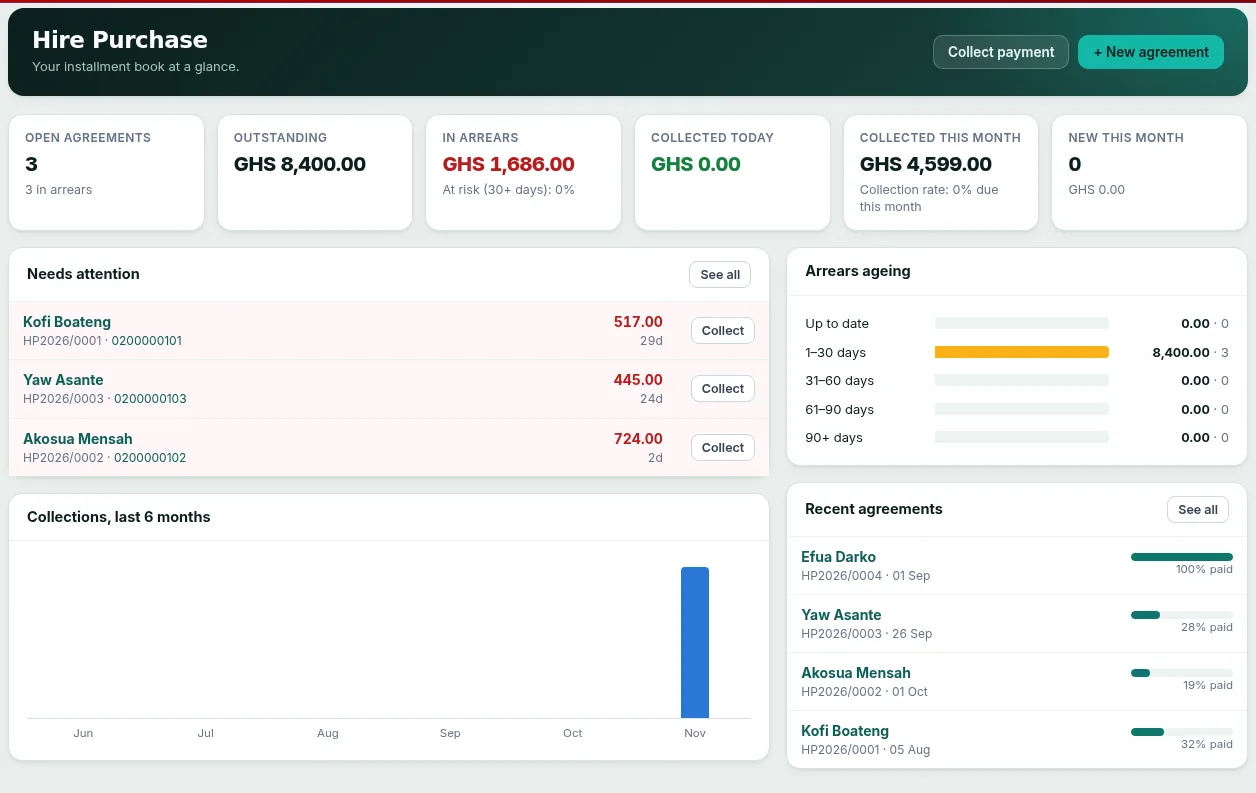
Hire Purchase comes with selected SellarPro plans. If you don't see it in your menu, contact SellarPro to add it to your business.
Common questions
Do the goods leave stock straight away?
Is the hire purchase charge counted as sales?
Was this article helpful?
Thanks — your answer helps us improve this article.
Still need help?
Can’t find the answer you’re looking for? Our support team in Accra can help.