
All help topics
Help topics
- Getting Started
- Sales & POS
- Products & Inventory
- Purchases & Suppliers
- Customers
- Staff & Permissions
- Reports
- Branches
- Hardware
- Payments
- Settings
- Troubleshooting
- Billing & Subscription
- Workshop
- Training
- Sales Agents
- Laundry
- Accounting
- HR & Payroll
- Hotel
- Services
- Communication Center
- Online Store
- CRM
- Restaurant
- F&B Manager
- Production
- Projects
- Asset Management
- Device Repair
- Bookings & appointments
- Set up for your industry
- Hire Purchase
- Refer & earn
- All topics
How Hire Purchase Customer Ratings Work
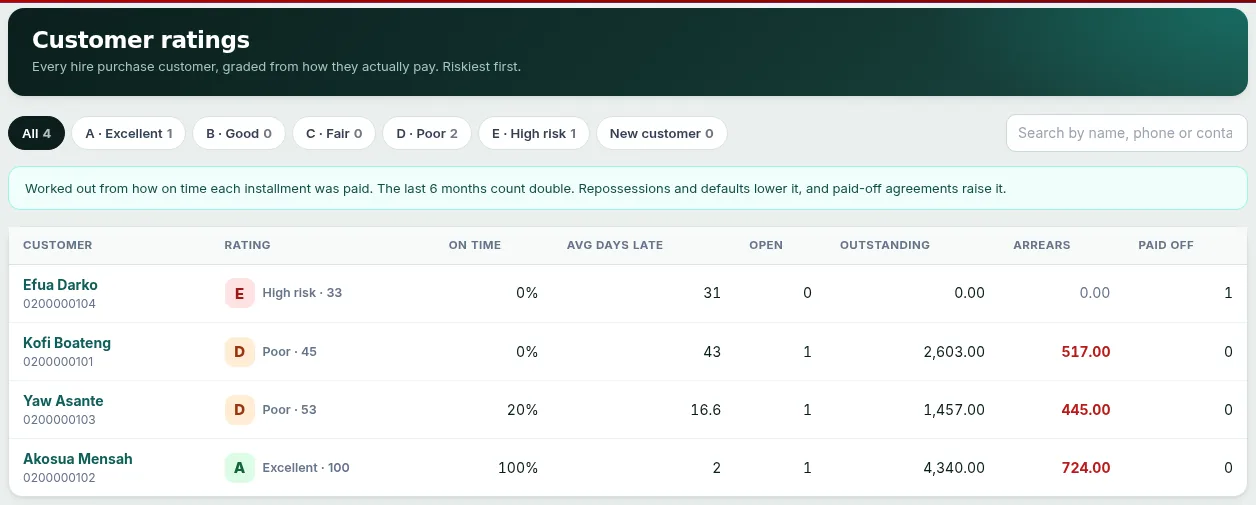
Every hire purchase customer gets a grade from A (Excellent) to E (High risk), worked out from how on time each installment was paid. The last 6 months count double, repossessions and defaults lower it, and paid-off agreements raise it. You can require a manager before selling to low-rated customers.
Nobody types in a rating. SellarPro works it out from every installment the customer has had, and it changes the moment they pay.
The grades
- A · Excellent: 85 and above
- B · Good: 70 to 84
- C · Fair: 55 to 69
- D · Poor: 40 to 54
- E · High risk: below 40
- New customer: nothing has fallen due yet, so there is no rating. That is not the same as a bad one.
How the score is made
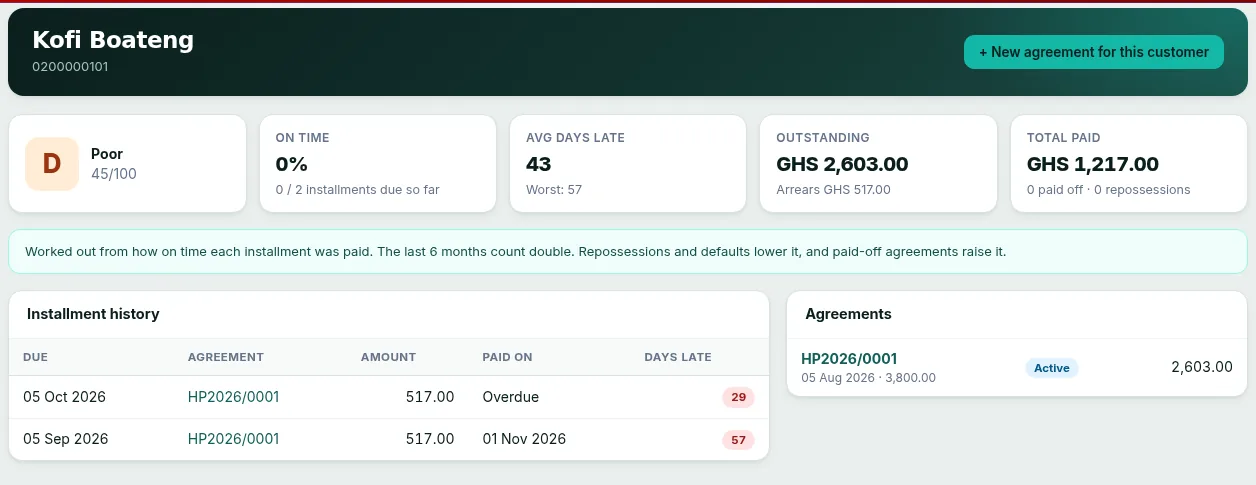
Each installment that has fallen due scores by how late it was paid (or how late it is now): on time or within the grace days scores full marks, a week late a little less, a month late much less, and over two months late nothing. The last 6 months count double, so a customer who has improved is not held to an old bad patch. Each repossession and each open default takes points off; each paid-off agreement adds a few.
Where you see it
- Hire Purchase → Customer ratings lists every customer, riskiest first.
- Click a customer for their full installment history: when each was due, when it was paid and how many days late.
- The rating shows when you choose the customer on a new agreement, on the agreement and on the payment screen.
Block low-rated customers
In Settings → Rating & risk, choose Need a manager for new agreements with customers rated E, D or C or worse. Counter staff are then refused for those customers; a manager can still write the agreement.
Common questions
Can I change a customer's grade by hand?
Was this article helpful?
Thanks — your answer helps us improve this article.
Still need help?
Can’t find the answer you’re looking for? Our support team in Accra can help.