
All help topics
Help topics
- Getting Started
- Sales & POS
- Products & Inventory
- Purchases & Suppliers
- Customers
- Staff & Permissions
- Reports
- Branches
- Hardware
- Payments
- Settings
- Troubleshooting
- Billing & Subscription
- Workshop
- Training
- Sales Agents
- Laundry
- Accounting
- HR & Payroll
- Hotel
- Services
- Communication Center
- Online Store
- CRM
- Restaurant
- F&B Manager
- Production
- Projects
- Asset Management
- All topics
On this page
How to Use SMS Contact Groups and Templates
Under Communication Center → Contacts, click New Group to make a list of people to text, such as members or suppliers, who need not be customers. Under Templates, click New Template to save a message you send often. Choose either when you send an SMS or campaign.
Contact groups
A contact group is a list of phone numbers to text together, such as church members, staff or suppliers. They do not have to be customers.
- Open Communication Center → Contacts and click New Group.
- Type the Group Name and save.
- Open the group and click Add Member for each person, with their name and mobile number.
When you send, choose Saved Contact Group as the recipient filter and pick the group.
Templates
A template is a message you send often, saved so nobody types it from scratch.
- Open Communication Center → Templates and click New Template.
- Type the Template Name, choose a Category and write the Message.
- Save.
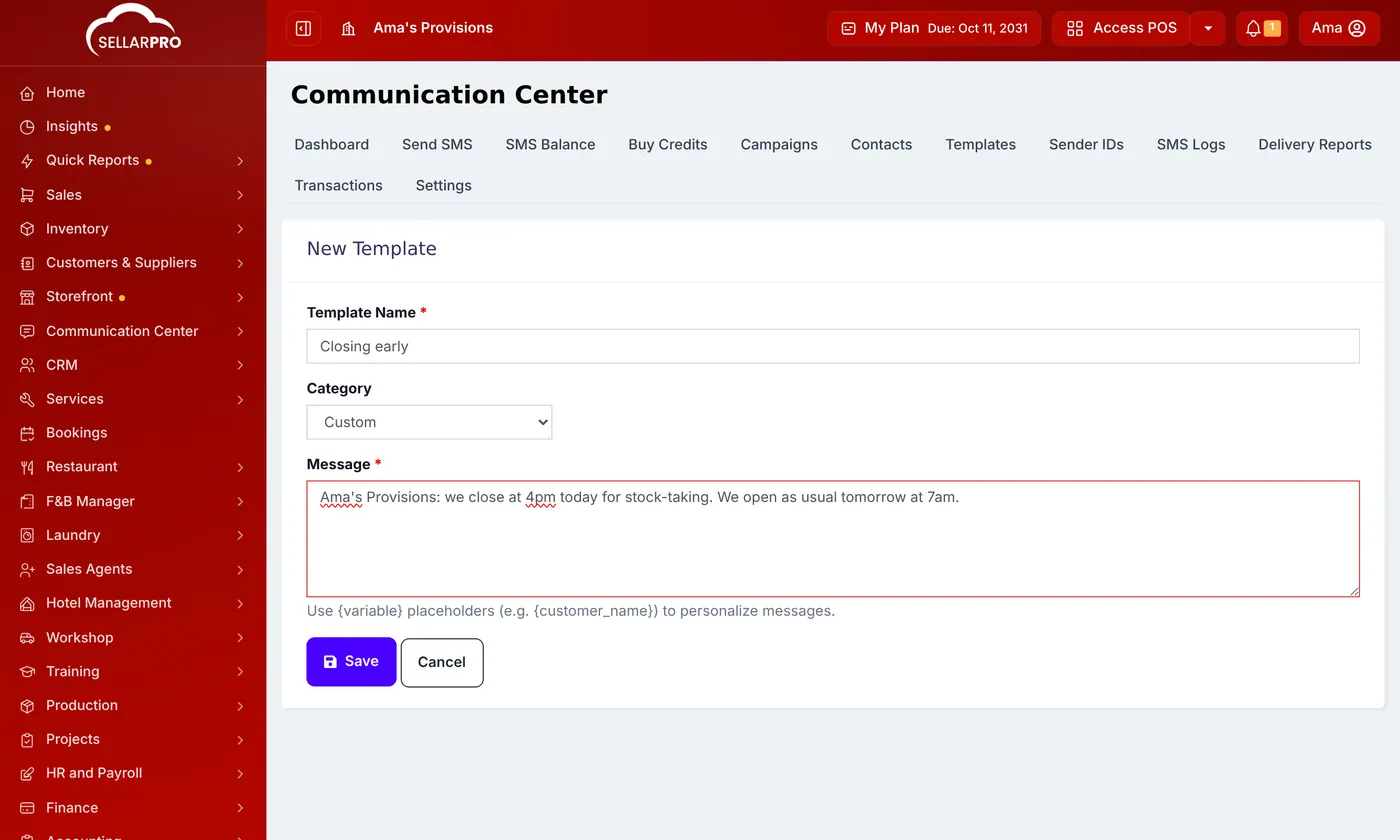
On New Campaign, choose it under Use template, and edit the text before sending if you need to.
Was this article helpful?
Thanks — your answer helps us improve this article.
Still need help?
Can’t find the answer you’re looking for? Our support team in Accra can help.