
All help topics
Help topics
- Getting Started
- Sales & POS
- Products & Inventory
- Purchases & Suppliers
- Customers
- Staff & Permissions
- Reports
- Branches
- Hardware
- Payments
- Settings
- Troubleshooting
- Billing & Subscription
- Workshop
- Training
- Sales Agents
- Laundry
- Accounting
- HR & Payroll
- Hotel
- Services
- Communication Center
- Online Store
- CRM
- Restaurant
- F&B Manager
- Production
- Projects
- Asset Management
- All topics
How to Use My Tasks, the Project Calendar and Reports
Projects → My Tasks shows each person only the tasks assigned to them. Projects → Calendar shows every deadline and milestone by date. Projects → Reports gives Project Status, Employee Performance and Schedule Performance, with Export to Excel.
My Tasks
Each staff member opens Projects → My Tasks to see only what is theirs, across every project, with the due dates. Opening a task lets them update its status, hours and checklist.
Calendar
Projects → Calendar shows every task deadline and milestone by date, so clashes and busy weeks stand out.
Reports
Open Projects → Reports:
- Project Status: every project with its client, manager, status, progress, task counts, what is completed, overdue and blocked, slipped milestones, its Health and target date.
- Employee Performance: what each person has on, finished and let slip.
- Schedule Performance: how projects are tracking against their dates.
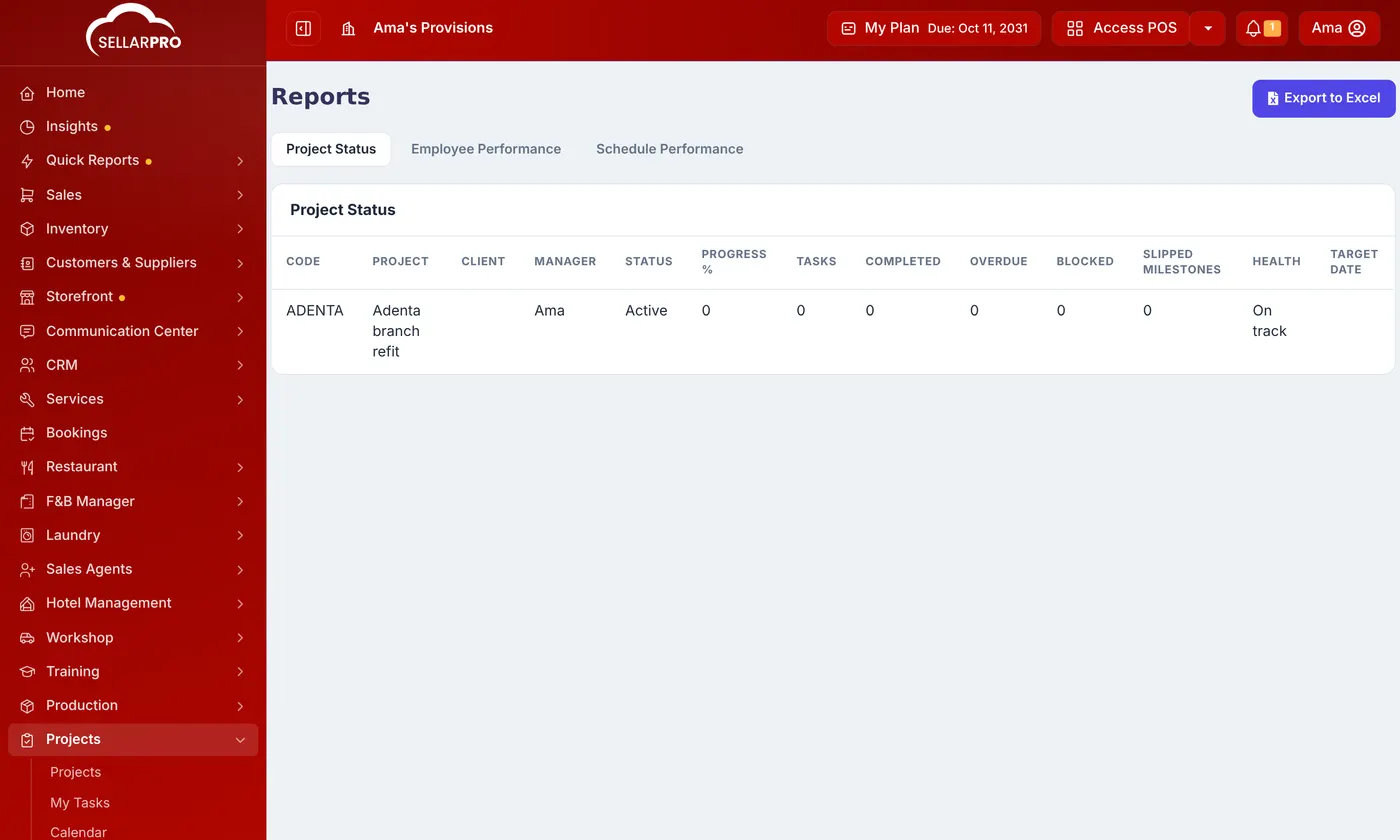
Export to Excel takes the report with you.
Projects send a reminder as a deadline approaches. A task that keeps moving is worth asking about.
Was this article helpful?
Thanks — your answer helps us improve this article.
Still need help?
Can’t find the answer you’re looking for? Our support team in Accra can help.