
All help topics
Help topics
- Getting Started
- Sales & POS
- Products & Inventory
- Purchases & Suppliers
- Customers
- Staff & Permissions
- Reports
- Branches
- Hardware
- Payments
- Settings
- Troubleshooting
- Billing & Subscription
- Workshop
- Training
- Sales Agents
- Laundry
- Accounting
- HR & Payroll
- Hotel
- Services
- Communication Center
- Online Store
- CRM
- Restaurant
- F&B Manager
- Production
- Projects
- Asset Management
- All topics
On this page
How to Reset Your Business Data with System Reset
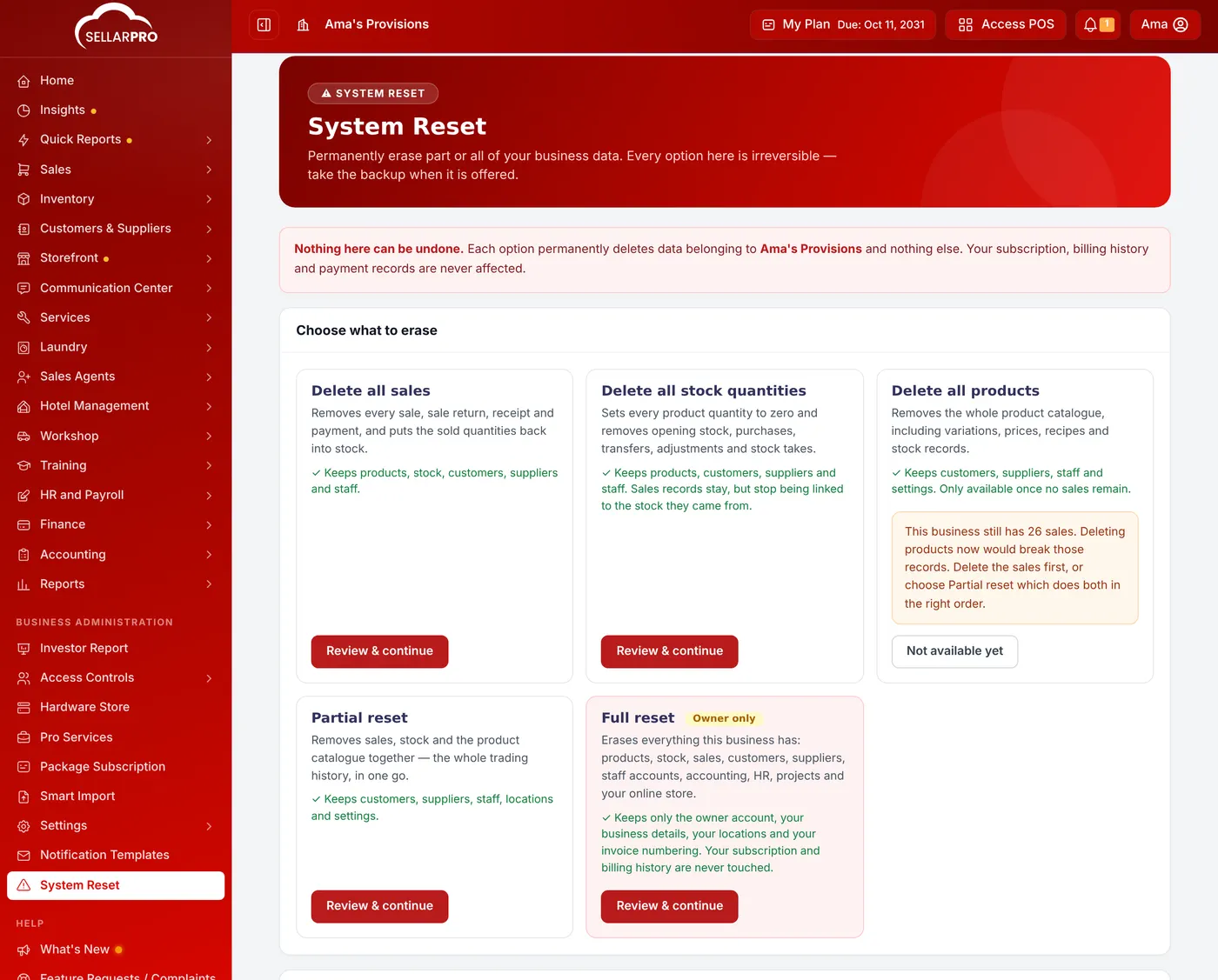
Open System Reset to permanently delete all sales, all stock quantities, all products, or everything. Choose an option, click Review & continue, download the backup when offered, and confirm with the code sent to you. It cannot be undone.
Sometimes you need to start again: after practising with test sales, or before re-importing your stock. System Reset erases part or all of your business data. It touches only your business, never your subscription or payments to SellarPro.
Nothing here can be undone. Take the backup when it is offered, and run a reset only when you are sure.
The options
- Delete all sales: every sale, return, receipt and payment. Sold quantities go back into stock. Products, stock, customers, suppliers and staff stay.
- Delete all stock quantities: every quantity set to zero, and opening stock, purchases, transfers, adjustments and stock takes removed. Products, customers, suppliers and staff stay.
- Delete all products: the whole product catalogue. Only available once no sales remain.
- Partial reset: sales, stock and products together, in the right order. Customers, suppliers, staff, locations and settings stay.
- Full reset (owner only): everything except the owner account, business details, locations and invoice numbering.
Steps
- Open System Reset from the menu.
- On the option you need, click Review & continue.
- Read the count of what will be deleted. Download the backup.
- Confirm with the code SellarPro sends you.
Past resets are listed under Recent resets.
Common questions
Why is Delete all products "Not available yet"?
Was this article helpful?
Thanks — your answer helps us improve this article.
Still need help?
Can’t find the answer you’re looking for? Our support team in Accra can help.