
All help topics
Help topics
- Getting Started
- Sales & POS
- Products & Inventory
- Purchases & Suppliers
- Customers
- Staff & Permissions
- Reports
- Branches
- Hardware
- Payments
- Settings
- Troubleshooting
- Billing & Subscription
- Workshop
- Training
- Sales Agents
- Laundry
- Accounting
- HR & Payroll
- Hotel
- Services
- Communication Center
- Online Store
- CRM
- Restaurant
- F&B Manager
- Production
- Projects
- Asset Management
- All topics
On this page
How to Register Your Business Assets
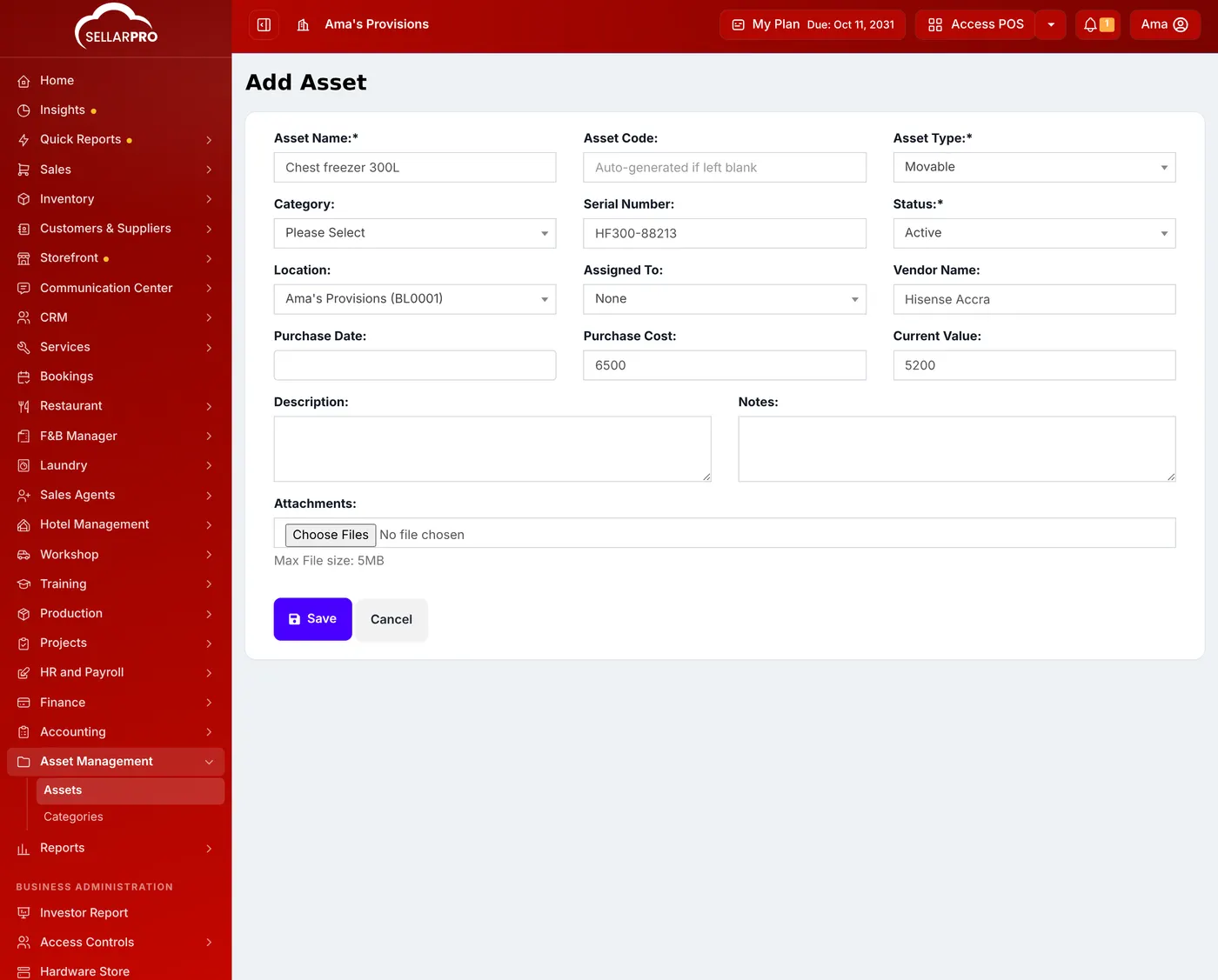
Open Asset Management → Assets and click Add Asset. Enter the name, type (Movable or Fixed), category, serial number, location, purchase date, purchase cost, current value and vendor, attach the receipt or warranty, and save. Group assets with Asset Management → Categories.
An asset register lists the things your business owns but does not sell: fridges, generators, laptops, vehicles, furniture. Each gets a code, so you always know what you have, where it is and who has it.
Asset Management comes with selected plans. If you do not see Asset Management in your menu, contact SellarPro.
Steps
- Optional: open Asset Management → Categories and add your groups, such as "Kitchen equipment" or "IT".
- Open Asset Management → Assets and click Add Asset.
- Enter the Asset Name. Leave Asset Code blank for one to be made for you, such as AST-00004.
- Choose the Asset Type: Movable (it can be handed to someone) or Fixed.
- Choose the Category, and enter the Serial Number, Location and Status.
- Enter the Vendor Name, Purchase Date, Purchase Cost and Current Value.
- Under Attachments, add the receipt, warranty or a photo (up to 5MB each). Save.
Find assets
The Assets list filters by type, category, location and status. Update an asset's Current Value when you revalue it.
Common questions
Does it work out depreciation?
Was this article helpful?
Thanks — your answer helps us improve this article.
Still need help?
Can’t find the answer you’re looking for? Our support team in Accra can help.