
All help topics
Help topics
- Getting Started
- Sales & POS
- Products & Inventory
- Purchases & Suppliers
- Customers
- Staff & Permissions
- Reports
- Branches
- Hardware
- Payments
- Settings
- Troubleshooting
- Billing & Subscription
- Workshop
- Training
- Sales Agents
- Laundry
- Accounting
- HR & Payroll
- Hotel
- Services
- Communication Center
- Online Store
- CRM
- Restaurant
- F&B Manager
- Production
- Projects
- Asset Management
- All topics
On this page
How to Get Help from the Support Agent
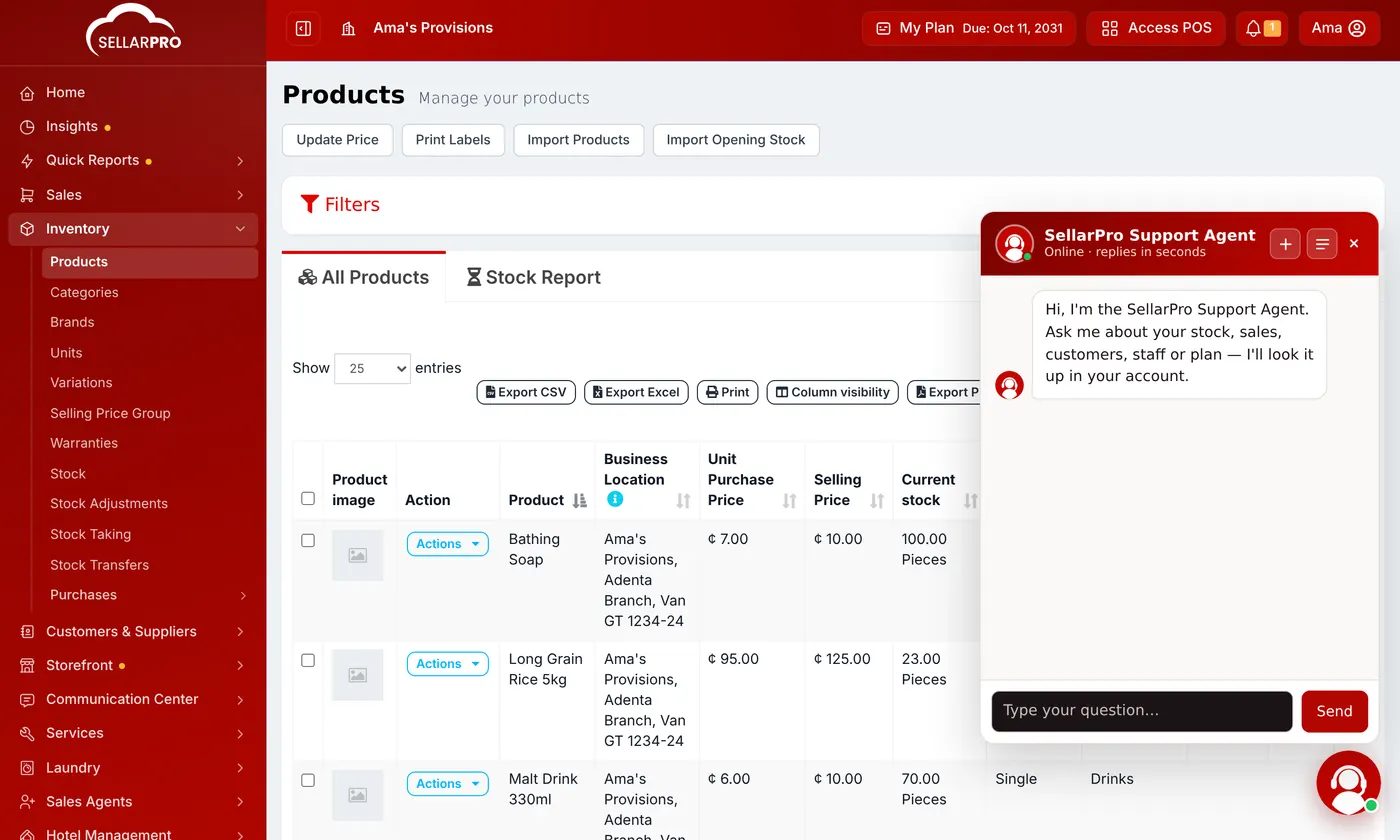
Click the support bubble in the bottom corner of any screen and type your question. The Support Agent explains how to do things in SellarPro, looks up your stock, sales, customers, staff and plan, reads the page you are on, and tells you how to reach a person when it cannot help.
Help is one click away on every screen. The Support Agent answers questions about SellarPro any time of day.
Steps
- Click the round support bubble in the bottom-right corner.
- Type your question the way you would ask a person, for example "How do I return an item to a supplier?".
- Read the answer. Ask a follow-up in the same chat if you need more.
What it can do
- Explain any screen and the steps to do a job.
- Look things up in your account: stock, sales, customers, staff and your plan. For example "How many bags of rice do I have at Adenta?".
- Read the page you are on, so "what does this number mean?" gets an answer about your screen.
- Point you to the right Help Center guide.
If it cannot answer, it says so and tells you how to reach the SellarPro team. You can also raise the problem yourself: see How to Send a Feature Request or Complaint.
The Support Agent can make mistakes. For anything to do with money, check the figure on the screen it refers to.
Common questions
Can it change my data?
Was this article helpful?
Thanks — your answer helps us improve this article.
Still need help?
Can’t find the answer you’re looking for? Our support team in Accra can help.